How to Use AI Agent Lock to Block AI Agents on Windows

GiliSoft
Home/How-tos/AI Agent Lock/User Guide

How to Use AI Agent Lock

AI Agent Lock is meant for Windows users who want to block AI agents, automation scripts, RPA tools, and AI remote-control programs from operating the computer while keeping normal manual use available. This guide follows the current Windows interface and explains how to use the main protection modules in a practical rollout.

This guide covers: first-time setup, enabling protection, choosing the right modules, using audit mode, reviewing logs, and rolling protection out safely on personal, office, and shared PCs.
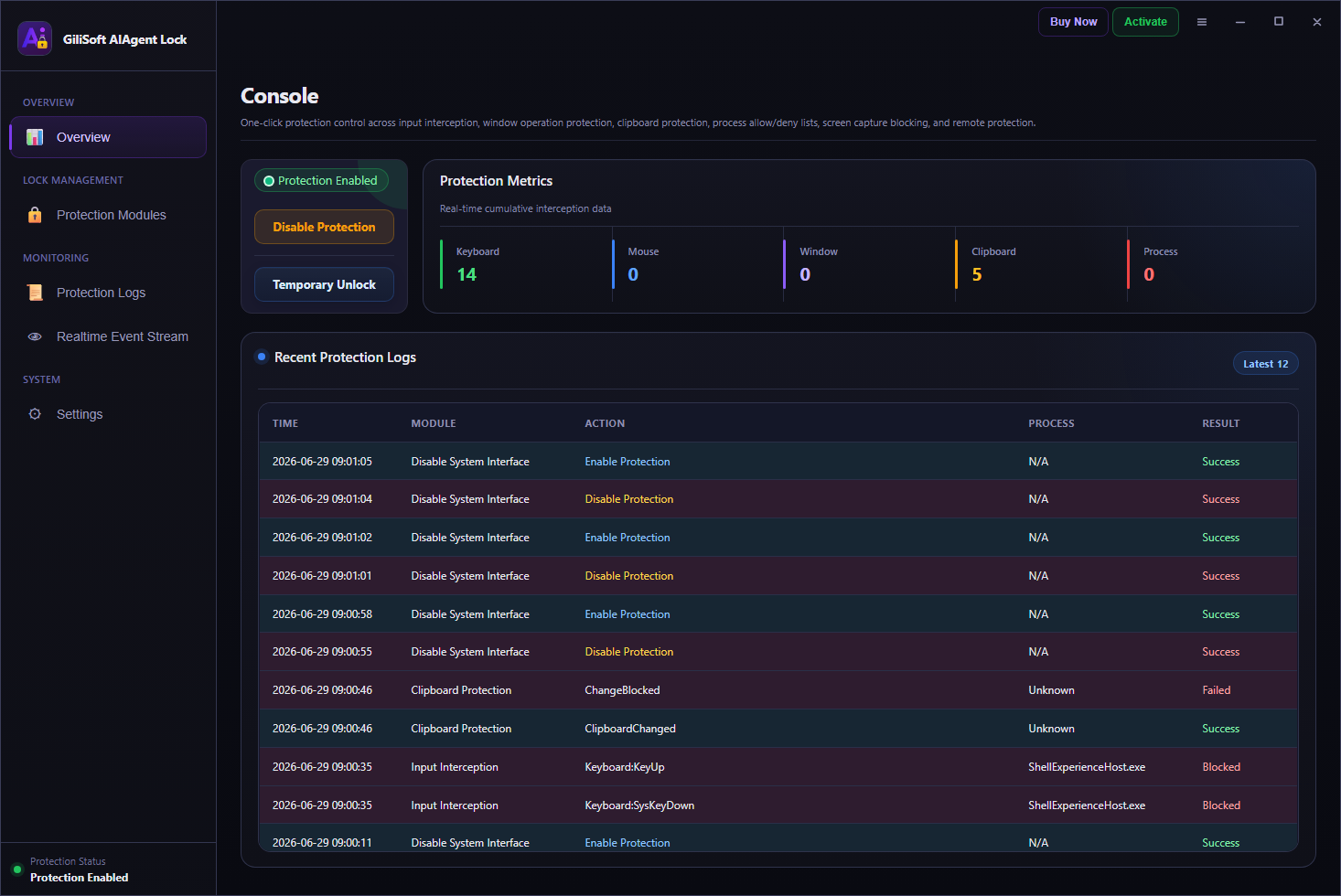
AI Agent Lock main interface with protection enabled and logs visible

Think in layers: enable protection, choose the right modules, confirm that manual use still feels normal, and then review counters and logs to verify that machine-driven behavior is actually being blocked.

  • Start with one-click protection and confirm the main state changes from disabled to active.
  • Apply stronger blocking on office, shared, or public Windows systems.
  • Review counters, logs, and realtime events after protection is running.

Quick Start Checklist

Step 1Decide which machines need AI and automation blocking the most.
Step 2Enable protection and choose which modules should be active first.
Step 3Test the blocking behavior on a normal Windows workflow you use every day.
Step 4Check counters, logs, and events before rolling stronger protection out broadly.

Current Interface Reference

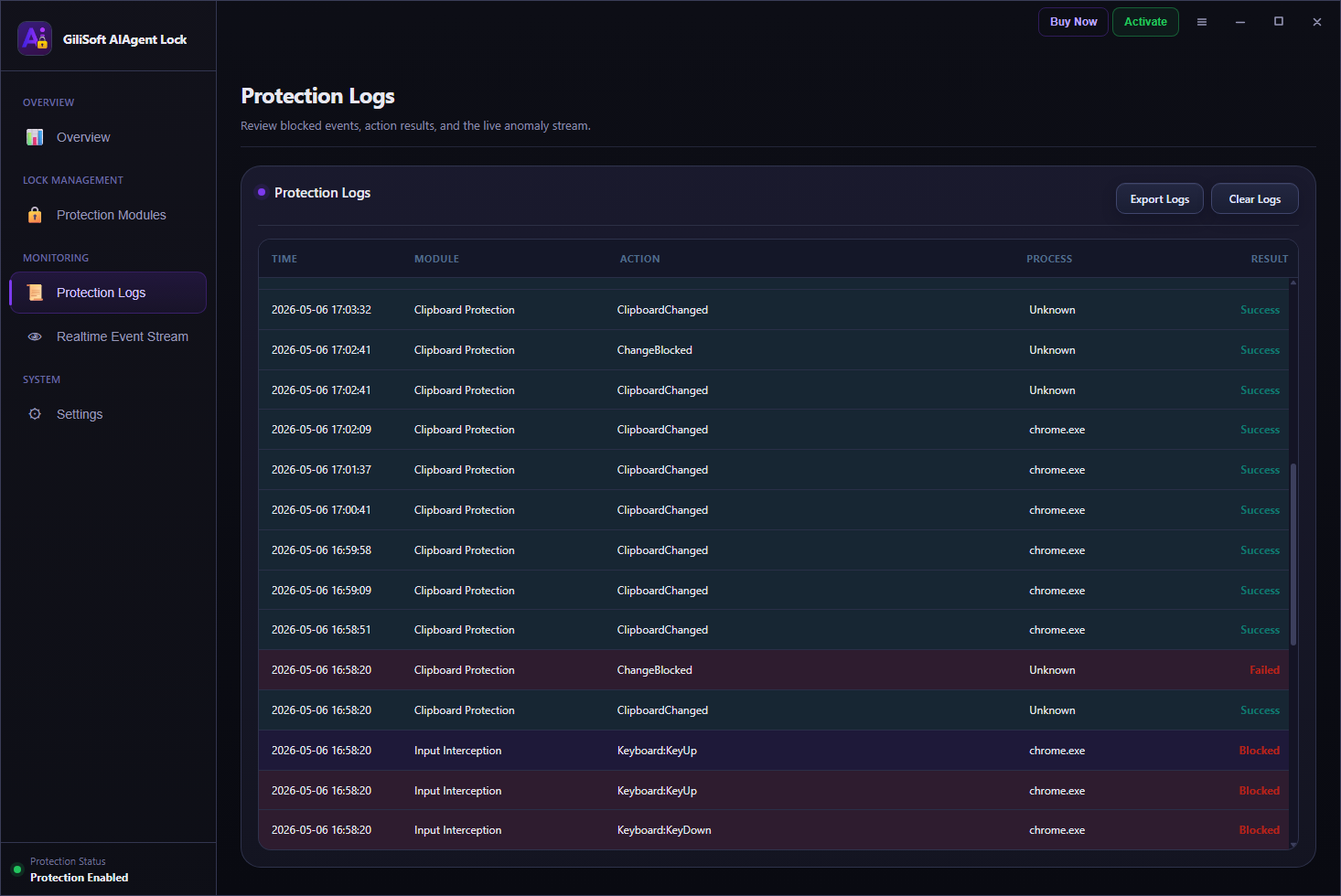
Use the main dashboard to confirm protection state, switch modules on or off, review block counters, and inspect the Protection Logs table together with the Realtime Event Stream.

AI Agent Lock dashboard used as the reference interface for this setup guide

Recommended Blocking Workflow

  1. Install and open AI Agent Lock. Start on the Windows device you want to defend, then confirm the main status panel is visible before changing anything.
  2. Click Enable Protection. Turn on the base protection state first, then decide whether you want a lighter or stricter module set.
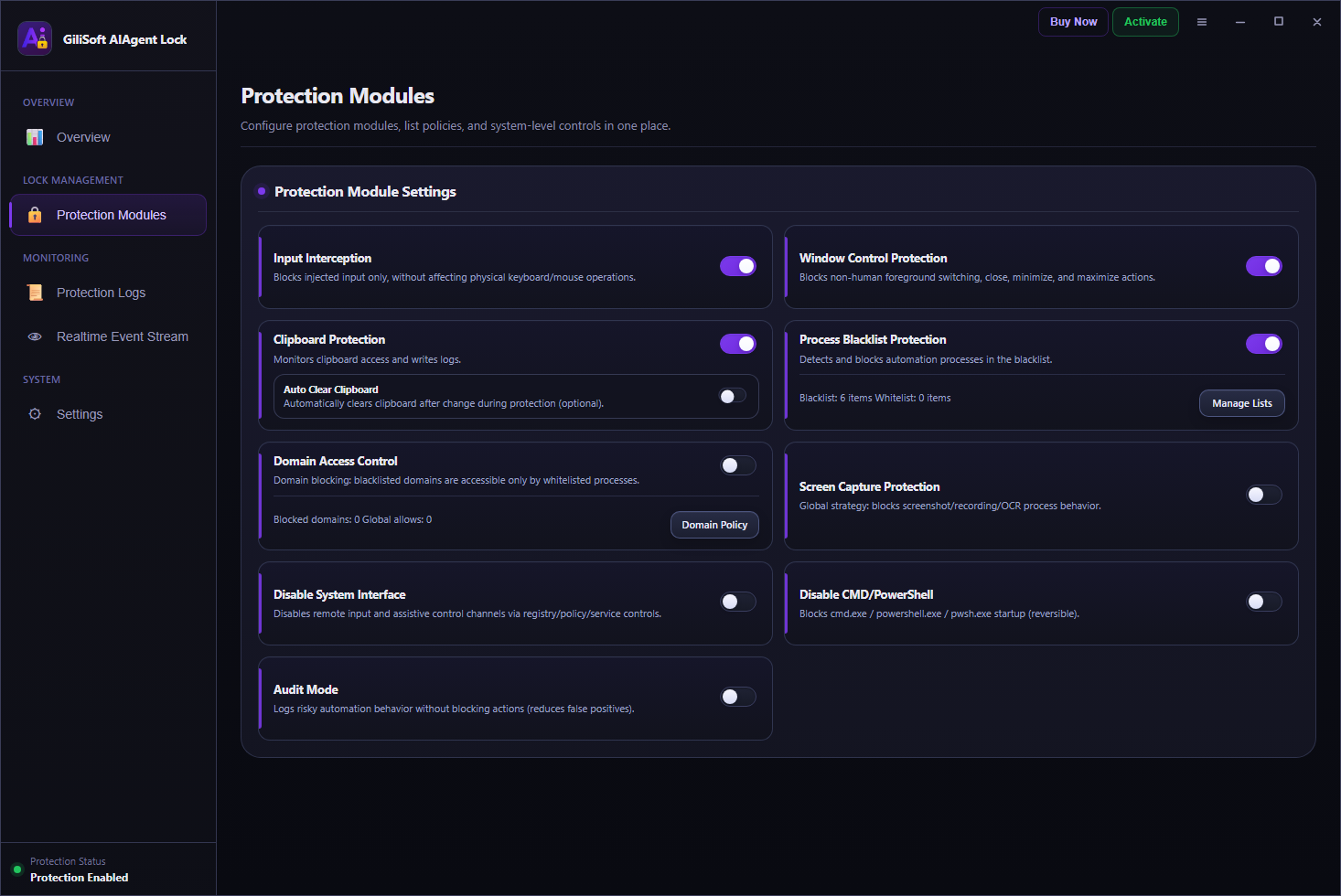
  3. Start with the highest-value modules. In most cases begin with Input Interception, Window Control Protection, Clipboard Protection, Process Blacklist Protection, and Screen Capture Protection.
  4. Use Audit Mode if you want a safer first rollout. Audit Mode is the cleaner way to observe suspicious automation behavior before turning on harder blocking everywhere.
  5. Test manual user actions first. Make sure ordinary physical keyboard and mouse use still feels normal because the point is to block machines, not humans.
  6. Review counters and logs. Check Keyboard Blocks, Mouse Blocks, Window Blocks, Clipboard Protections, Process Blocks, the Protection Logs table, and the Realtime Event Stream after testing.
  7. Apply stricter blocking on higher-risk devices. Shared office PCs, kiosks, public computers, and operational workstations usually need stronger protection than a personal home device.

Where AI Agent Lock Fits Best

  • Personal Windows computers needing privacy-focused anti-automation defense
  • Office devices where automated tampering is a real operational risk
  • Shared workstations used by multiple people
  • Public or semi-public PCs exposed to misuse
  • Environments where remote AI-assisted control should not be trusted
  • Windows systems where manual use must stay available

Main Modules to Configure First

Input Interception and Window Control Protection

These are strong first-line modules because they directly target injected input and non-human window actions without blocking ordinary physical use.

Clipboard Protection and Auto Clear Clipboard

Use these when copied data should not remain easily available to automated processes, especially on office, shared, or public machines.

Process Blacklist Protection and Screen Capture Protection

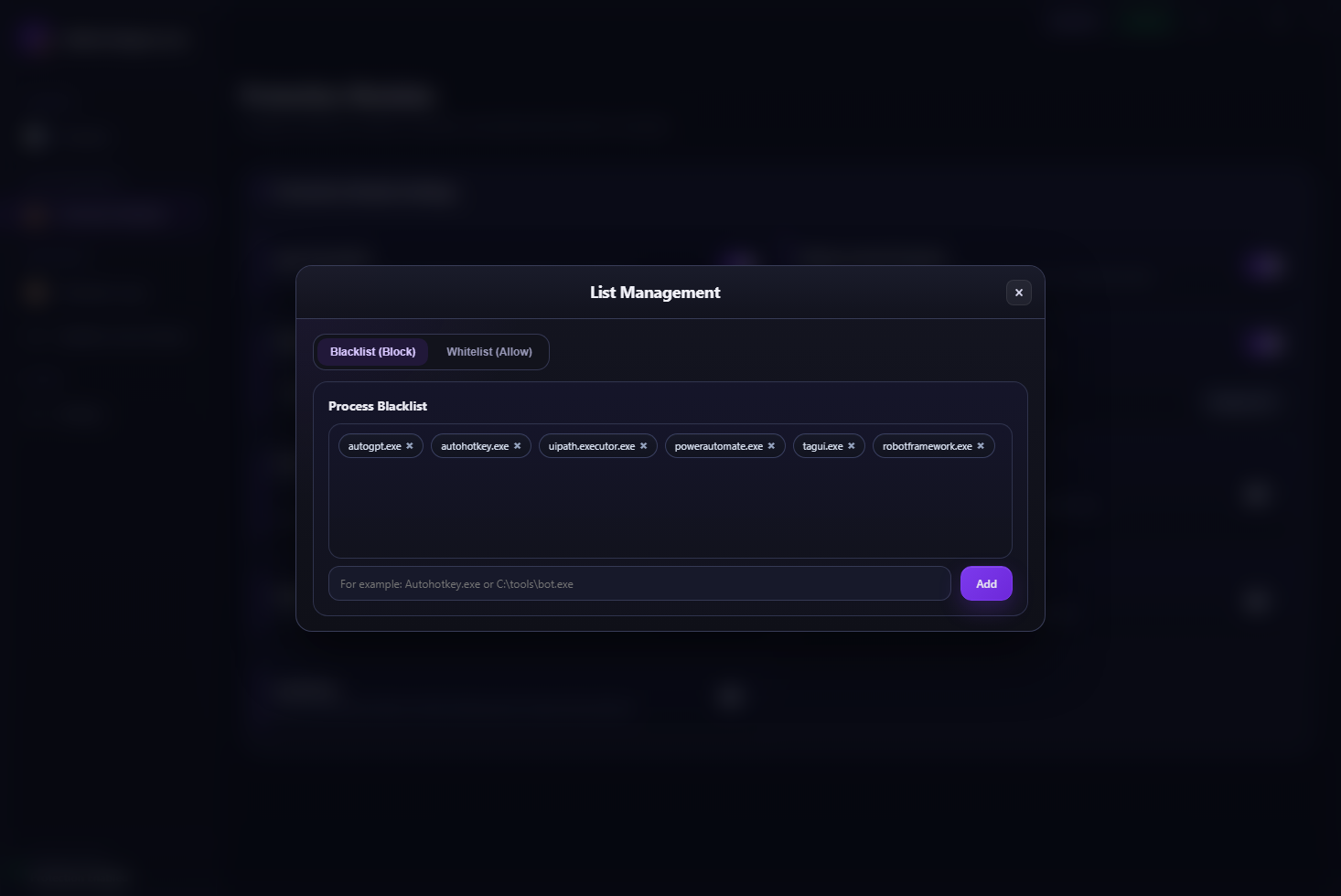
These modules help block automation software, screenshot tools, recording flows, and OCR-assisted capture behavior that can support AI misuse.

Disable System Interface and Disable CMD/PowerShell

Use these for stricter environments where remote input channels and script launch paths are part of the threat model.

How to Roll Out AI Agent Lock Safely

For a personal machine

Focus on stopping unwanted AI-driven or scripted control while keeping your ordinary manual Windows use smooth and unchanged.

For a team workstation

Use stronger anti-automation blocking because unattended or semi-automated misuse is more realistic on shared office systems.

For client or demo delivery

Prepare a machine that remains usable for staff or visitors, but does not allow AI-driven or remote automated control to take over.

Common Mistakes to Avoid

  • Treating it like ordinary file protection instead of anti-automation computer protection.
  • Turning every module on immediately without checking normal manual workflows first.
  • Forgetting that shared and public systems need stronger protection than private personal machines.
  • Ignoring remote-control and script-based abuse paths while focusing only on local apps.
  • Assuming AI misuse always looks obvious instead of quietly machine-driven.

What to Review After Testing

  • Did the protection state switch from disabled to enabled successfully?
  • Did manual keyboard and mouse use remain smooth for the real user?
  • Did the block counters increase when automation behavior was tested?
  • Did the Protection Logs table show the module, action, process, and result clearly?
  • Did the Realtime Event Stream reveal anything that suggests a whitelist or policy adjustment is needed?

AI Agent Lock FAQ

Does AI Agent Lock block AI agents and automation scripts?

Yes. That is the main product direction: block AI agents, automation scripts, RPA tools, and related machine-driven control on Windows.

Will it stop me from using the computer normally?

No. The intended effect is to preserve normal manual operation while blocking machine-run control behavior.

Is it useful for office devices and public computers?

Yes. Those are especially strong use cases because automated tampering and AI misuse are more dangerous there.

Does it need a heavy runtime or lots of dependencies?

No. The product is positioned as a lightweight, efficient, no-dependency dedicated protection tool.

What is the core protection idea behind AI Agent Lock?

The core idea is "only block machines, not humans" so AI-driven and automated control gets stopped while the real user keeps normal access to the computer.

Should I start with all protections enabled?

Not always. For many environments it is smarter to begin with the main modules or use Audit Mode first, then strengthen the policy after reviewing logs and normal workflow impact.