
Compress a PDF for Email on Windows
A large PDF may contain high-resolution scans, images, or duplicated content. Compression helps delivery, but an unreadable attachment is not a successful result.
Quick answer
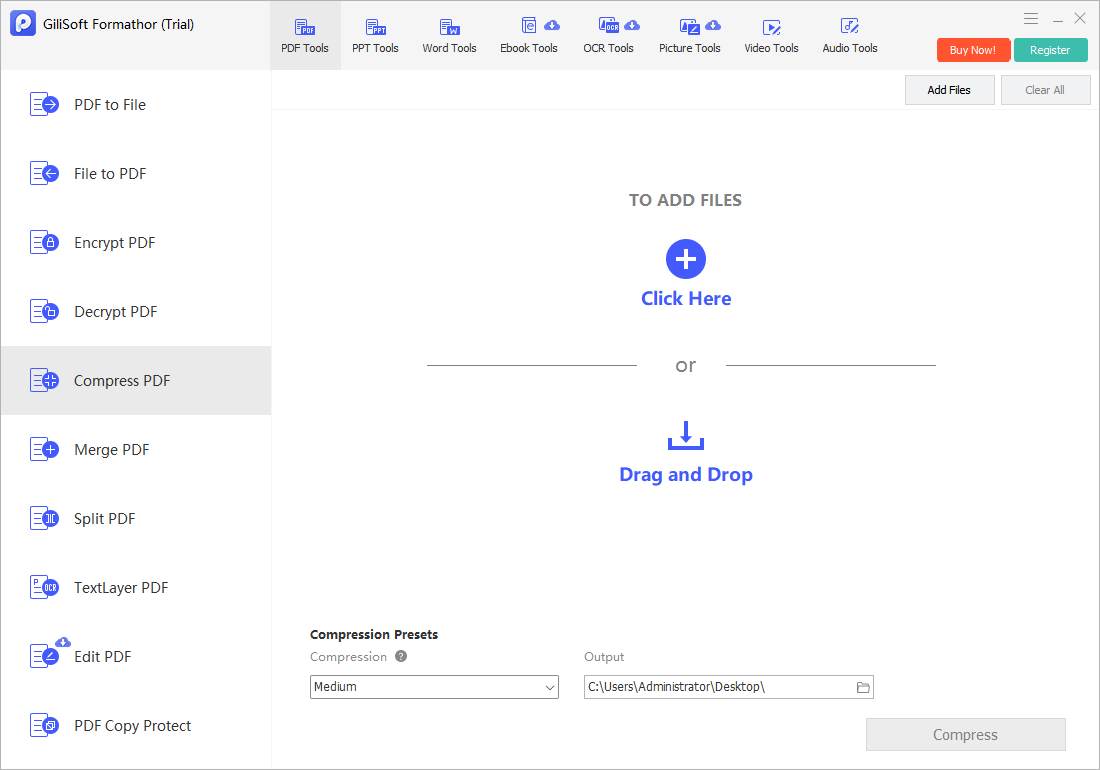
Save a copy, run the Compress PDF task in GiliSoft Formathor, compare file size and page count, and inspect the most detailed pages before attaching it to an email.
Before You Start
- Check the recipient limit, including the message and other attachments.
- Keep the original high-quality PDF as a separate master.
- Remove unnecessary pages or oversized source images when practical before compression.
Choose the Right Route
| Situation | Approach | What to verify |
|---|---|---|
| Large image-heavy document | Try moderate compression first | Scan text and diagrams remain legible |
| Mostly text-based PDF | Check actual size gain before repeating | No unnecessary quality loss |
| Still above attachment limit | Use an approved secure transfer route | Recipient can open the delivered file |
Compress a PDF for Email on Windows: Step by Step
- Open the compression task
Load the finished PDF in Formathor rather than a partially assembled packet.
- Choose an appropriate setting
Start with a moderate reduction so text, diagrams, and signatures remain readable.
- Save to a new filename
Keep the master unchanged for print, archive, or a future higher-quality delivery.
- Compare both files
Check byte size, page count, text selection, image-heavy pages, small print, and forms.
- Send the reviewed copy
If it still exceeds the limit, use an approved secure transfer method rather than repeatedly degrading the PDF.
Check the Result Before Sharing
- Can the recipient open the PDF in a standard reader?
- Are charts, QR codes, signatures, and scan text still usable?
- Is the final attachment within the actual mail system limit?
Limits and Common Mistakes
Compression may not reduce a mostly text-based PDF much. It does not encrypt the document or remove confidential metadata by itself.
Frequently Asked Questions
Why did the size barely change?
Text and already-compressed images often leave little room for further reduction.
Can compression blur scans?
Yes. Inspect the smallest text and fine diagrams after exporting.
Is a smaller PDF automatically safe to email?
No. Follow your organization’s permissions and encryption requirements for sensitive material.