
December 19, 2025, Canada — Gilisoft Total Repair, the widely trusted system maintenance tool, officially releases its all-new version today. The previous version already covered core scenarios including Application Error, System Error, System DLL Scan, Game Repair, and C++ Runtime Library repair; this update further expands its capability scope by adding four practical new features: .NET Runtime Repair, .NET FX Repair, Registry Repair, and Error Code Scan—fully upgrading the coverage and experience of system maintenance.
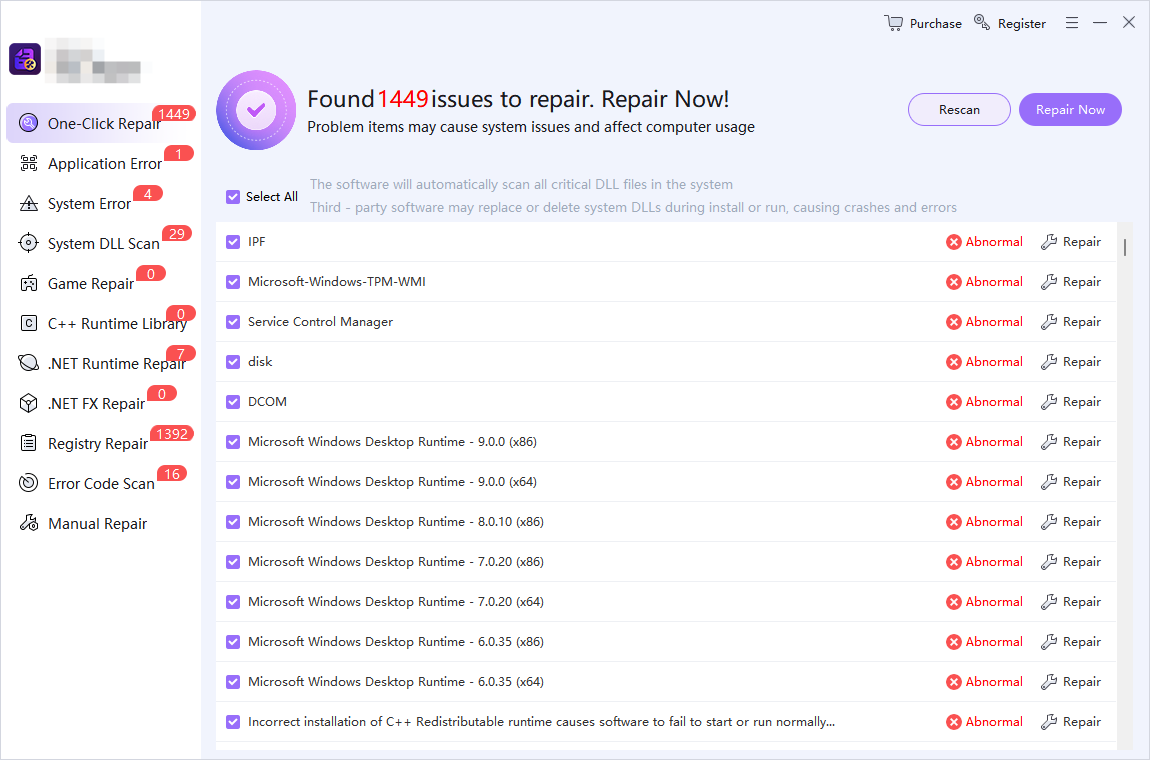
Synergy of Old & New Features: Covering More System Fault Scenarios
The new version retains the core capabilities of the old version while adding four targeted functions:
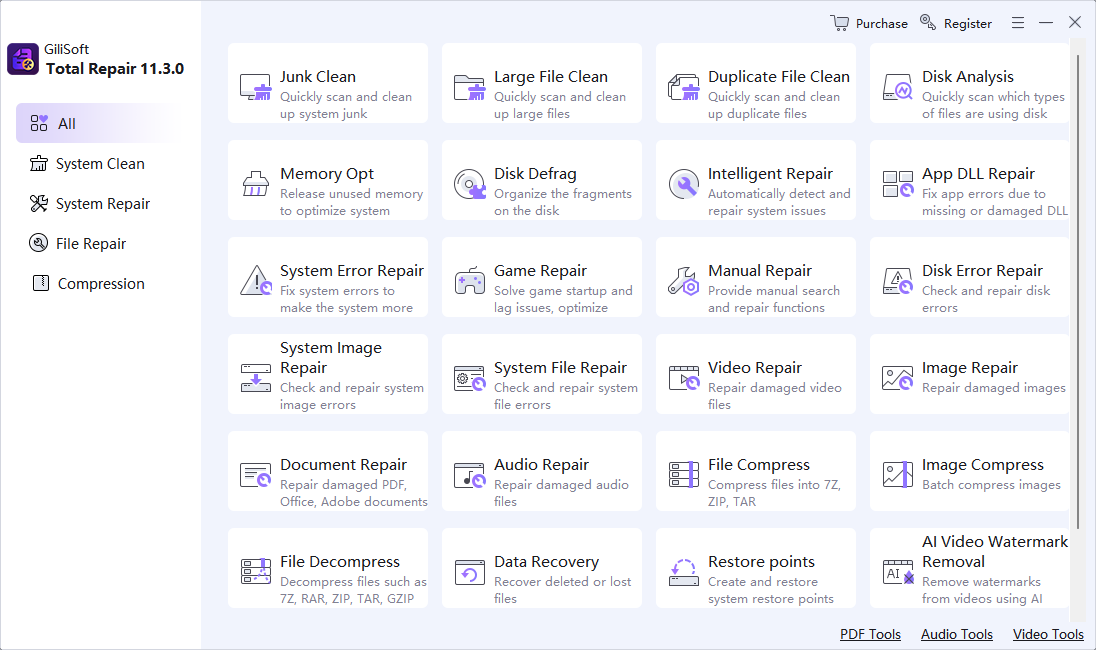
Classic Features of the Old Version (Continuously Optimized)
- Application Error: Resolves startup crashes and operational glitches for various applications;
- System Error: Locates and fixes underlying system-level faults, reducing blue screens, freezes, and similar issues;
- System DLL Scan: Scans for missing or corrupted system DLL files to ensure normal operation of program-dependent components;
- Game Repair: Fixes the runtime environment required for games, addressing startup failures and stuttering/crashes;
- C++ Runtime Library: Maintains C++ Runtime Library components, resolving errors for software dependent on this component.
New Features in the Updated Version
- .NET Runtime Repair: Fixes issues with .NET Runtime components, resolving startup failures and functional anomalies for software dependent on this component;
- .NET FX Repair: Focuses on .NET Framework component repair, ensuring stable operation of legacy software and professional tools;
- Registry Repair: Deeply scans for redundant entries and incorrect configurations in the system registry, fixing system lag and program crashes caused by registry disarray;
- Error Code Scan: Intelligently identifies various system error codes and automatically matches corresponding solutions, quickly locating the root cause of blue screens and program errors.
Core Upgrades: More Comprehensive, Efficient System Maintenance
The new version delivers three key experience enhancements:
- More Comprehensive Scenario Coverage: Expands from the old version’s basic scenarios (applications, system, DLLs, etc.) to deep-level issues (e.g., .NET components, registry, error codes), enabling one-stop resolution of system faults;
- Improved Repair Precision: Upgraded scanning algorithms ensure accurate root-cause localization for both old and new features, avoiding ineffective repairs;
- Lower Operational Threshold: All functional modules retain the simple “one-click scan + one-click repair” workflow, allowing non-professional users to maintain their systems independently.
User Benefits: Resolve System Issues Independently, Save Time & Costs
- General users: Handle issues from application crashes to system lag without professional knowledge, no need to pay for repair services;
- Gamers: Combine game environment repair with system underlying maintenance to reduce game runtime faults;
- Office users: Ensure stable operation of office software and professional tools, lowering the risk of workflow interruptions.
Release Information
The new version of Gilisoft Total Repair was officially launched on December 19, 2025. Users can download and update it via the official Gilisoft website. A free trial version (basic features) and a paid professional version (full features) are available to meet the system maintenance needs of different users.