

Secure Personal Computers with USB Device Control
A blanket USB block may interrupt keyboards, storage, phones, recovery tools, or network adapters. A safer rollout starts with the data paths that matter, identifies approved hardware, and tests the real computer before enforcement.
Quick answer
Use GiliSoft USB Lock to restrict the removable storage or transfer channels that create risk while allowing approved devices needed for work. Record the policy, test exceptions, protect settings, and review access events.
Build a Practical Device-Control Policy
| Situation | Recommended approach | Check carefully |
|---|---|---|
| Home PC with sensitive files | Restrict unknown removable storage | Backups and trusted family devices |
| Shared personal computer | Use least privilege and approved-device lists | Account separation and administrator recovery |
| Small-office workstation | Add logs and documented exceptions | Support ownership and hardware replacement |
Step-by-Step Workflow
- List connected device types
Identify storage drives, phones, card readers, optical media, Bluetooth, printers, and USB network adapters used on the PC.
- Choose the smallest effective restriction
Block reading, writing, or a specific device class only when it addresses the actual transfer risk.
- Register approved hardware
Add trusted storage or USB network devices to the appropriate whitelist, noting that these lists can be separate.
- Enforce, test, and review
Apply the policy, reconnect approved and unknown devices, confirm expected behavior, and inspect the USB activity log.
For every product control and supporting task, see the USB Lock user guide.
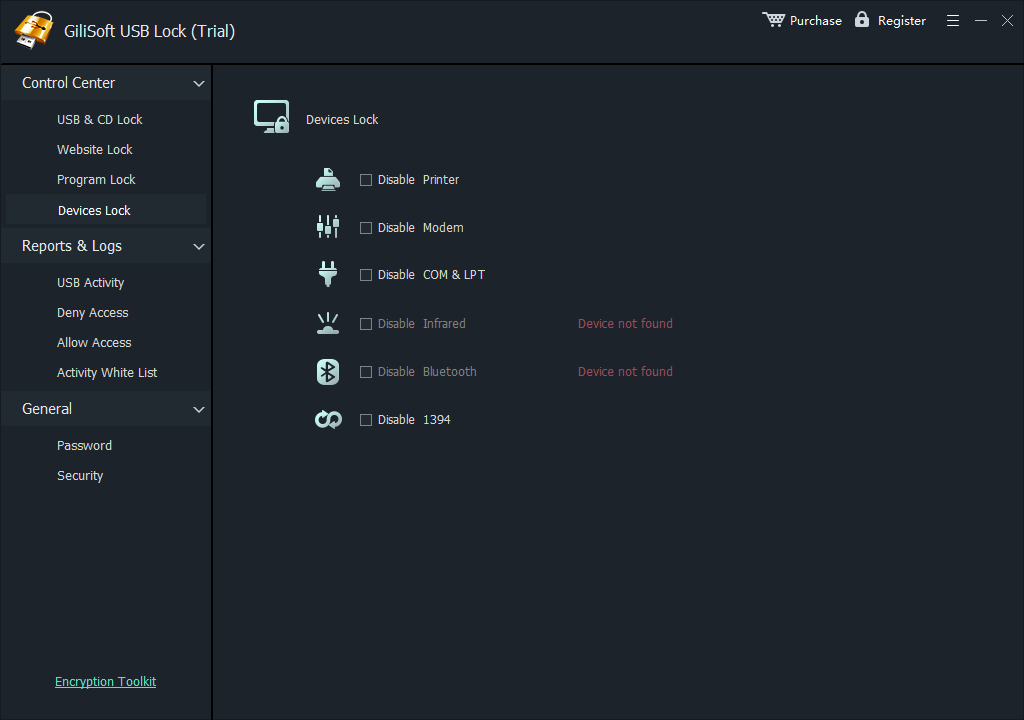
GiliSoft USB Lock Interface
These real product screenshots connect the advice above to the Windows workflow.


Review Before You Finish
- Keep the untouched source or a verified backup before changing protected data or media.
- Test the finished result in the real destination, recipient, or restart workflow.
- Document passwords, recovery material, ownership, and exceptions in an appropriate controlled location.
- Do not treat one product control as a replacement for authorization, backups, endpoint security, and policy.
Frequently Asked Questions
Will USB Lock disable my keyboard and mouse?
Apply storage and device-class rules carefully and test the exact hardware. Do not assume every USB-connected device should be blocked.
Are storage and USB network whitelists the same?
No. The product guide shows separate trusted-device workflows for storage and USB Ethernet adapters.