


Gilisoft USB Encryption
Encrypt and password-protect data stored inside USB drives


Windows XP/7/10/11 (32 bits &64 bits)

Download TrialVersion 11.0 BUY NOW$49.95 $59.95

Gilisoft USB Encryption

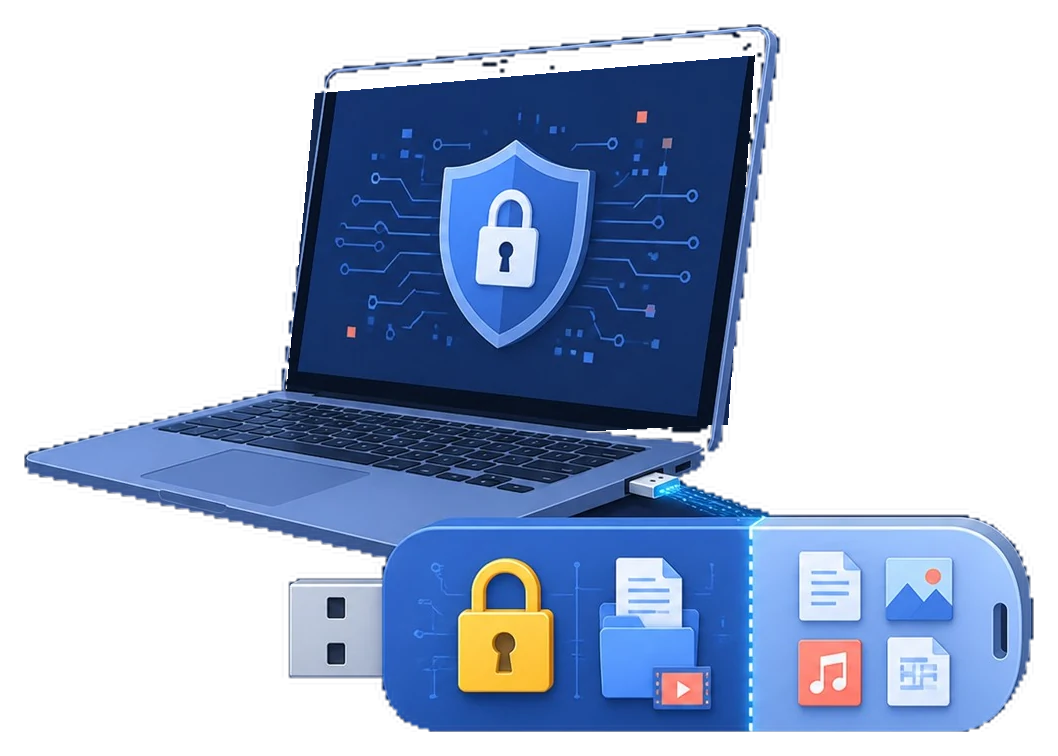
USB Encryption protects data stored inside USB flash drives, thumb drives, pen drives, memory cards, and external USB hard drives on Windows. It creates a password-protected encrypted area directly on the USB device, so sensitive files remain protected wherever the USB drive is used.
Each USB drive can contain both a secure encrypted area and a normal public area. Only users with the correct password can open files inside the encrypted area, while non-sensitive files can stay in the public area for normal sharing.
USB copy protection is another Gilisoft software solution for anyone to see a file, but no one can copy the file. Copy protect PDF, Doc, XLS files, MP4 video files, MP3 audio files and more.

Exclusive Features of USB Encryption

Securely encrypt USB flash drive

If you use removable disks to move files in your office and home, you can use USB Encryption to protect your files. If your work file contains confidential company information or customer's private information, this is particularly important: if you do not encrypt this data, losing this data may bring disaster to your enterprise or career! USB Encryption can help protect the privacy of your data.

Password protect USB drive

If you use a removable drive to backup your files, you do not want it to fall into the wrong hands. With USB Encryption, you can create a safe area to password protect the senstive files on USB storage. If someone get holds of your external drive, he/she will not be able to retrieve your backup without a password.

Encrypted area inside the USB drive

USB Encryption creates a secure area from free space on the USB drive itself. You can keep sensitive files in the encrypted area and non-sensitive files in the public area.

Automatic encryption in the secure USB area

Files saved to the encrypted USB area are encrypted automatically. When authorized users open them, data is decrypted in real time for normal use.

Encrypted USB data locks on unplug

When the USB drive is unplugged or the session is closed, the encrypted area is locked automatically until the correct password is entered again.

Supports common USB storage devices

Supports USB thumb drives, USB flash drives, memory cards, and external USB hard drives. For best performance, use NTFS on the USB device before creating the encrypted area.

Use encrypted USB drives on Windows PCs

USB Encryption supports Windows XP through Windows 11 on 32-bit and 64-bit systems, making encrypted USB drives practical across office and home PCs.

Encrypt USB drives up to 128TB

Supports very large USB storage capacity up to 128TB (Windows limit), so the same encryption workflow scales from small sticks to large external USB disks.

Protect any file stored on USB

Documents, photos, videos, archives, and folders can all be protected inside the encrypted USB area without strict file type limitations.

Fast backup USB files to hard disk

Provides the Fast Copy function is the simplest and quickest way to backup your entire USB to a folder on hard disk. If you want uninstall the secure area, please use it to backup files from secure area to public area first.

No Worries of Data Loss

Total peace of mind from security leaks and privacy breaches. Never again fear of what's happening to your device while it is lost.

User Friendly Interface & Easy to Use

It's easy to install, run and use. It doesn't complicate users with technical jargon common in other encryption programs.

Customer Testimonials

USB Encryption helped us protect confidential files on shared USB drives without changing our daily file-sharing workflow.

- Olivia M., IT Security Lead

The encrypted safe area is easy to set up, and our team can carry project files securely between office and home.

- Kevin T., Systems Administrator

Password-protected USB access reduced accidental data exposure when drives were passed between departments.

- Rachel P., Compliance Manager

The separation of public and encrypted areas made it simple to keep sensitive files private while still sharing non-sensitive documents.

- Daniel K., IT Administrator

Automatic encryption in the secure area worked reliably, and users did not need extra steps to protect files.

- Brian C., Support Engineer

Auto-lock on unplug gave us peace of mind, especially when employees used USB drives on travel or public computers.

- Megan S., Operations Manager

GiliSoft USB Encryption's Screenshots

Awards

How to Use Articles

Media Review

  Editors highlighted practical password-based USB encryption for portable storage protection.
    Coverage noted an easy workflow for creating a private encrypted area on removable drives.

GiliSoft USB Encryption is an effective tool that protects your data while

you're carrying it around. It's extremely easy to use and takes very little

of your time

  Reviewers praised strong protection against unauthorized access on lost or shared USB drives.
    Lab tests highlighted stable encryption behavior across common Windows environments.


GiliSoft USB Disk Encryption is a wonderful free USB encryption software for windows users
which comes with an easy to use user interface.
.

  Independent write-ups described the tool as reliable for safeguarding confidential files on USB media.
    Commentary cited useful auto-lock behavior after unplugging the encrypted device.


All in all, GiliSoft USB Encryption proves to be a useful piece of software
when it comes to protecting important information from prying eyes.

SPECIAL OFFER | MEGA SALE
#1 Encryption Toolkit Suite
6 Powerful Tools in Ultimate Security Bundle
