Powerful Video Cutting
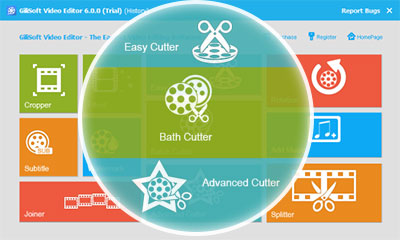
Use Easy Cutter to shorten long recordings. When the source and cut points allow it, the no-re-encoding export option can avoid rendering the video again. See how to test a fast MP4 cut.

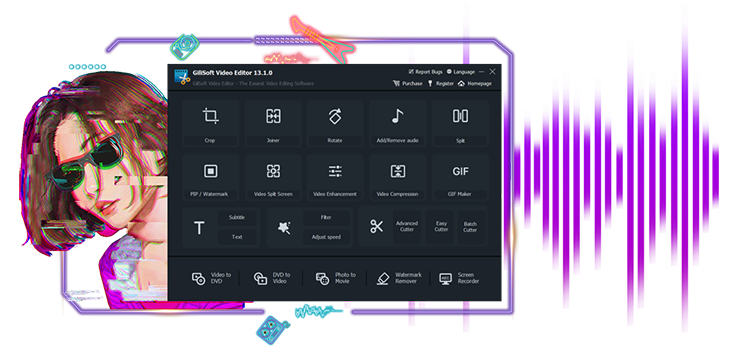
Gilisoft Video Editor
Easiest, Powerful, All-in-One Video Editing Software Anyone Can Use!

Windows 2000/XP/7/10/11 (32 bits &64 bits)
Nearly everyone can shoot video, whether using a digital
camera, smart phone, or a dedicated camcorder, but raw video isn't fun to watch. GiliSoft Video Editor may help you make awesome edited movies, it cut and join video clips with zero quality loss, apply stylish video effects and filters, add music, titles, and much more!
Most videos serve a purpose such as telling a story or providing information.
With GiliSoft Video Editor you can Choose the best footages; Remove unwanted footage; Join the best material into movie; Add effects, graphics, music, texts; Alter the style, pace or mood of the video; Add text,picture,video, animated gifs as watermarks to video,make a picture in picture video.


Use Easy Cutter to shorten long recordings. When the source and cut points allow it, the no-re-encoding export option can avoid rendering the video again. See how to test a fast MP4 cut.
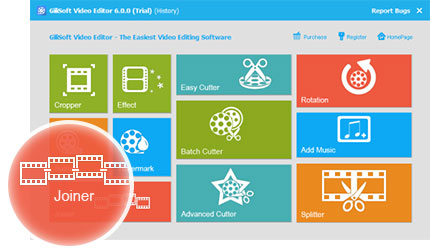
Cut by precise ranges and refine clips during editing with subtitle, watermark, crop, rotate, brightness, and filter controls. It is designed for users who need cleaner edits than basic start/end trimming.
Merge multiple clips in the dedicated Joiner. Compatible streams may allow a direct join; mixed formats or added transitions often need a new export. See when MP4 clips can be merged without re-encoding.
Split videos by time, file size, or manual split points. This is practical for chapter creation, social clips, and platforms that require smaller upload sizes.
Apply visual effects such as black-and-white, old film, glow, haze, mosaic, and motion blur. You can preview instantly and tune brightness, contrast, and saturation before export.
Add text, logo, image, video, or animated GIF watermark in batch mode. Watermarks can be applied to the full video or a selected section for branding, ownership, or annotation.
Embed subtitles permanently into video so playback does not depend on separate subtitle files. Supports ASS and SRT formats with preview, font control, size adjustment, and position tuning.
Add background music or narration tracks (MP3, WMA, OGG, FLAC) to your video and export as a new file. Useful for tutorials, promos, and silent source footage.
Fix orientation issues from phone and camera footage by rotating 90, 180, or 270 degrees. This helps quickly correct portrait/landscape mismatches before publishing.
Crop out unwanted areas such as black bars, overlays, or frame edges. You can also resize composition for different screen ratios and combine crop with effects and titles.

Use repeatable edit configurations to speed up project setup and reduce manual parameter adjustments across recurring content tasks.
Move from raw footage to final output faster with an efficient workflow for routine training, marketing, and social video production.

We use it daily to trim interview footage and merge approved segments, and turnaround time for internal videos is much faster.
Batch cutting is useful when we process many webcam lessons at once, and the output quality remains consistent.
Advanced cut plus subtitle and crop controls let us fix course videos without re-editing entire projects.
The joiner works well for combining multi-part clips from different teams into one clean final file.
Splitting by time helps us publish short social segments from long webinar recordings in minutes.
Watermark and subtitle tools make branded exports straightforward, especially for localized content.
Rotate and crop solved most mobile-footage issues for us, so we no longer need a second app for quick fixes.
Adding background music is simple and reliable, which helped us polish product demos without a complex timeline editor.

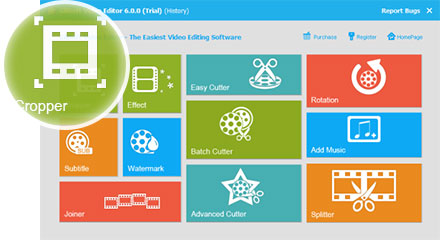
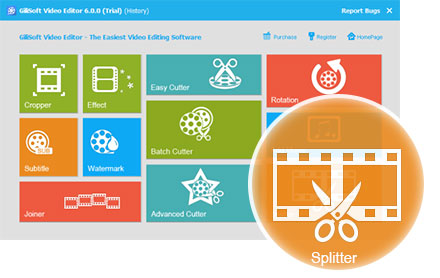

 Editors highlighted practical timeline tools for trimming, subtitle, and watermark operations.
Coverage noted a good balance between quick edits and detail-level control.
Looking for powerful but user-friendly video editing software? You've found it.
Enhance, highlight, and transform your video with advanced options that allow
you to combine clips, music, text, special effects, and more.

Reviewers praised consistent output quality across social, course, and marketing formats.
Lab observations mentioned stable rendering with common codecs and aspect ratios.
GiliSoft Video Editor, the combination of three useful functions: cut, join, split.
a professional application designed to help you to make
creative video.

Independent write-ups described the editor workflow as efficient for iterative revisions.
Commentary emphasized predictable results across repeated export cycles.
The program is simple operations create perfect works. As a video joiner, splitter
and cutter, Gilisoft Video Editor makes it easy to turn original videos into works of art...


Enter your email address to get our latest newsletter