

Free Folder Hider for Windows 11/10: 7 Options Compared
A free folder hider can keep personal files away from casual browsing, but not every method provides the same protection. Some options only change visibility, others restrict Windows accounts, and a smaller group actually encrypts the data. The right choice depends on whether you need convenience, a password, portability, or protection if the drive is copied or stolen.
Quick answer
Use the Windows hidden attribute only for visual cleanup, not security. Use separate Windows accounts and NTFS permissions for access separation on one PC. Wise Folder Hider Free is the most direct free hiding utility in this comparison. Choose 7-Zip for a portable encrypted archive, VeraCrypt for a reusable encrypted container, Cryptomator for a cloud-synced vault, or EFS for account-bound encryption on a compatible Windows edition.
Folder hiding, locking, and encryption are different
| Method | What it does | What it does not guarantee |
|---|---|---|
| Hide | Removes a folder from normal File Explorer views | Does not make the file contents unreadable |
| Restrict access | Uses Windows accounts, permissions, or an installed utility to block actions | May not protect copied data outside that environment |
| Encrypt | Transforms stored data so it needs a key or password | Does not replace backups or careful recovery-key storage |
Compare 7 free folder hider and protection options
| Option | Best for | Protection type | Main limitation |
|---|---|---|---|
| Windows hidden attribute | Visual cleanup and casual privacy | Hiding only | Anyone can enable hidden-file viewing |
| NTFS permissions | Different Windows user accounts | Access control | Weak fit when everyone shares one account |
| Windows EFS | Account-bound protection on NTFS | File encryption | Edition, certificate, and recovery requirements |
| Wise Folder Hider Free | Simple local or USB hiding | Hiding with application passwords | Free-tier limits apply to locking and encryption |
| 7-Zip | Transfer, backup, or email | Encrypted archive | Not a live working folder |
| VeraCrypt | Reusable private workspace | Encrypted container | More setup and recovery responsibility |
| Cryptomator | Cloud-synced private folders | Encrypted vault | Designed for vaults, not simple Windows hiding |
1–3. Free methods already available on Windows
1. Use the Windows hidden attribute for casual privacy
Right-click a folder, open Properties, select Hidden, and apply the change. Windows omits hidden items from an ordinary directory listing, which is useful for reducing clutter or accidental discovery.
This is not password protection. A user can reveal the folder by enabling hidden items in File Explorer or by removing the attribute with Windows tools.
2. Separate Windows accounts and set NTFS permissions
If each person signs in with a different Windows account, folder permissions can grant or deny read, write, modify, and delete access. This is more meaningful than hiding because Windows evaluates the user's identity before allowing access.
Permissions are less helpful when several people share one account, and administrators or recovery tools may still change ownership and permissions. Test access with a non-administrator account before relying on the configuration.
3. Use EFS on a compatible Windows edition and NTFS volume
Encrypting File System (EFS) applies cryptographic protection to individual files on NTFS. Files open transparently for the Windows account that owns the encryption key, while other accounts cannot simply read the stored data.
Back up the EFS certificate and recovery key before depending on it. Account loss, Windows reinstallation, or missing keys can make encrypted files inaccessible. EFS is also a poor choice for files that must move freely between unrelated PCs.
4–7. Free utilities for hiding, archives, and encrypted vaults
4. Wise Folder Hider Free
Wise Folder Hider Free is the closest match to the literal “free folder hider” search. Its current free edition can hide files, folders, and USB drives behind an application password. The vendor also lists limits for encryption size and the number of locked files, so check the current free-plan boundaries before choosing it for a larger collection.
Best fit: straightforward local hiding for a user who understands that invisibility is not the same as portable encryption.
5. 7-Zip
7-Zip can package a folder into a 7z archive protected with AES-256 encryption. Enable file-name encryption when the names inside the archive are also sensitive. It is free, portable as a file, and practical for backups or transfer.
Tradeoff: extracted files are no longer protected, and an actively edited folder must be rebuilt into the archive after changes.
6. VeraCrypt
VeraCrypt creates an encrypted file container that mounts as a virtual drive. Files can be edited normally while the volume is mounted; after it is dismounted, file names, folder names, and contents remain encrypted inside the container.
Tradeoff: it requires more setup than a hiding utility, and a forgotten password or damaged volume header can lead to permanent loss without a tested backup.
7. Cryptomator
Cryptomator creates an encrypted vault inside a normal folder, making it useful when that folder is synchronized with a cloud provider. Only the unlocked virtual drive exposes readable names and contents.
Tradeoff: it solves cloud-storage privacy more directly than casual local folder hiding.
When free folder hiding is not enough
Free methods are sensible when the goal is casual privacy or a portable encrypted copy. A dedicated Windows folder protection tool becomes more practical when the same folders must be locked and unlocked repeatedly, when reading or writing should be restricted, or when you need activity monitoring and several protection modes in one interface.
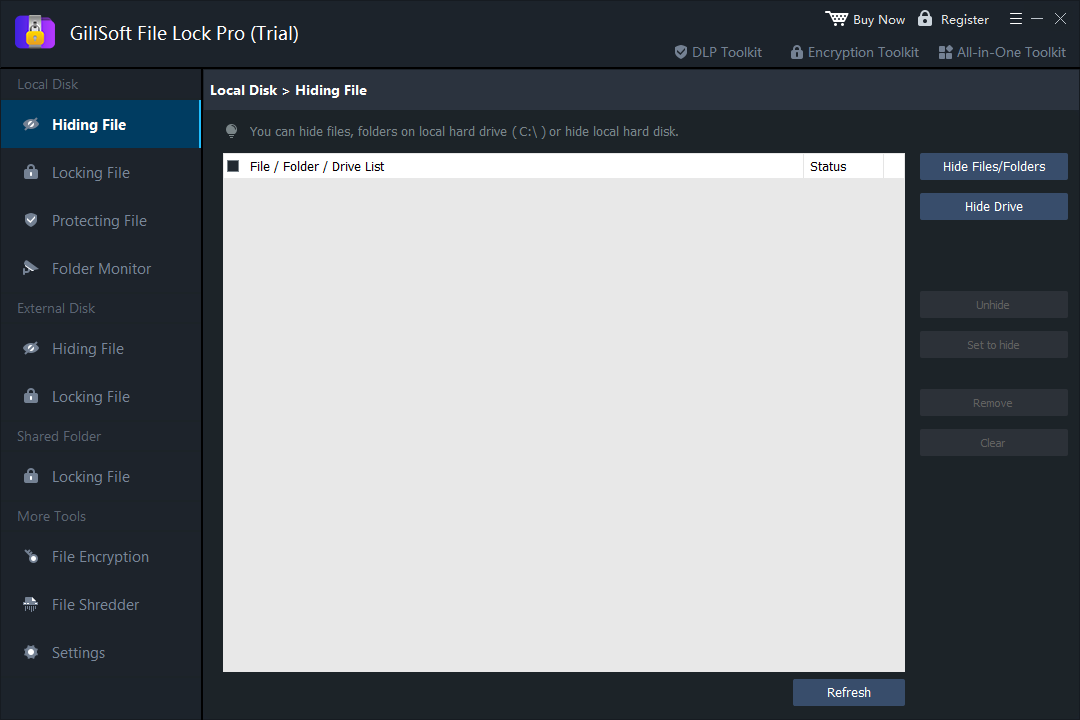
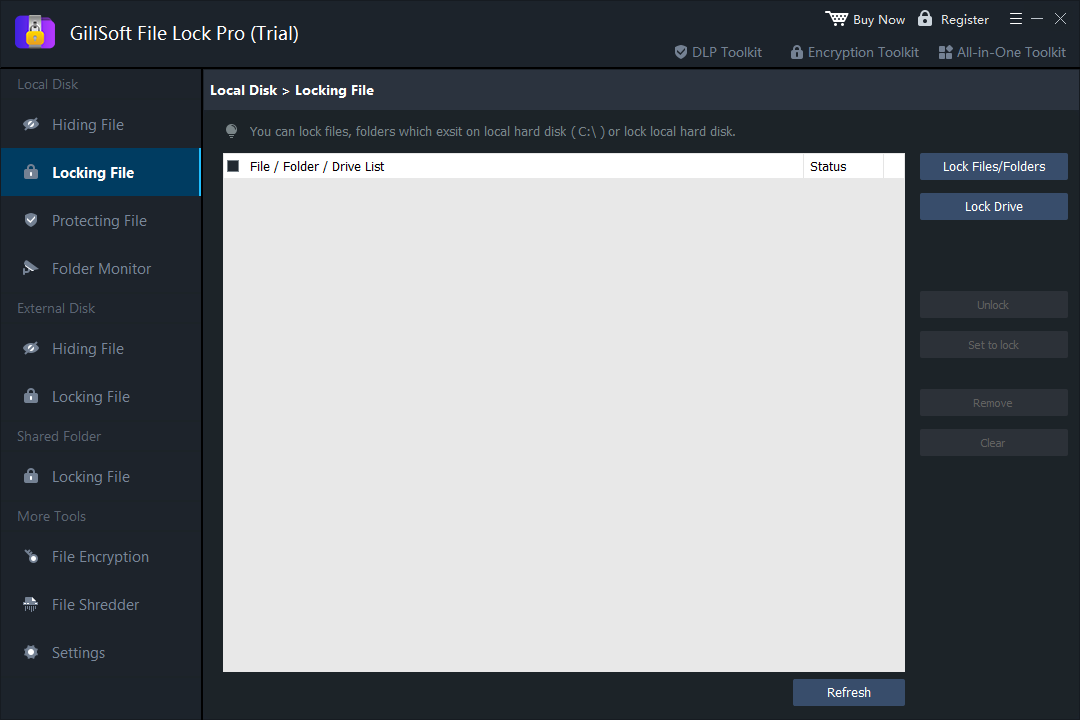
Use GiliSoft File Lock Pro for selected files and folders
- Hide files, folders, or drives from ordinary access.
- Lock selected items or restrict reading and writing.
- Monitor folder changes and review activity records.
- Create password-protected GFL or EXE packages when data must leave the PC.
- Choose the correct protection mode
Use hiding for local privacy, locking for access control, and encryption when protected data will be copied or delivered.
- Add the folder
Open the corresponding File Lock Pro tool and select the local, external, or shared folder that needs protection.
- Configure access
Apply the password or read/write restrictions required by the workflow.
- Test recovery and normal use
Confirm that authorized access works and keep a separate backup before removing an unprotected original.
Which option should you choose?
- Hide clutter or avoid accidental discovery: Windows hidden attribute.
- Keep separate Windows users out: NTFS permissions or EFS where supported.
- Use a simple free hiding interface: Wise Folder Hider Free.
- Send or archive a protected folder: 7-Zip.
- Maintain a reusable encrypted workspace: VeraCrypt.
- Encrypt a folder before cloud synchronization: Cryptomator.
- Combine hiding, locking, monitoring, and encrypted packages: GiliSoft File Lock Pro.
Free folder hider FAQ
Is hiding a folder the same as encrypting it?
No. Hiding removes a folder from ordinary directory views, but encryption changes the stored data so it cannot be read without the correct key or password.
Does Windows 11 have a free folder hider?
Windows can mark folders as hidden, apply permissions between user accounts, and use EFS on eligible editions and NTFS volumes. These methods solve different problems and the hidden attribute alone is easy to reverse.
Can 7-Zip password-protect a folder for free?
7-Zip can place a folder inside an AES-256 encrypted 7z archive. It is useful for storage and transfer, but extracted files are ordinary files again and must be re-archived after changes.
What is the best free option for a reusable encrypted folder?
VeraCrypt is suitable for a reusable encrypted container, while Cryptomator is designed for encrypted vaults stored in cloud-sync folders. Both require careful password and recovery management.
When is dedicated folder lock software more practical?
Dedicated software is more practical when you need to lock or hide selected folders repeatedly, restrict reading or writing, monitor changes, or combine access control with portable encrypted packages.


