Protect Video, PDF, Office, PPT, and Web Content
Use one DRM workflow for video-first delivery while also supporting PDF, Office, PowerPoint, web content, and mixed training packages when supporting materials need the same controlled handoff.

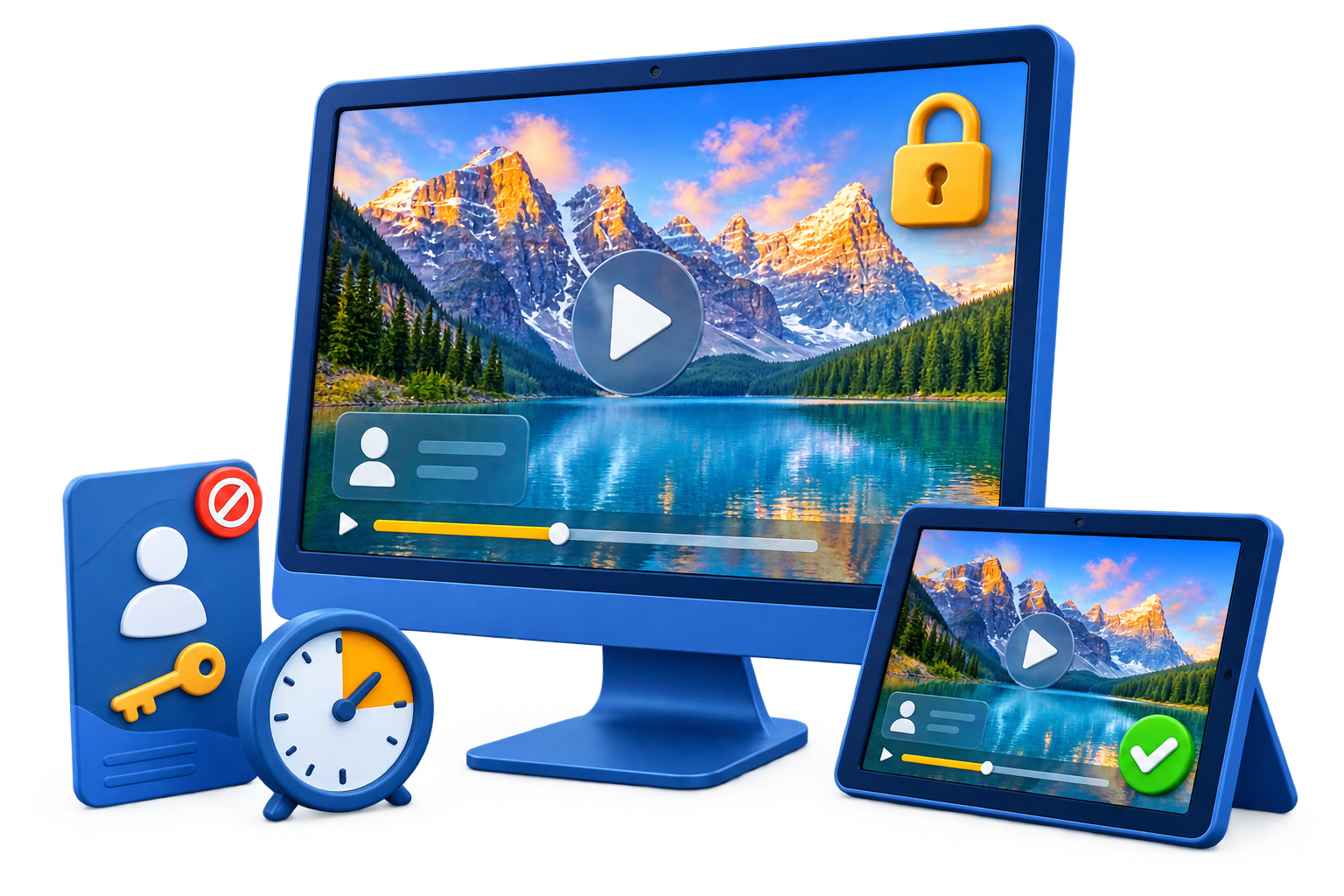
GiliSoft Video DRM Protection is built for creators and organizations that need more than a simple encrypted video file. It helps package protected videos with playback rules so viewers can open content only through the authorized playback workflow, using passwords, device binding, watermarking, and blacklist checks.
This is useful for paid training videos, online course downloads, coaching libraries, partner previews, confidential product demos, internal compliance recordings, and premium media that must be distributed outside a closed platform without becoming ordinary shareable files.
Use Video DRM Protection when the important question is not only whether the file is encrypted, but also who can play it, where it can play, whether leaked access can be blocked, and whether misuse can be traced.

Use one DRM workflow for video-first delivery while also supporting PDF, Office, PowerPoint, web content, and mixed training packages when supporting materials need the same controlled handoff.
Add source videos or mixed content files, review the file list, then package them into a protected output that is opened through the authorized GiliSoft playback workflow.
Configure encryption behavior, playback prompts, access messages, output options, and basic playback rules before creating the protected delivery package.
Create different playback passwords for viewers, customers, course batches, or delivery groups so protected content can be distributed without relying on one shared password.
Choose PC binding, USB disk binding, CD/DVD binding, demo playback, or fixed password modes so playback stays aligned with your licensing and delivery model.
Add floating or fixed watermarks with customizable text, color, size, and viewer-specific information to discourage misuse and help identify leaked playback copies.
Use anti-copy settings, screen-capture deterrence, virtual-machine blocking, and playback environment checks to reduce casual recording, copying, and unauthorized viewing.
Show playback questions, access prompts, contact messages, or authorization instructions before viewing so users know how to request or confirm access.
Block leaked, expired, or revoked playback passwords with the online blacklist instead of rebuilding every protected video or training package after access changes.
Export protected content as GEM or EXE packages after encryption, password rules, binding, watermarking, anti-copy settings, and output location are ready.

DRM Protection helped us reduce unauthorized redistribution when delivering paid training videos to external customers.
Support for video, documents, and images in one workflow simplified secure delivery across multiple product lines.
Multiple encryption modes made controlled publishing easier for non-technical content operators.
Dynamic watermarking improved traceability when we shared preview versions with channel partners.
Anti-capture and policy settings gave us better control over screen-recording attempts during playback.
Online password blacklist is useful for revoking leaked credentials without repackaging existing content.
Device-binding and playback password controls made compliance audits easier for licensed course distribution.
Preview the current DRM workflow for video, PDF, Office, PPT, web content, password creation, anti-copy settings, blacklist control, and protected output. Click the large screenshot to inspect it in detail.
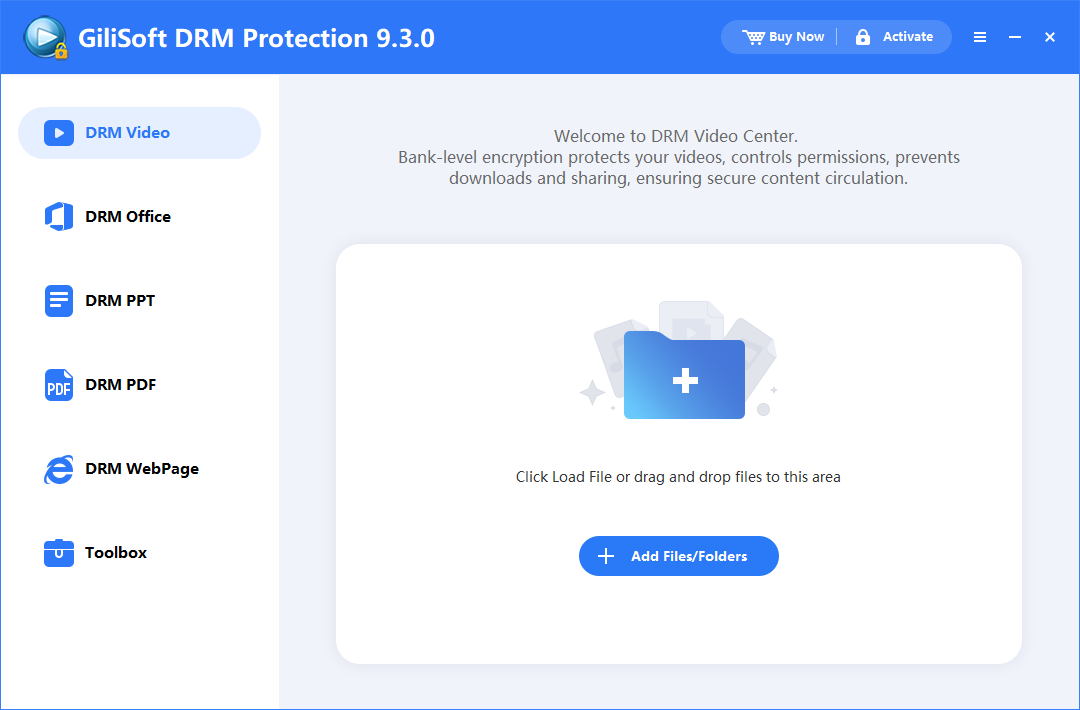
Start with video protection when course videos, premium lessons, private demos, or internal recordings need controlled playback after delivery.
Protect paid lessons, recorded classes, coaching libraries, and certification materials shared with students or customers.
Secure internal announcements, partner briefings, product demos, and compliance videos that should not be freely redistributed.
Use playback passwords, watermarking, and binding controls when premium media must be delivered outside your organization.
Choose DRM-style playback controls when password-only video locking is not enough for your delivery model.
Deliver downloadable lesson content while keeping playback tied to authorized customers, passwords, or devices.
Protect onboarding, policy, investigation, and internal training videos when they need controlled access beyond the company network.
Video DRM workflows can combine playback passwords, binding rules, and access revocation rather than relying on one shared password alone.
Watermarking is useful for traceability, but DRM-style rules help control who can play the video and where playback is allowed.
This workflow is better suited to training, licensing, and premium-content delivery than a simple local video encryption tool.
If your real goal is basic video copy protection, USB delivery, or PDF-only controls, a more specialized product page may be the better fit.
Blacklist controls are useful when a playback password leaks or a customer, employee, or partner should no longer have access.
Dynamic watermarking helps connect playback copies to viewers, projects, or distribution batches when content must be shared externally.
Use playback passwords, watermarking, and controlled packaging when training content should only be viewed by authorized learners or staff.
How to protect training videos | DRM for training videos | How to secure coaching videos
Bind playback and revoke leaked credentials when course content is distributed outside your own platform or LMS.
How to secure online course videos | How to protect eLearning videos | How to protect video course downloads | How to protect video downloads | How to secure video lessons for students
Use different watermarks and controlled playback settings for previews shared with distributors, resellers, or reviewers.
Reduce uncontrolled sharing of licensed media by combining protected packaging with playback credentials and blacklist controls.
Secure video delivery software | Video access control software | Video license control software | How to protect paid video content | How to protect membership videos | How to protect subscriber video content | Video playback password software
Use playback passwords and visible watermarking when sales demos, prototype videos, or private briefings need controlled external review.
Protect mixed training packages when videos, documents, and related media should travel together under one controlled delivery workflow.
Yes. It is well suited to training videos, course media, internal communications, and premium clips that need controlled playback.
How to protect training videos | How to secure corporate training videos
Yes. The product supports PC binding and other binding modes for more controlled distribution workflows.
Yes. You can use the online password blacklist to block credentials that should no longer work.
How to revoke video access | How to disable video access after expiration | How to protect paid video content | Video playback password software
The main workflow is strongest for protected video delivery, but it can also support selected document and media formats in mixed-content packages.
Secure video delivery software | Video access control software | How to secure online course videos | How to protect eLearning videos
Choose DRM when you need controlled playback after delivery, not just an encrypted file stored on disk.
Video DRM vs video encryption | Video DRM vs video copy protection | Best video DRM software | Best video protection software
The encryption and protection workflow itself is available on Windows only. That means protected files must be created and packaged on a Windows system. For playback, GiliSoft DRM is designed for broader delivery across major Windows, macOS, Android, and iOS scenarios, but this does not mean every device or every third-party player is guaranteed. Protected content is intended to be accessed through the authorized GiliSoft playback workflow, and actual compatibility depends on the protection mode, operating system, and playback requirements of the protected file.
Secure video delivery software | Video DRM vs video copy protection | Best video DRM software | How to protect paid video content

 Editors highlighted practical anti-copy controls including watermarking and access restrictions.
Coverage noted better control of redistribution risk in external sharing workflows.
With DRM Protection, Encrypt and pack your video to exe with embedding codec and player,
User needn't install any codec or player to play your video.

Reviewers praised policy-based viewing limits for device, account, and playback scope.
Lab notes cited reliable protection behavior across common delivery channels.
DRM Protection encrypt various types of video or audio files (e.g., wmv, avi, mpg,
rm, rmvb, mp4, flv, Vob) into exe files that can only be played when a Playback Password is provided...

Independent analysis described the solution as a solid fit for paid or sensitive content.
Commentary emphasized measurable leakage reduction without heavy deployment cost.
Encrypt your video files to bind to user's computer,One Computer,One Password.


Enter your email address to get our latest newsletter