Broad Video Format Support
Create DVDs from common video formats such as MP4, MOV, AVI, WMV, MKV, MPG, MPEG, VOB, MTS, M2TS, FLV, 3GP, DV, and H.264/AVC sources without preparing every file in a separate converter first.

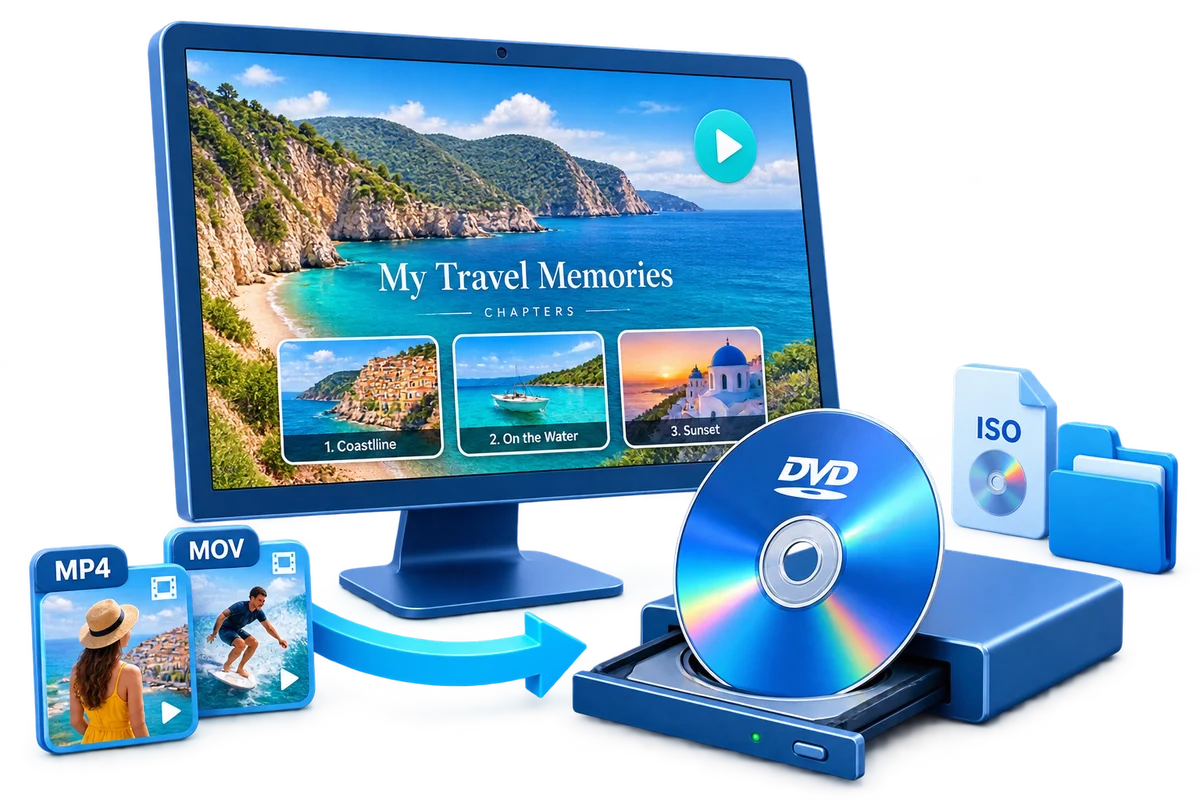
GiliSoft Movie DVD Creator helps you turn common video files into DVD discs, ISO images, or DVD folders on Windows. It is designed for users who still need disc-based delivery, archive-friendly video projects, or menu-based playback for family, event, school, training, and business use.
Instead of only copying files to a blank disc, Movie DVD Creator builds an authored DVD structure with menu templates, chapter navigation, subtitle loading, trimming, cropping, watermarking, basic enhancement tools, preview, and flexible output settings. It is a practical choice when the final result must play like a normal DVD on a TV player or stay available as an ISO or VIDEO_TS folder for later burning.


Create DVDs from common video formats such as MP4, MOV, AVI, WMV, MKV, MPG, MPEG, VOB, MTS, M2TS, FLV, 3GP, DV, and H.264/AVC sources without preparing every file in a separate converter first.
Choose DVD menu backgrounds and frames, use your own photos or graphics, arrange chapter buttons, and customize menu titles so the disc feels organized rather than like a folder of loose videos.
Burn directly to DVD disc or save the authored project as an ISO image or VIDEO_TS folder. This makes it easier to keep an archive copy, test output, or burn the same project later.
Trim clips, crop black edges, adjust brightness, contrast, and saturation, add subtitles, and apply watermarks before burning so source videos are cleaner inside the final DVD project.
Adjust output quality according to disc capacity and project length, helping you balance storage space and playback quality when burning longer movies or multi-clip collections.
Burn to common DVD media such as DVD-R, DVD+R, DVD-RW, DVD+RW, DVD+R DL, DVD-R DL, and DVD-RAM, with PAL and NTSC standards for regional playback needs.
Author complete DVD projects from mixed media sources. Combine video clips, photo slides, and background music into one structured disc for family archives, event collections, and business delivery.
Personalize menu themes with your own images, title text, and chapter arrangement. This helps create branded or event-specific DVD menus that are easier to navigate on TV players.
Load subtitles, add on-screen text, and prepare simple title or label elements before burning so the finished DVD project is easier to understand and navigate.
Choose PAL or NTSC output according to your playback region and device requirements, reducing compatibility problems when sharing DVDs internationally.
Export projects directly to physical DVD, ISO image, or VIDEO_TS folder from one authoring project, making it easy to switch between archive storage and physical distribution.
Automatically or manually define chapter points so viewers can jump to key scenes quickly, improving navigation for long-form recordings and multi-segment content.

We use Movie DVD Creator to compile event footage into menu-based discs, and delivery quality has been consistent.
The broad input-format support helped us author DVDs from mixed camera and phone sources without conversion headaches.
Menu templates and custom backgrounds made our family and school archive discs look much more professional.
ISO and DVD folder export options are practical when we need digital backup and physical disc delivery together.
Built-in trimming, subtitle, text, and watermark tools saved us from jumping between multiple apps before burning final DVDs.
Chapter navigation made long training recordings easier to browse on standard meeting-room DVD players.
PAL and NTSC settings helped us prepare discs for different regional playback requirements.
Preview the DVD creation workflow: add source videos, prepare clips, adjust subtitles, watermarks, effects, and build a DVD menu before burning to disc, ISO, or DVD folder.
Start a DVD project, review the authoring workspace, and choose the tools needed before adding videos and creating the final disc output.
Preview videos and photos while editing so you can confirm menu layout, transitions, and output quality before burning.
Trim basic clips, adjust volume, add subtitles or watermarks, and prepare source videos inside the DVD authoring environment.
Tune letterbox behavior, disc size, and output quality so projects fit your target DVD format and playback needs.
Burn to recordable or rewritable discs and choose DVD disc, ISO image, or DVD folder output with menu and no-menu options.
Turn family videos, wedding clips, travel footage, and event memories into menu-based DVD discs or ISO backups for longer-term playback and storage.
Create DVD projects for school programs, training materials, event recaps, or other offline playback needs that still benefit from chapter navigation.
Movie DVD Creator is built for authored DVD output with menus, chapters, and playback structure rather than simply copying video files onto a disc.
Build one project and choose the output path that fits your archive, burner, or delivery plan without rebuilding from scratch.
Create DVD projects from MP4 and other common formats when the final delivery still needs disc playback. See Windows DVD Maker for Windows 10, Windows DVD Maker for Windows 11, and burn videos to DVD with menu.
Use menu templates, custom backgrounds, and chapter navigation for more organized video discs. See DVD menu creator for Windows, Windows DVD menu maker, burn MP4 to DVD with menu, and burn home videos to DVD.
Save authored DVD projects as ISO files or DVD folders when you want archive copies or delayed disc production. Related pages: create DVD ISO from video files and create DVD folder from video files.
Trim and organize source clips before creating a disc that is easier to navigate on standard DVD players. If you are replacing Microsoft's old tool, start with Windows DVD Maker alternative, video to DVD creator for Windows, or movie DVD maker for Windows 11.
Yes. It supports output to physical DVD discs, ISO files, and DVD folders from one authoring project. Related pages: create DVD ISO from video files, create DVD folder from video files, and DVD authoring software for Windows.
Yes. It includes menu templates, custom menu backgrounds, and chapter-based playback structure. See also DVD menu creator for Windows, burn MP4 to DVD with menu, and burn videos to DVD with menu.
Yes. It is built to handle MP4 and a broad range of common video formats for DVD authoring. Related pages: video to DVD creator for Windows, Windows DVD Maker for Windows 10, and Windows DVD Maker for Windows 11.
Yes. It fits archive discs, event footage, school presentations, training materials, and other menu-based DVD projects. Related pages: create a family video DVD, burn wedding videos to DVD, create a school event DVD, and burn training videos to DVD.

 Editors highlighted strong DVD authoring compatibility across mixed video sources. Coverage noted practical menu tools and stable disc-writing performance.
This program allows us to create customized DVDs in an easy and fast way. We only need to select the videos we want to include in our compilation, classify them in the order we want them to appear, push the Start button, and that's all.

Reviewers praised stable output on long-duration video projects and mixed source files. Lab notes cited dependable queue behavior during multi-file authoring tasks.
If you are looking for software for converting different video files to DVD and then burning them on disc, this is a practical answer for that job.
Independent analysis described the toolset as practical for recurring DVD creation and delivery tasks. Commentary emphasized speed, consistency, and low operator overhead.
You can create DVD movies quickly from different video files, and the multi-core engine keeps authoring performance practical for repeated projects.


Enter your email address to get our latest newsletter
Movie DVD Creator
Windows DVD Maker Alternative
DVD Menu Creator for Windows
Video to Movie DVD Creator for Windows
Burn MP4 to DVD with Menu
Burn Videos to DVD with Menu
Burn Home Videos to DVD
Create DVD ISO from Video Files
Create DVD Folder from Video Files
DVD Maker for Windows 11
Windows DVD Menu Maker
DVD Burner with Menu Creator