
RAM Disk Software for Fast Temporary Storage
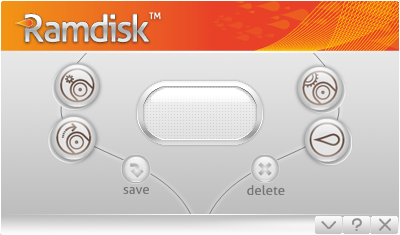
GiliSoft RAM Disk creates a virtual disk inside Windows memory. After you assign a size and drive letter, Windows treats it like a normal drive, so applications can place cache files, temp files, scratch folders, and disposable working data on a faster RAM-backed location.
This is useful when the files are temporary, frequently rewritten, or easy to recreate. A RAM disk is not a replacement for a normal hard drive or SSD; it is a focused performance tool for short-lived data that should not crowd permanent storage.
Use this page when you are searching for RAM disk software for Windows and want to understand whether a virtual RAM drive fits your actual workflow before installing the full product.
Who Needs RAM Disk Software?
Users with heavy browser cache activity
Move browser cache to a RAM-backed drive when the cache changes constantly and does not need long-term retention.
Developers and testers handling build output
Use a RAM disk for temporary build folders, compiler cache, test output, and disposable project artifacts.
Creators using scratch and preview folders
Place preview cache, temporary render files, and scratch-style data on a fast temporary drive during active editing sessions.
SSD users reducing disposable write traffic
Keep repeated cache and temp-file writes away from the main SSD when the data is safe to discard after the job ends.
Why Choose GiliSoft RAM Disk?
Creates a practical Windows drive letter
The RAM-backed storage appears as a normal drive, which makes it easier to point applications, cache folders, and temporary paths to one dedicated location.
Focused on temporary and reusable data
The product is best used for files that can be rebuilt, downloaded again, or discarded after the task is complete.
Useful for speed-sensitive small-file activity
Cache, logs, temp files, and intermediate data often involve frequent read and write activity that can benefit from RAM-backed storage.
Clearer than a broad PC optimizer claim
RAM Disk does one specific job: it gives short-lived Windows data a faster temporary home. That makes the page easier for readers to understand.
Common RAM Disk Software Use Cases
Browser cache
Use a RAM disk for browser cache when the goal is faster temporary web-session data handling. Related: RAM Disk for Browser Cache.
Temporary files
Move temp folders and extracted working files to a RAM-backed drive when they do not need to survive restart. Related: RAM Disk for Temp Files.
SSD write reduction
Redirect disposable writes away from the main SSD when the files are recreated often and not worth storing permanently. Related: Reduce SSD Writes.
Build cache
Developers can use RAM-backed folders for intermediate build output and compile cache. Related: RAM Disk for Build Cache.
Video editing cache
Preview files and temporary editing cache can be good candidates during active editing work. Related: Video Editing Cache.
Virtual RAM drive setup
If you mainly want a drive letter backed by memory, see Virtual RAM Drive for Windows and How to Use RAM Disk.
RAM Disk Software FAQ
What is RAM disk software?
RAM disk software creates a virtual drive in system memory. Windows and applications can use it like a normal disk, but the storage is backed by RAM instead of a physical drive.
Is a RAM disk safe for important files?
Use it mainly for temporary or easily recreated files. Important documents, archives, and project originals should stay on permanent storage.
Can RAM Disk speed up Windows?
It can help specific temporary-file and cache workflows feel faster, but it is not a general magic speed-up button for every part of Windows.
How much memory should I reserve?
Leave enough RAM for Windows and active applications first. The RAM disk should use only spare memory that will not make the rest of the system slower.
Create a fast virtual RAM drive on Windows
Start with GiliSoft RAM Disk when your main need is faster temporary storage for cache, temp files, scratch folders, and disposable working data.


