
Batch Convert Office Files to PDF on Windows
Batch conversion saves repetition only when files share a compatible destination and the output is inspected. Spreadsheets and slide decks need different checks from ordinary Word documents.
Quick answer
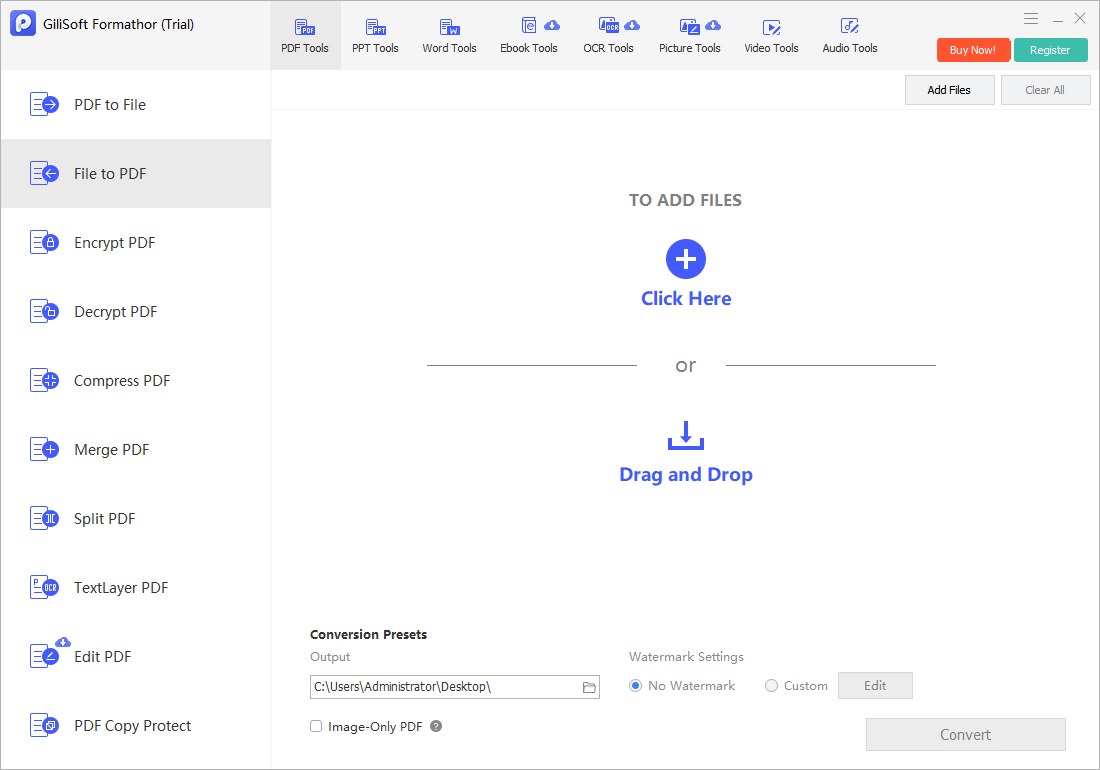
Group Word, Excel, and PowerPoint sources by format and settings. In GiliSoft Formathor choose File to PDF, convert a representative sample, then process a small batch and verify every output before scaling up.
Before You Start
- Close unsaved Office edits and preserve the original folder.
- Check missing fonts, linked images, comments, tracked changes, hidden sheets, and print areas.
- Choose an empty output folder so source and PDF names can be compared one to one.
Choose the Right Route
| Situation | Approach | What to verify |
|---|---|---|
| Word report | Check fonts, headers, tables, and page breaks | No content is clipped or reflowed unexpectedly |
| Excel workbook | Set print area, scaling, and orientation | All required sheets and columns appear |
| PowerPoint deck | Confirm slide size and graphics | No objects fall outside the page |
Batch Convert Office Files to PDF on Windows: Step by Step
- Sort the source files
Separate narrative documents, spreadsheets, and presentations; each may need different page settings.
- Test in Formathor
Open File to PDF, add one difficult file from each group, set a destination, and convert.
- Inspect representative PDFs
Check Word page breaks, Excel print areas and scaling, and slide aspect ratios, images, and speaker-note handling.
- Run a small batch
Add compatible files, confirm the queue, convert, and compare the output count to the source count.
- Handle exceptions
Reprocess failed, password-protected, or oddly formatted files individually rather than silently omitting them.
Check the Result Before Sharing
- Compare file names and counts; a completed queue can still contain skipped files.
- Inspect pages at the beginning and end, not only the PDF thumbnail.
- Check hyperlinks, tables, figures, and any hidden or confidential Office content.
Limits and Common Mistakes
Creating separate PDFs does not automatically merge them into one packet. Combine only the approved PDFs afterward, and do not claim exact layout preservation without checking the destination reader.
Frequently Asked Questions
Can I mix Office formats in one batch?
Where supported, test each source family first; different layouts often need separate settings and checks.
Why is an Excel PDF cropped?
Print area, page scaling, orientation, and wide columns commonly cause clipping. Correct the source or export settings and test again.
Should I overwrite the source files?
No. Keep editable originals and write PDFs to a separate folder.