
Convert Office Files for Sharing on Windows
Office files can look different on another computer because of fonts, page settings, or missing assets. Create a PDF copy for stable review while preserving the editable master for future revisions.
Quick answer
Choose File to PDF in GiliSoft Formathor, convert a representative Office file, inspect the PDF in a separate reader, then process the remaining approved files in compatible groups.
Before You Start
- Accept tracked changes or decide whether comments belong in the delivered file.
- Check spreadsheet print areas, hidden sheets, headers, and columns that span several pages.
- Confirm slide aspect ratio and embedded fonts or graphics in presentations.
Choose the Right Route
| Situation | Approach | What to verify |
|---|---|---|
| Word proposal | Export a fixed PDF | Headers, page breaks, and tracked changes are checked |
| Excel figures | Review print area and visible sheets | No hidden or cropped data leaks through |
| PowerPoint slides | Export and compare slide images | Fonts and graphics are intact |
Convert Office Files for Sharing on Windows: Step by Step
- Prepare the source
Save the final Word, Excel, or PowerPoint version and keep an editable master.
- Choose File to PDF
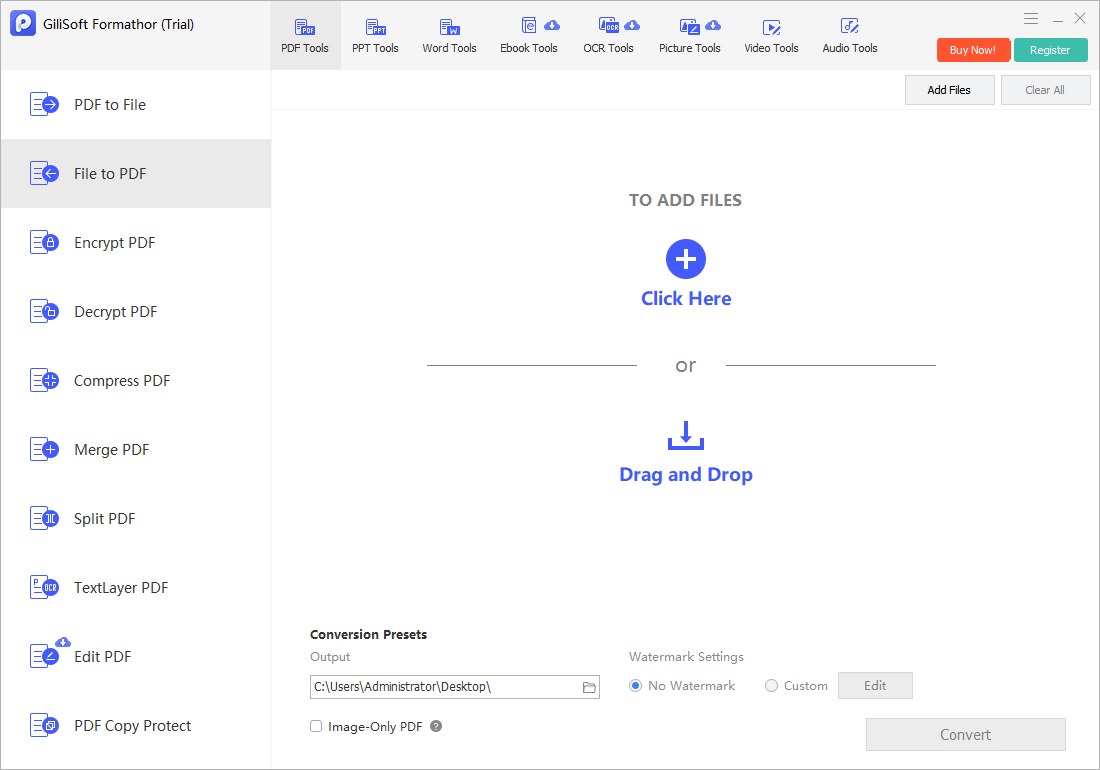
Open GiliSoft Formathor, add the supported Office source, and select a separate destination folder.
- Convert and open the output
Inspect the PDF in a normal viewer, not only its thumbnail or conversion status.
- Scale to additional files
Batch only compatible sources, reconcile file counts, and repair exceptions at the source.
Check the Result Before Sharing
- Do all Excel columns and totals appear?
- Are Word headers, footers, tables, and page breaks intact?
- Are slide graphics, text, and images inside the page bounds?
Limits and Common Mistakes
A PDF is convenient for review but does not make the contents confidential. Remove internal notes and use approved protection and delivery methods where necessary.
Frequently Asked Questions
Can I share the editable source instead?
Yes, if the recipient needs to revise it and has a compatible application. Agree on one source of truth.
Why are spreadsheet pages split oddly?
The source print area, scaling, orientation, or page breaks usually need adjustment before PDF conversion.
Can I batch several Office files?
Yes, after a representative test; inspect outputs and handle different source types separately where settings differ.