
Convert Documents for Sharing on Windows
Sharing a document is a destination decision. An editable file supports collaboration; a PDF gives a more stable review copy, but neither format fixes permissions or poor source quality.
Quick answer
Use GiliSoft Formathor to create the agreed output format from PDF, Office, or images. Inspect the result in the recipient’s likely application, then send only the approved version.
Before You Start
- Ask whether the recipient must edit, review, print, search, or archive the file.
- Remove drafts and outdated versions from the staging folder.
- Check sensitive notes, hidden sheets, tracked changes, and external links in the source.
Choose the Right Route
| Situation | Approach | What to verify |
|---|---|---|
| Recipient only needs to read | Send an inspected PDF copy | Layout is stable in a normal reader |
| Recipient needs to revise prose | Share an approved editable Word file | One version owner is agreed |
| Recipient needs table data | Use an Excel-compatible output | Rows, dates, and totals are verified |
Convert Documents for Sharing on Windows: Step by Step
- Pick the delivery format
Choose PDF for stable reading, Word for narrative collaboration, Excel for table reuse, or an image format for visual pages.
- Convert a representative file
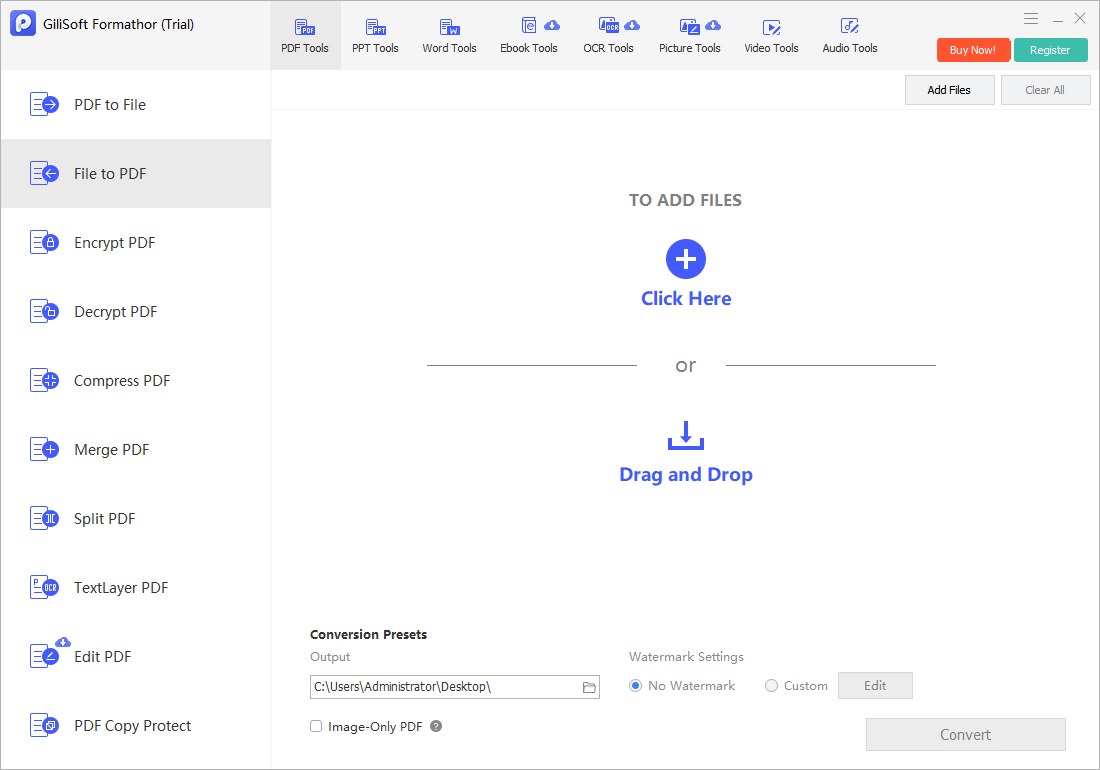
Select the matching Formathor task and set a separate output folder.
- Inspect the result
Check fonts, tables, image crops, hyperlinks, page breaks, and text selection when search matters.
- Prepare delivery
Compress if size is a problem, apply approved protection where needed, and keep the editable master separate.
Check the Result Before Sharing
- Does the recipient have software that opens the selected output?
- Are page size, reading order, and any numbers correct?
- Is the delivered copy the final approved version?
Limits and Common Mistakes
A PDF is not inherently private or unchangeable. Use document permissions and a suitable transfer channel for confidential information.
Frequently Asked Questions
Should I always convert to PDF before sharing?
No. Send an editable format when collaboration is required and a fixed PDF when review or reference is the goal.
Can a scanned PDF become editable by ordinary conversion?
Not reliably. Image-only pages need OCR and proofreading first.
Should I send both PDF and Office copies?
Only when the recipient needs both; label them clearly to avoid version confusion.