
Convert Scanned Contracts to Editable Word
A scan is a picture of a contract, not an editable agreement. OCR can produce a Word draft for authorized changes, but recognition errors in clauses or figures can have real consequences.
Quick answer
Keep the signed scan untouched. In GiliSoft Formathor, run the relevant OCR and PDF-to-Word workflow, then compare every clause, defined term, amount, date, table, and signature area against the source.
Before You Start
- Confirm you have permission to edit or repurpose the contract.
- Use the sharpest available scan with upright pages and complete margins.
- Keep a signed original separate; an OCR-produced Word document is a working copy, not the original executed agreement.
Choose the Right Route
| Situation | Approach | What to verify |
|---|---|---|
| Executed signed scan | Preserve as the source record | No converted draft replaces it |
| Clause text for revision | OCR into a Word working copy | Defined terms and numbering are proofread |
| Tables and exhibits | Compare against scan page by page | Amounts and references retain their meaning |
Convert Scanned Contracts to Editable Word: Step by Step
- Assess the scan
Open every page and check missing edges, skew, blur, and handwriting before OCR.
- Recognize the text
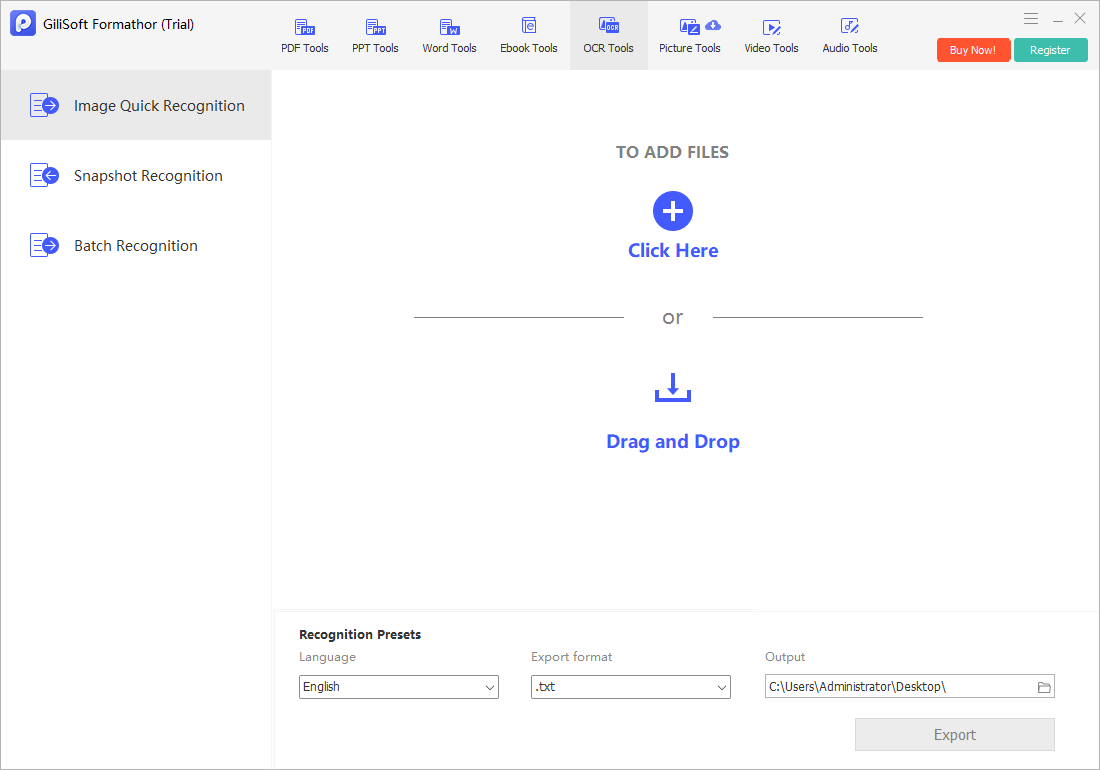
Use the OCR-oriented task in Formathor and choose the document language if available.
- Create the Word draft
Export to an editable Word format and retain a separate file beside the scan.
- Proofread line by line
Compare parties, dates, clause numbering, cross-references, currency, signatures, and exhibits with the scan.
- Review before distribution
Have an authorized reviewer approve substantive changes and convert the final Word draft to PDF when appropriate.
Check the Result Before Sharing
- Are all pages, initials, exhibits, and signature blocks present?
- Did OCR confuse 0/O, 1/l, decimal points, or clause numbers?
- Did columns or tables change the meaning of a provision?
Limits and Common Mistakes
OCR cannot guarantee legally reliable text or formatting. Do not present the converted Word file as a verified signed original, and do not upload confidential contracts to an unapproved service.
Frequently Asked Questions
Can OCR recreate a perfect Word contract?
No. Expect to correct text, paragraph breaks, tables, and formatting manually.
Does the converted document preserve signatures?
Image regions may be carried over or omitted depending on the route; compare the output to the signed scan and do not treat it as a new signature.
Should I edit a signed contract directly?
Follow your organization’s legal approval process; keep the executed original intact.