
Download Online Videos for Offline Viewing
Offline viewing can mean an official in-app download, a copy of your own uploaded video, or a local file the owner explicitly allows you to save. These options have different permissions, storage behavior, and reuse limits.
Quick answer
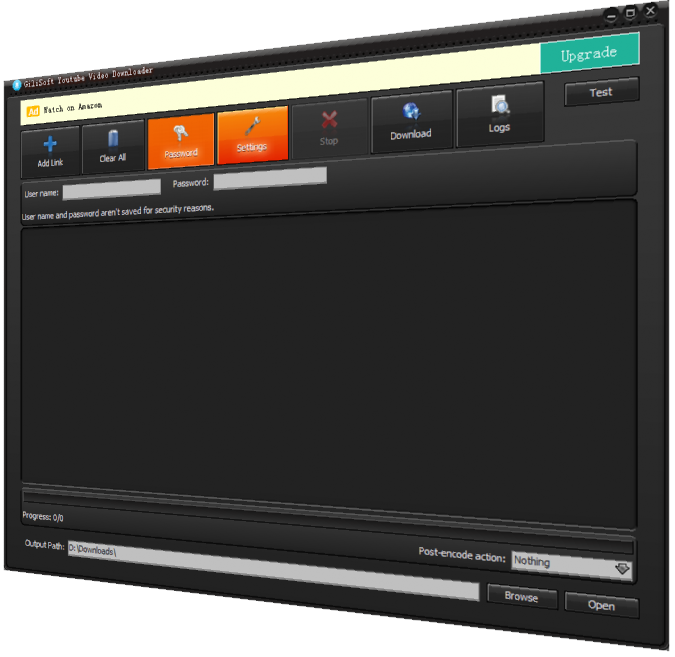
Use the platform's official offline feature when you only need to watch without a connection. Use a local downloader only for your own video, public-domain material, or content the owner and platform permit you to save. GiliSoft Free YouTube Downloader is a Windows option for permitted downloads; it does not grant rights or bypass protection.
Check Permission Before Downloading
- Prefer the platform's official offline or creator-download feature when it meets the need.
- Save only your own uploads, public-domain or licensed media, or content explicitly permitted by the owner and platform.
- Do not bypass paywalls, encryption, access controls, private settings, or regional restrictions.
Choose the Correct Offline Method
| Goal | Recommended route | Check |
|---|---|---|
| Watch without editing | Use the platform's official offline feature | Confirm playback period and account requirements |
| Save your own upload | Use the platform's creator download or export | Keep the original master when available |
| Owner permits a local copy | Use a compatible Windows downloader | Document permission and verify the saved file |
Step-by-Step Workflow
- Confirm permission and purpose
Identify the owner, platform rule, intended use, and whether an official offline button already solves the need.
- Choose storage and quality
Check free space and select a quality appropriate for the display and connection. Higher quality uses more time and storage.
- Add the permitted video
In GiliSoft Free YouTube Downloader, add the supported page link only when saving is allowed.
- Select the destination
Choose a known local folder and keep the file name meaningful enough to identify its source and permission.
- Verify offline playback
Disconnect from the network if appropriate, play representative sections, and keep the source URL or rights record with the file.
Verify the Saved Video
- Play the beginning, a representative middle section, and the ending.
- Check duration, audio sync, resolution, subtitles, and available storage.
- Keep the source URL, creator, license or permission, and access date with the file.
Understand the Limits
Websites change their players and download rules. A failed URL does not justify bypassing protection. Official offline downloads may remain encrypted inside the service, require the same account, and expire or need periodic reconnection. A third-party utility does not grant copyright or reuse rights.
Frequently Asked Questions
Can I download any video I can watch online?
No. Availability in a player does not automatically grant download or reuse rights. Follow the platform terms and the owner's permission.
Is official offline viewing the same as a normal video file?
Not always. Platform offline features may keep an encrypted copy inside the service rather than create an editable local file.
Why does a download fail?
The page may be unsupported, protected, private, removed, region-limited, or changed by the platform. Do not try to bypass access controls.
What should I check after saving a permitted video?
Play the beginning, middle, and ending; check audio sync, duration, resolution, subtitles, and the destination folder.