
How to Fill Out PDF Forms on Windows
Some forms contain real interactive fields; others are flat page images. The correct workflow depends on the file type, the recipient’s requirements, and whether a signature is needed.
Quick answer
Open the form in GiliSoft PDF Editor, use its form or editing controls appropriate to the document, fill required fields, save a separate copy, and reopen it to confirm every answer is visible.
Before You Start
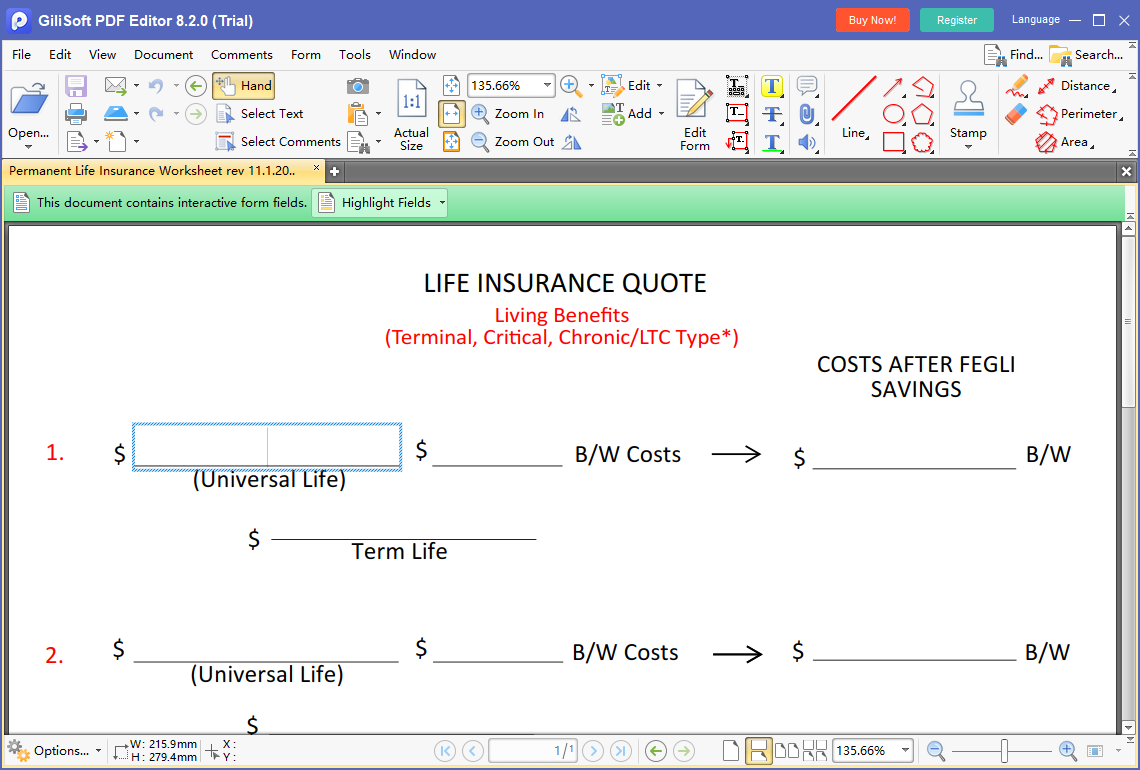
- Check whether clicking a field places a cursor or the page behaves like a picture.
- Read instructions for required fields, date formats, and acceptable signature method.
- Retain a blank copy and avoid adding sensitive information to an untrusted form.
Choose the Right Route
| Situation | Approach | What to verify |
|---|---|---|
| Interactive fields respond to clicks | Fill fields and save a copy | Entries remain visible after reopening |
| Flat scanned form | Use supported text placement or request fillable source | Text aligns with the printed labels |
| Dynamic or signed form | Follow issuer’s required viewer and signature method | Recipient accepts the submitted file |
Fill Out PDF Forms on Windows: Step by Step
- Identify the form type
Test text fields, checkboxes, and dropdowns; a scanned flat form may need text placement rather than interactive filling.
- Enter the answers
Use PDF Editor’s available form/revision controls, respecting required formats and field lengths.
- Review every page
Check clipped characters, unchecked boxes, repeated fields, dates, and any calculations.
- Handle signatures separately
Use the recipient’s accepted signing process; typed text is not automatically a valid digital signature.
- Save and reopen
Export a new copy and verify that the entries remain visible in a standard PDF reader.
Check the Result Before Sharing
- Are all required fields complete and legible?
- Did private information appear in the wrong field or an unintended page?
- Does the recipient require a fillable form, a flattened copy, or a particular signature format?
Limits and Common Mistakes
Dynamic XFA forms and protected or signed PDFs may behave differently from ordinary AcroForms. If fields do not save, use the issuer’s required application rather than assuming a visual preview is enough.
Frequently Asked Questions
Why can’t I click into the fields?
The PDF may be a flat scan, protected, or a form type that needs its intended viewer.
Can I type onto a scanned form?
Text can be placed visually where supported, but it will not become an interactive form field automatically.
Does typing my name sign the form?
Not necessarily. Follow the recipient’s signature requirements.