

How to Prevent Files from Being Deleted on a Drive
A drive-wide no-delete or read-only rule has a large blast radius. It can protect an archive or controlled delivery drive, but it may also block application data, indexes, synchronization, updates, and temporary files. Use it only on a suitable data drive after testing.
Quick answer
Keep a verified backup and test the intended rule on a representative folder before selecting the full data drive. Back up the target first, apply the narrowest useful rule, and test both authorized access and the action that should be blocked.
Decide Whether Drive-Wide Protection Fits
| Situation | Recommended approach | Check carefully |
|---|---|---|
| Archive or reference-only data drive | Apply a narrowly defined no-write or no-delete rule | Indexers, backup tools, and maintenance jobs |
| Removable delivery drive | Consider USB encryption or a portable protection workflow | Recipient compatibility and recovery |
| Windows system drive | Do not apply a broad File Lock rule | Use supported Windows security and full-disk encryption |
| Shared active project drive | Protect stable folders instead of the whole drive | Collaboration and application writes |
Step-by-Step Workflow
- Confirm the drive role
Verify the drive letter, contents, file system, applications, and whether Windows or programs write operational data there.
- Back up and create a pilot area
Keep a verified backup and test the intended rule on a representative folder before selecting the full data drive.
- Apply the narrowest drive rule
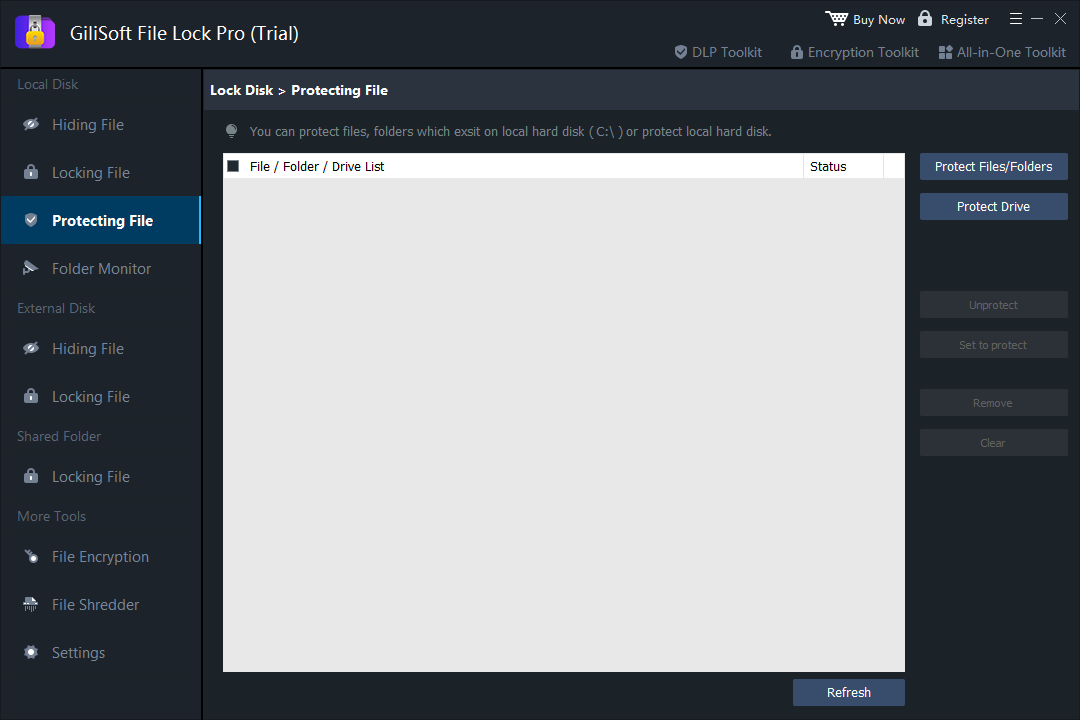
In File Lock Pro, add the intended data drive and select only the required write, rename, or delete restrictions.
- Test normal and blocked workflows
Reconnect removable media if relevant and test reading, editing, deletion, backup, indexing, and the applications that use the drive.
- Protect settings and document recovery
Secure administration, record the tested scope, and retain a clear process for temporarily removing the restriction.
See the File Lock Pro user guide for every workspace, password recovery, and related protection task.
GiliSoft File Lock Pro Interface
These product screenshots connect the workflow to the relevant local Windows controls.

Review the Protection Boundary
- Keep a verified backup before applying broad access or write restrictions.
- Use a standard user account to test both the permitted workflow and the blocked action.
- Protect the administration password and document how authorized recovery works.
- Keep Windows Security enabled and use encryption when offline data exposure is in scope.
Frequently Asked Questions
Can I make an entire drive read-only?
A supported drive protection rule can restrict writes, but test the exact drive and every required application first.
Should I protect the Windows C drive this way?
No. Broad write restrictions can disrupt Windows. Use supported operating-system security and encryption controls.
Is a protected drive encrypted?
No. Access restriction and encryption are different. Data may still be readable when accessed outside the protected Windows environment.
What if a backup job stops working?
The rule may block the backup application. Narrow the scope or use a documented exception after verifying the risk.