

How to Block Unauthorized Reading of a Folder
Blocking reads at folder level can affect every nested file and subfolder. It is useful for focused local privacy, but it must be tested carefully because search, previews, backup, synchronization, and line-of-business applications may all need read access.
Quick answer
Use a representative noncritical copy before applying a rule to active data. Back up the target first, apply the narrowest useful rule, and test both authorized access and the action that should be blocked.
Plan Folder Read Restrictions
| Situation | Recommended approach | Check carefully |
|---|---|---|
| Private local folder on a shared PC | Lock or deny read for the exact folder | Nested content and legitimate applications |
| Folder that should remain viewable | Use write protection instead | Save, rename, move, and delete operations |
| Folder copied to removable storage | Use encryption or external-drive locking | Behavior on another PC |
| Shared network folder | Combine product controls with server permissions | Multiple users and service accounts |
Step-by-Step Workflow
- Map users, applications, and nested content
Record who and what must read the folder, including backup, antivirus, sync, preview, and indexing tools.
- Back up and choose a test folder
Use a representative noncritical copy before applying a rule to active data.
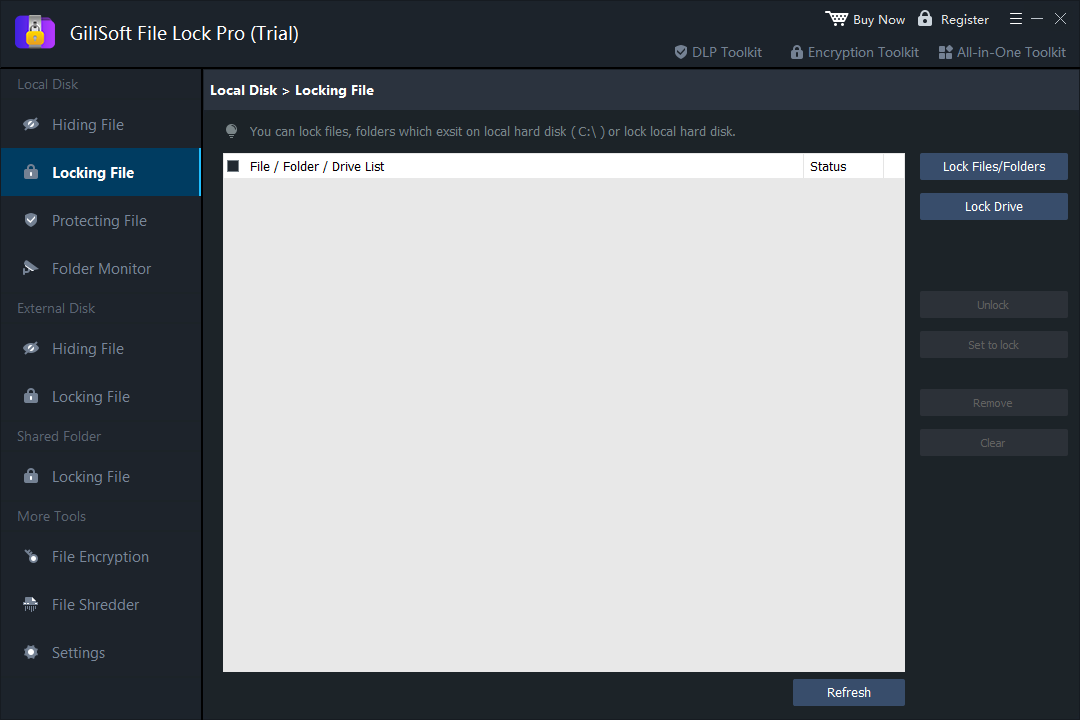
- Add the exact folder in File Lock Pro
Choose the locking or supported deny-read workspace and avoid selecting a broad parent folder unintentionally.
- Test inheritance and recovery
Check nested files, subfolders, shortcuts, applications, and the authorized unlock process from a standard user context.
- Document and review the rule
Record scope, owner, reason, exceptions, and recovery steps; remove obsolete restrictions.
See the File Lock Pro user guide for every workspace, password recovery, and related protection task.
GiliSoft File Lock Pro Interface
These product screenshots connect the workflow to the relevant local Windows controls.

Review the Protection Boundary
- Keep a verified backup before applying broad access or write restrictions.
- Use a standard user account to test both the permitted workflow and the blocked action.
- Protect the administration password and document how authorized recovery works.
- Keep Windows Security enabled and use encryption when offline data exposure is in scope.
Frequently Asked Questions
Does the rule cover every subfolder?
It may affect descendants within the selected path. Test the exact hierarchy before rollout.
Can authorized applications be affected?
Yes. Any application that reads files in the folder may be blocked unless the workflow supports and tests an exception.
Is this suitable for a network share?
Use server and share permissions as the foundation; test any desktop product control in that environment.
Does it encrypt the folder?
No. Access restriction and encryption are different protection layers.