
OCR and Image Recognition Tools for Windows Documents
In this workflow, image recognition means recognizing text contained in scans, screenshots, and document images. The useful result is not only extracted characters; it is verified text prepared for search, archiving, conversion, or reuse.
Quick answer
Choose OCR when a document page is an image rather than selectable text. Prepare the source, recognize the text, verify important fields, and then choose the correct output: plain reusable text, a searchable text-layer PDF, or an editable document conversion. GiliSoft Formathor keeps these document-oriented steps in one Windows suite.
Understand the Recognition Scope
| Task | Input | Expected output |
|---|---|---|
| OCR text extraction | Screenshot, scan, photo, or document image | Machine-readable text for review and reuse |
| Document OCR | Dense page with paragraphs or tables | Text with an attempted reading structure |
| Text-layer PDF | Image-only scanned PDF | Original page appearance plus searchable text |
| Editable conversion | PDF or recognized source | Word, Excel, or another working format |
| General object or identity recognition | Scenes, products, people, or biometrics | Outside this Formathor document OCR workflow |
Prepare Mixed Image and Document Sources
- Group sources by purpose.
Separate dense documents, receipts, screenshots, forms, and photographed pages.
- Preserve originals.
Keep the untouched scan or image and write recognized output to a separate folder.
- Correct rotation, skew, and perspective.
Keep text lines straight and ensure all page edges and characters remain visible.
- Check resolution and compression.
Small or heavily compressed characters lose distinguishing detail.
- Identify languages and special content.
Mixed scripts, handwriting, equations, stamps, checkboxes, and tables need more review.
Run Document OCR with GiliSoft Formathor
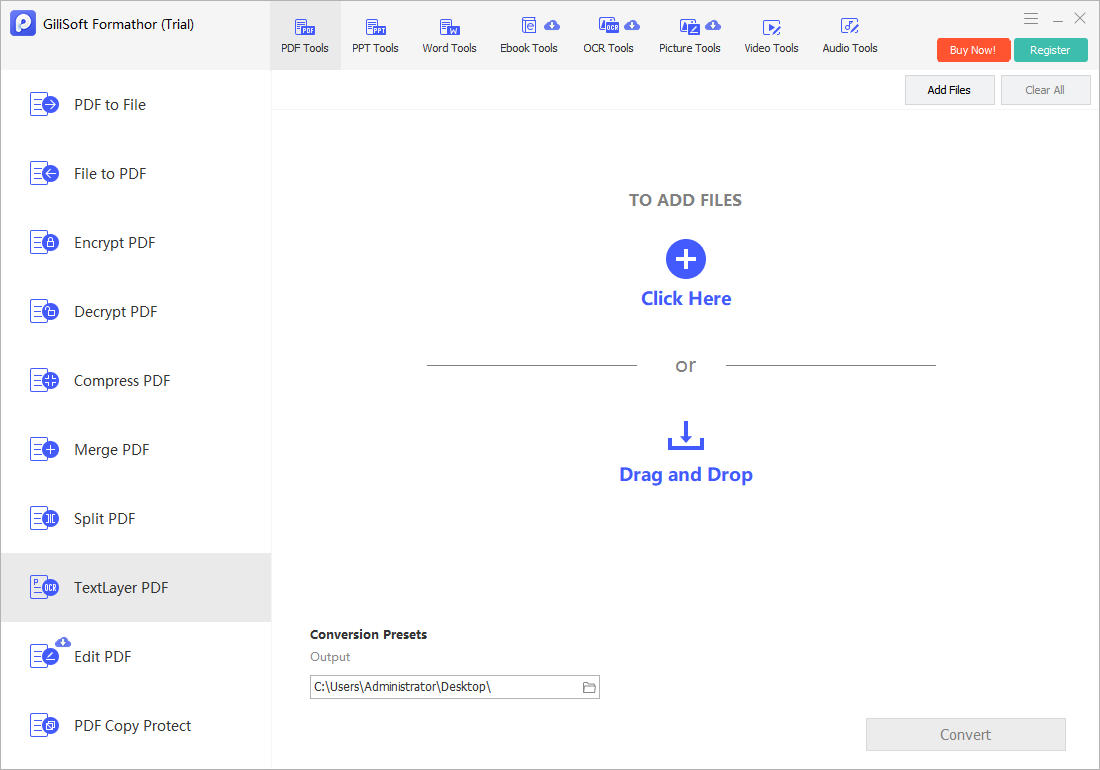
Open Formathor and choose OCR for image-to-text recognition. Use Text-layer PDF when an image-based PDF should retain its visual pages while gaining searchable text.
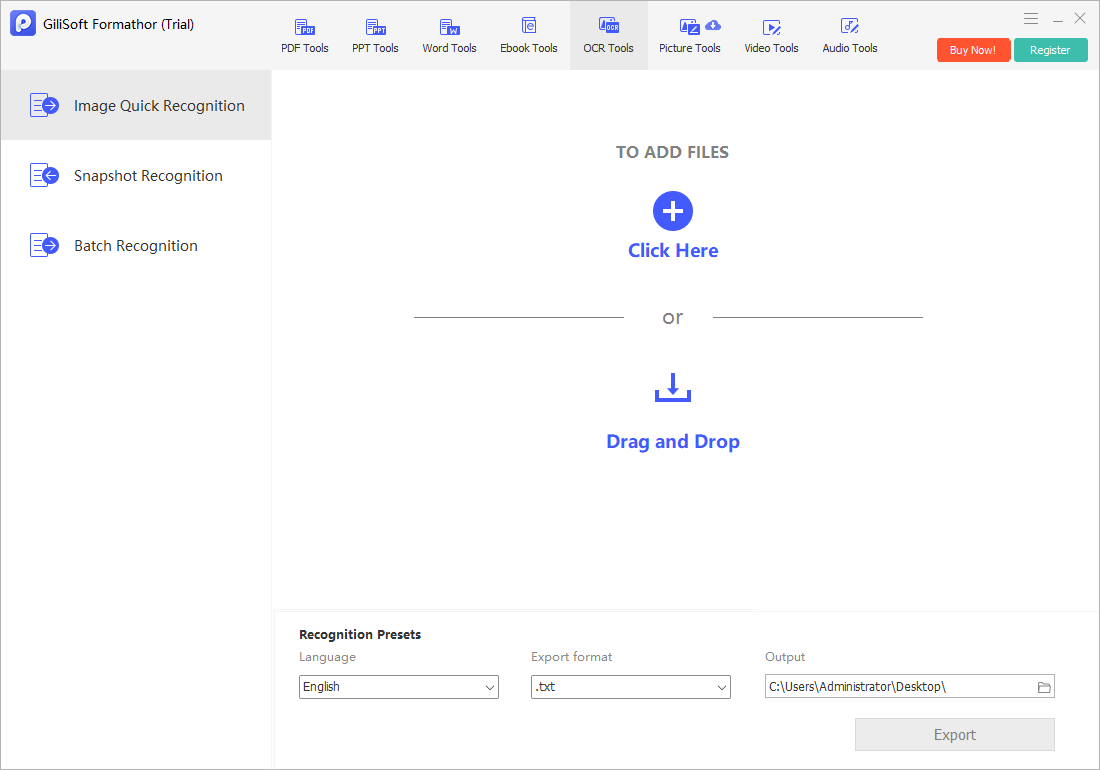
- Choose OCR or Text-layer PDF.
Select OCR for extracted text and Text-layer PDF for searchable scanned pages.
- Add a representative source.
Test the hardest common page type before committing to a large set.
- Set the supported language and output.
Choose settings that match the document rather than relying on a generic default.
- Run recognition.
Keep the source and output available for side-by-side comparison.
- Verify before batch work.
Correct the source or workflow if names, numbers, columns, or reading order are poor.
Choose the Next Document Output
| Need | Best next step | Verify |
|---|---|---|
| Copy a quotation or note | OCR text extraction | Characters and line order |
| Archive searchable scans | Text-layer PDF | Search results and visible pages |
| Edit narrative content | PDF to Word or file conversion | Paragraphs, fonts, images, and page breaks |
| Reuse tabular values | PDF to Excel where suitable | Rows, columns, decimals, totals, and formulas |
| Combine document pages | Merge or organize PDF after OCR | Page order, orientation, and bookmarks |
Build Quality Control into the Workflow
Sample the first page, a dense page, a page with tables, and the lowest-quality scan. Search for known phrases, copy text into a plain editor, and compare critical values against the image. For a batch, define an exception process for pages with handwriting, shadows, unusual languages, formulas, or damaged print.
OCR and Image Recognition Tools FAQ
What does image recognition mean on this page?
It means OCR-based recognition of text inside scans, screenshots, photos, and image-based documents. It does not claim general object recognition, facial identification, or biometric analysis.
What is the difference between OCR and document conversion?
OCR recognizes characters in visual content. Document conversion creates another file format and may also reconstruct layout, tables, images, and reading order. A scanned source often needs OCR before useful conversion.
Can OCR recognize tables correctly?
It may recognize the characters, but row and column structure can still be wrong. Verify headers, merged cells, decimals, negative signs, totals, and reading order.
When should I create a text-layer PDF?
Choose it when the scanned page appearance should remain visible but the file needs search, selection, copying, or indexing. Keep the original scan separately.
Can I process a large OCR batch without checking samples?
That is risky. Test representative and difficult pages first, then inspect samples and exceptions throughout the batch. Source quality and layout can vary from page to page.
Why use Formathor for OCR-oriented document work?
It keeps OCR, searchable PDF, PDF conversion, Office output, image handling, and document preparation tasks in one Windows suite. The finished files still require verification.