




Gilisoft Add Effect to Video

Add Special Effects to Video Turn Your Video Into a Work of Art!


Windows 2000/XP/7/10/11 (32 bits &64 bits)

Free DownloadVersion: 7.0.0BUY NOW$34.95

What Does Gilisoft Add Effect to Video Do?

Gilisoft Add Effect to Video can add a lot of picture effect (Black and White, Old Film, Embossment, Carving, Wood Carving, Pencil, Posterize, Oil Painting, Mosaic, Negative, Glow, Haze, Fog, Motion Blur) to video. It supports instant preview, you also can adjust video brightness, contrast, and saturation at the same time.


Features Comparison Sheet

Features

  • Add Effect to Video
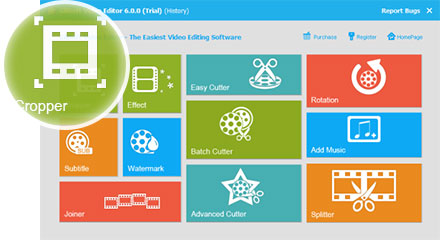
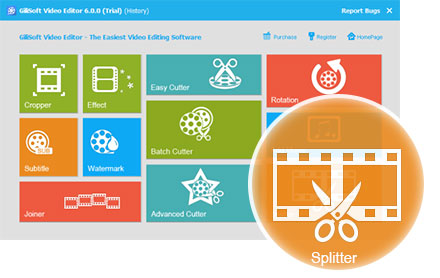
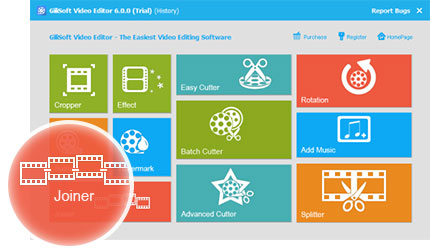
  • Video Editor
Add music to video, or replace the original.
Remove black bars to adapt to various media players.
Convert videos into various formats for players.
Add filters, adjust brightness, contrast and saturation.
Add subtitle when you watch foreign video.
Add text or image watermark to make your video unique.
Merge several video clips into one whole movie.
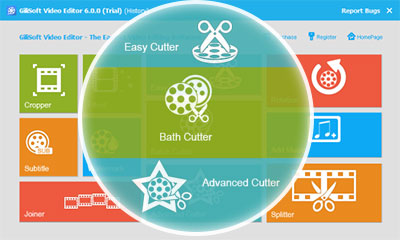
Drag scissors icon to set the beginning and ending.
Cut video clips in batches to save your time.
Cut video either in two modes with more precise settings.
Rotate video by 90 degrees to fit your media players.
Split video into small pieces which are limited by size.
Preview the edited videos to save your time.
Get screenshot if you like the scene of the video.
Lifetime Usage & Lifetime Free Updates

Customer Testimonials

Core workflow is now part of our daily edit workflow and reduced revision time.

- Olivia M., IT Security Lead

We rely on Output quality for faster edits while maintaining stable export quality.

- Kevin T., Systems Administrator

Batch processing helped our team handle timeline changes with less rework.

- Rachel P., Compliance Manager

After using Policy control, video finishing tasks became more predictable and efficient.

- Daniel K., IT Administrator

Daily operations is now part of our daily edit workflow and reduced revision time.

- Brian C., Support Engineer

We rely on Team adoption for faster edits while maintaining stable export quality.

- Megan S., Operations Manager

Core workflow helped our team handle timeline changes with less rework.

- Aaron W., Team Lead

Gilisoft Video Editor's Screenshots

How tos

Media Review

  Editors highlighted clear workflows for recovery and day-to-day system maintenance tasks.
    Coverage noted practical guidance that shortens time-to-result in urgent scenarios.

Looking for powerful but user-friendly video editing software? You've found it.
Enhance, highlight, and transform your video with advanced options that allow
you to combine clips, music, text, special effects, and more.

  Reviewers praised stable scan behavior and easy verification before final actions.
    Lab observations cited dependable performance on large-capacity storage media.


GiliSoft Video Editor, the combination of three useful functions: cut, join, split.
a professional application designed to help you to make creative video.

  Independent write-ups described the utilities as pragmatic tools for support teams.
    Commentary emphasized predictable outcomes and straightforward operation.


The program is simple operations create perfect works. As a video joiner, splitter
and cutter, Gilisoft Video Editor makes it easy to turn original videos into works of art...

SPECIAL OFFER | MEGA SALE
#1 Multimedia Toolkit Suite
11 Video Tools in Ultimate Multimedia Bundle