
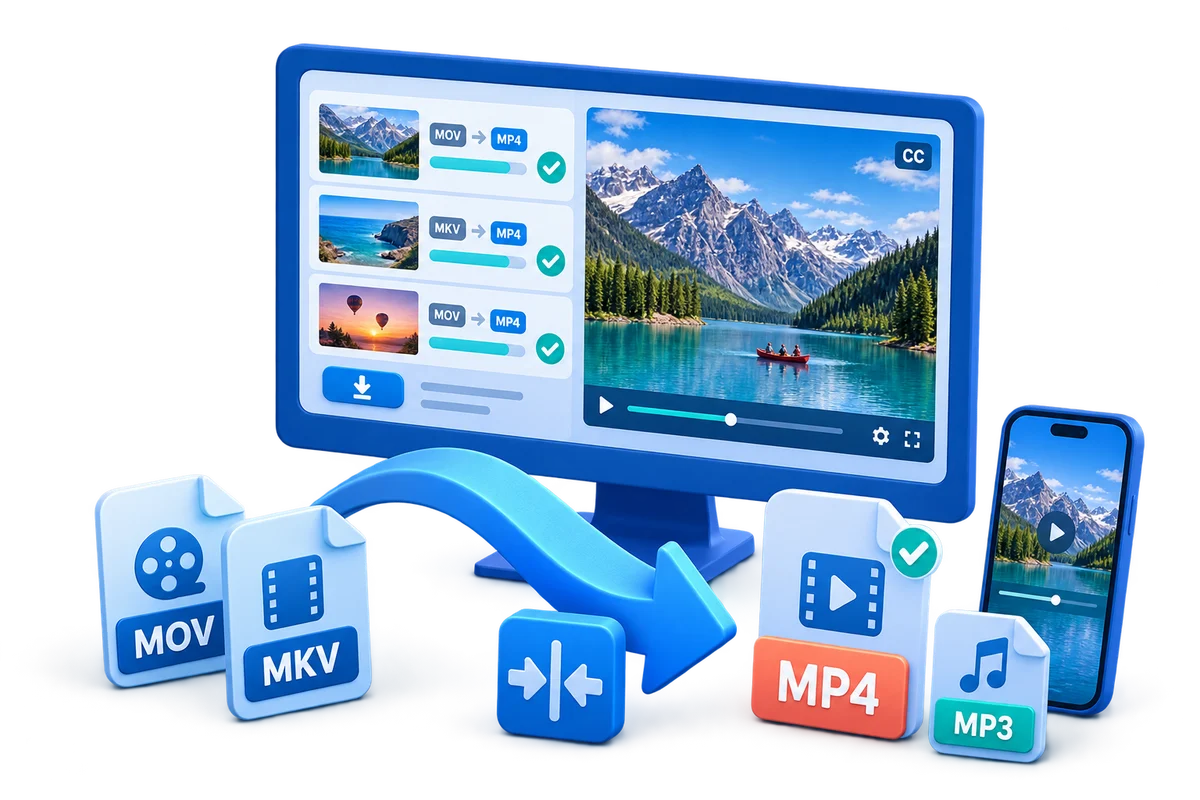
Choose the Right Workflow First
| Approach or project | Best fit | What to protect |
|---|---|---|
| Converter with editing tools | Format change plus trim, crop, join, subtitle, watermark, or audio adjustment | One queue can prepare and deliver the files |
| Full video editor | Layered story, repeated revisions, effects, and precise timing | A timeline keeps multiple elements independently editable |
| Focused cutter | One fast trim or split | Shortest workflow for one structural task |
| Batch conversion | Many similar files with shared output settings | Consistency and queue management matter most |
Prepare Before Editing
A short preparation pass prevents avoidable rework after timing, text, audio, or output choices have already been made.
Inspect the source first
Confirm duration, dimensions, frame rate, audio, orientation, and visible defects.
Define the destination
Know the player, device, platform, archive, or client requirement before selecting output.
Separate exceptions from the batch
Files needing unusual crops, subtitles, or audio should be reviewed individually.
How to Complete the Workflow on Windows
Follow the steps in order and delay decorative work until the structure and essential sound are stable.
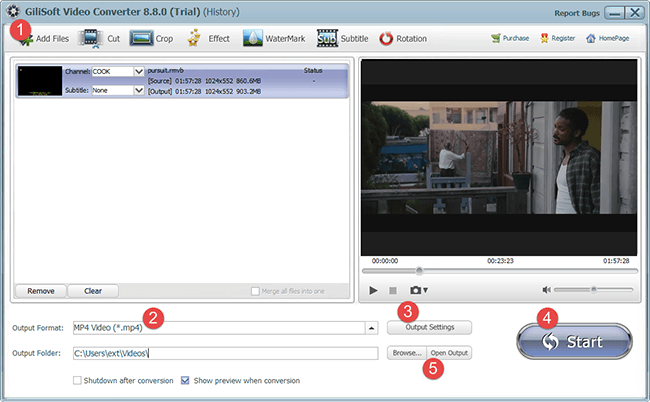
Add the source files
Open GiliSoft Video Converter, load one file or a batch, and confirm each preview and media summary.
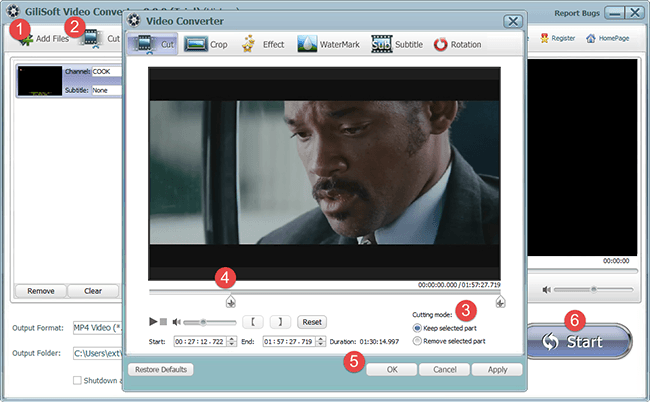
Choose the focused editing task
Trim, join, crop, rotate, add subtitles or a watermark, or adjust picture and audio only where needed.
Preview each important change
Check cut boundaries, framing, text placement, subtitle timing, and sound before returning to the queue.
Choose output format and quality
Match the destination while preserving useful source resolution and avoiding unnecessary frame-rate changes.
Set the destination and acceleration options
Choose a folder with enough space and use supported acceleration only after testing a representative file.
Convert and inspect the outputs
Open completed files, check duration, picture, sound, subtitles, naming, and compatibility before deleting sources.
Basic Editing That Belongs in a Conversion Workflow
Trim and join
Remove unwanted heads or tails and combine compatible clips without building a complex project.
Crop and rotate
Correct framing or orientation before the new output is encoded.
Subtitles and watermarks
Add required language, identification, ownership, or branding elements and preview placement.
Picture and audio adjustments
Correct practical delivery problems without turning conversion into an effects-heavy edit.
Where Video Converter Fits
GiliSoft Video Converter is the better fit when conversion remains the main task. Move to GiliSoft Video Editor Pro when the project needs independent tracks, layered graphics, repeated revisions, chroma key, or more detailed timing across picture and sound.
Review the GiliSoft Video Converter product page for the current feature overview or use the Video Converter user guide for task-level instructions.
Troubleshooting and Quality Checks
- Output is larger than expected: review codec, resolution, frame rate, and quality together.
- Crop removes important content: preview the full frame and destination aspect ratio.
- Subtitle timing changes: avoid speed changes after subtitle work.
- A batch contains inconsistent results: isolate files with different source properties.
- Hardware output looks different: compare a software-encoded test before processing the full queue.
Verify the Delivered Files, Not Only the Queue Status
Open representative outputs on the target player or device. Check the first and last frames, cuts, framing, sound, subtitles, naming, and file size before archiving or sending the batch.
Frequently Asked Questions
Can a video converter trim a file before export?
Yes. Mark the section to keep, preview the boundaries, and then convert the prepared result.
Can I add subtitles during conversion?
Yes. Import or select the subtitle track, verify timing and character encoding, and preview placement before export.
When do I need Video Editor Pro instead?
Use the editor for layered timelines, precise multi-element timing, creative effects, and repeated project revisions.
Can I process several files at once?
Yes. Apply common output settings carefully and isolate exceptions that need different edits or formats.
Should I change frame rate during conversion?
Keep the source rate unless the destination requires another rate; unnecessary conversion can make motion less natural.
Can I test the converter before buying?
Yes. Use the trial with representative sources, edits, batch settings, and playback destinations.