
Build a Monthly Report PDF Packet on Windows
A report packet often combines narrative, spreadsheets, charts, and signed attachments. The main risk is not conversion speed but wrong versions, page order, or unreadable financial tables.
Quick answer
Freeze the approved sources, convert Office files to PDF with GiliSoft Formathor, arrange the PDFs in reading order, merge a working packet, and review pages and numbers before distributing it.
Before You Start
- Agree on a contents list, reporting month, recipient, and final filename.
- Confirm which source version was approved and retain it separately.
- Check that spreadsheets print complete columns and chart labels at readable size.
Choose the Right Route
| Situation | Approach | What to verify |
|---|---|---|
| Narrative and tables | Convert approved Office versions separately | Totals, dates, and column widths match |
| Signed appendices | Add existing PDFs in a documented order | Signatures and exhibits remain intact |
| Email-ready packet | Compress only the final reviewed PDF | Small labels and charts stay readable |
Build a Monthly Report PDF Packet on Windows: Step by Step
- Prepare the components
Collect executive summary, report sections, charts, and appendices in a numbered staging folder.
- Convert non-PDF sources
Use Formathor File to PDF for approved Word, Excel, or image files; inspect each PDF before merging.
- Assemble in sequence
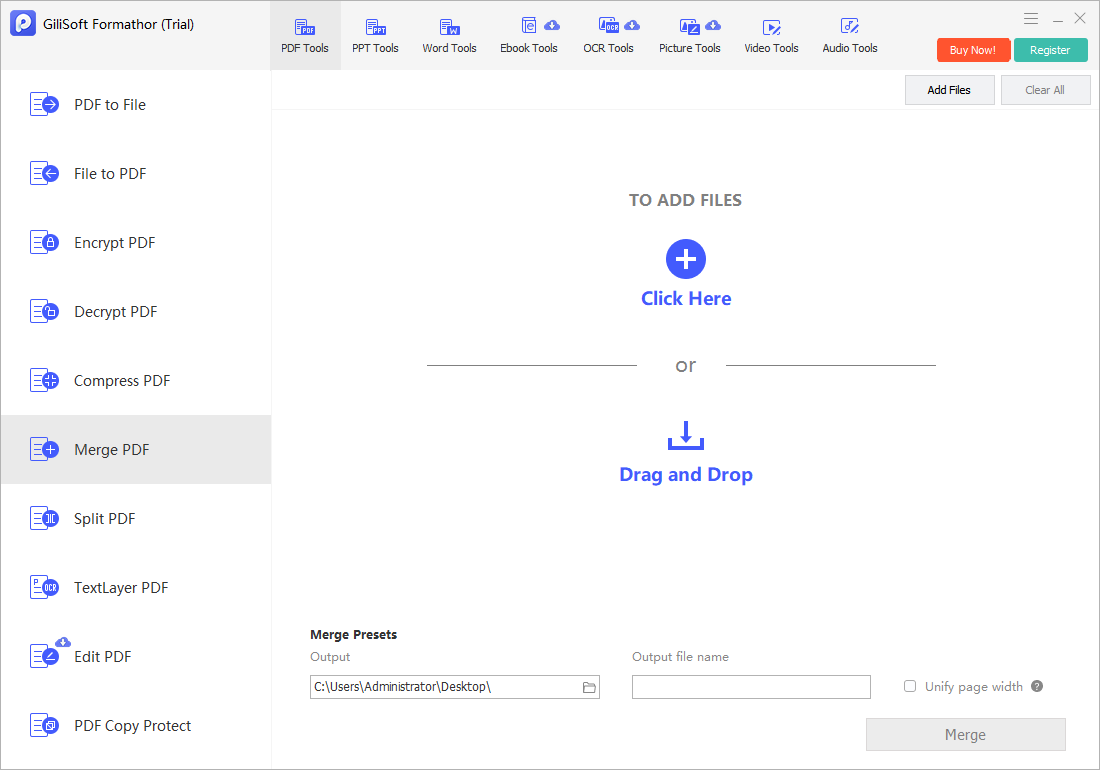
Use the PDF merge workflow to order cover, contents, body, and appendices.
- Review the packet
Check page count, section boundaries, totals, table legibility, and any bookmarks or links required by the recipient.
- Deliver a separate copy
Compress if the attachment is oversized and apply the appropriate protection policy for confidential figures.
Check the Result Before Sharing
- Are all approved sections present in the intended order?
- Do numbers, dates, and reporting periods match the originals?
- Does the email or portal accept the final file size?
Limits and Common Mistakes
Compression can soften charts and scans; compare legibility after reducing size. Password protection is not a substitute for an approved sharing channel.
Frequently Asked Questions
Should I merge before checking the individual PDFs?
No. Fix clipped pages or wrong orientation at the source, then assemble the clean versions.
Can I include image attachments?
Convert them to PDF pages first and check size, rotation, and placement.
How do I handle revised sections?
Replace the affected component and regenerate the packet; avoid making ambiguous edits to the previously approved copy.