
Free YouTube Video Downloader for Windows
A downloader should be judged by more than whether it accepts a link. The useful checks are whether saving is permitted, the page is supported, the selected quality is practical, and the resulting file plays completely.
Quick answer
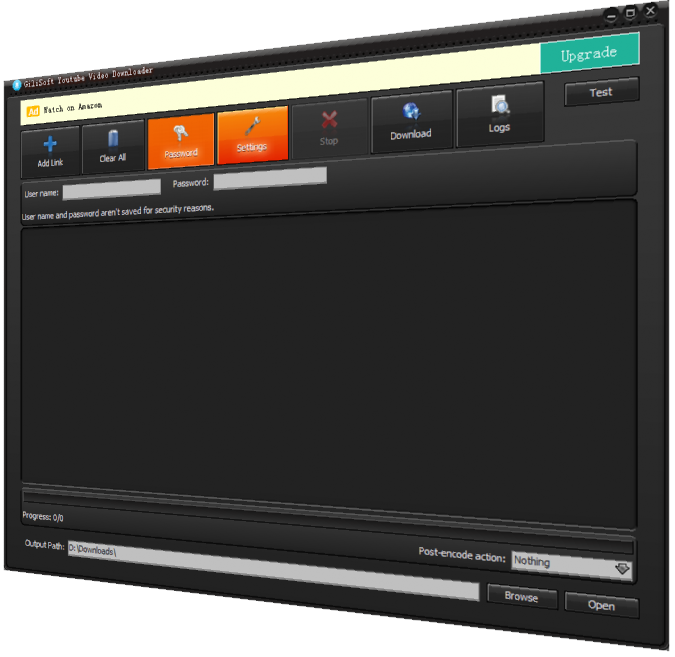
GiliSoft Free YouTube Downloader provides a focused Windows interface for compatible videos you own or have permission to save. Test one file first, choose a known folder, and verify the output. For normal YouTube offline watching, use YouTube's official Premium feature where available.
Check Permission Before Downloading
- Prefer the platform's official offline or creator-download feature when it meets the need.
- Save only your own uploads, public-domain or licensed media, or content explicitly permitted by the owner and platform.
- Do not bypass paywalls, encryption, access controls, private settings, or regional restrictions.
Choose the Correct Offline Method
| Goal | Recommended route | Check |
|---|---|---|
| One permitted video | Test the URL and modest quality first | Check complete audio/video playback |
| Several owned uploads | Prefer creator export or an organized download queue | Preserve original names and source records |
| Video needs editing or conversion | Download legally, then use a separate editor or converter | Keep the untouched downloaded source |
Step-by-Step Workflow
- Check the right to save
Confirm ownership, license, creator permission, and platform rules before adding a URL.
- Install from the official GiliSoft page
Use the official download and review the destination folder and Windows security prompts.
- Test one supported link
Add one permitted URL and choose a reasonable quality before attempting multiple files.
- Monitor and locate the result
Wait for completion and open the configured folder rather than assuming the file is complete.
- Verify before post-processing
Play the beginning, middle, and ending. Use a separate converter or editor only after confirming the source file.
Verify the Saved Video
- Play the beginning, a representative middle section, and the ending.
- Check duration, audio sync, resolution, subtitles, and available storage.
- Keep the source URL, creator, license or permission, and access date with the file.
Understand the Limits
Websites change their players and download rules. A failed URL does not justify bypassing protection. Official offline downloads may remain encrypted inside the service, require the same account, and expire or need periodic reconnection. A third-party utility does not grant copyright or reuse rights.
Frequently Asked Questions
Can I download any video I can watch online?
No. Availability in a player does not automatically grant download or reuse rights. Follow the platform terms and the owner's permission.
Is official offline viewing the same as a normal video file?
Not always. Platform offline features may keep an encrypted copy inside the service rather than create an editable local file.
Why does a download fail?
The page may be unsupported, protected, private, removed, region-limited, or changed by the platform. Do not try to bypass access controls.
What should I check after saving a permitted video?
Play the beginning, middle, and ending; check audio sync, duration, resolution, subtitles, and the destination folder.