
Keep Online Videos on a PC
Keeping a video on a PC is useful for travel, training, research, and later editing, but the correct method depends on ownership, platform rules, and whether you need in-app playback or a normal local file.
Quick answer
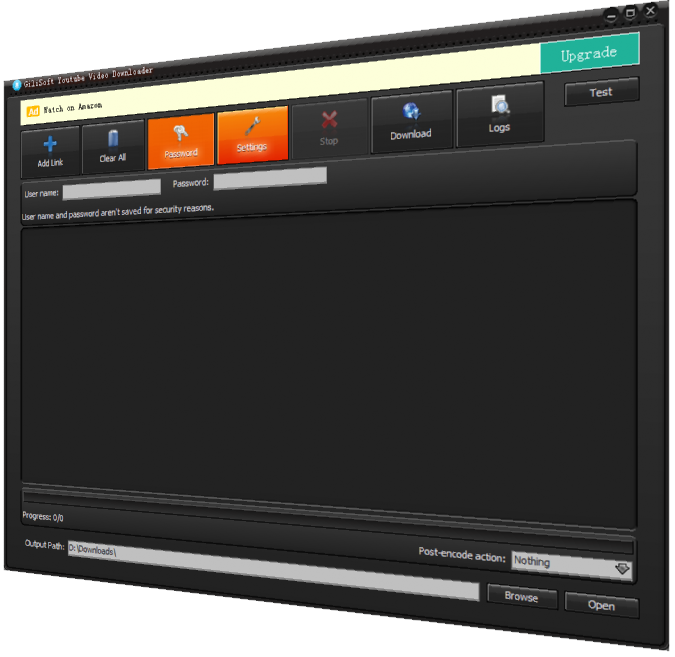
Use an official offline feature when viewing inside the platform is enough. Download your own uploads through the creator tools. When the owner and platform permit a standalone copy, GiliSoft Free YouTube Downloader can save a compatible video to a selected Windows folder for local playback and authorized follow-up work.
Check Permission Before Downloading
- Prefer the platform's official offline or creator-download feature when it meets the need.
- Save only your own uploads, public-domain or licensed media, or content explicitly permitted by the owner and platform.
- Do not bypass paywalls, encryption, access controls, private settings, or regional restrictions.
Choose the Correct Offline Method
| Goal | Recommended route | Check |
|---|---|---|
| Watch temporarily without internet | Use the platform's official offline feature | Check account, device, expiry, and reconnection rules |
| Archive your own upload | Use the platform's creator download or original master | Compare duration and quality with the source |
| Keep an authorized local file | Use a compatible downloader and organized folder | Retain the source URL and permission record |
Step-by-Step Workflow
- Decide what kind of offline access you need
Choose between in-platform playback and a standalone file before selecting a tool.
- Confirm the video may be saved
Check ownership, license, creator permission, and the platform terms; do not bypass access controls.
- Prepare an organized destination
Create a stable folder, check free space, and use a naming pattern that preserves title, creator, and date.
- Save one permitted test video
Use the official route or add one supported URL to GiliSoft Free YouTube Downloader and select a practical quality.
- Verify and document the result
Play the beginning, middle, and ending, then retain the source URL, permission, and access date beside the file.
Verify the Saved Video
- Play the beginning, a representative middle section, and the ending.
- Check duration, audio sync, resolution, subtitles, and available storage.
- Keep the source URL, creator, license or permission, and access date with the file.
Understand the Limits
Websites change their players and download rules. A failed URL does not justify bypassing protection. Official offline downloads may remain encrypted inside the service, require the same account, and expire or need periodic reconnection. A third-party utility does not grant copyright or reuse rights.
Frequently Asked Questions
Can I download any video I can watch online?
No. Availability in a player does not automatically grant download or reuse rights. Follow the platform terms and the owner's permission.
Is official offline viewing the same as a normal video file?
Not always. Platform offline features may keep an encrypted copy inside the service rather than create an editable local file.
Why does a download fail?
The page may be unsupported, protected, private, removed, region-limited, or changed by the platform. Do not try to bypass access controls.
What should I check after saving a permitted video?
Play the beginning, middle, and ending; check audio sync, duration, resolution, subtitles, and the destination folder.