

Can You Stop a Backup Folder from Being Deleted?
The right mode depends on who needs access. A shared office archive may need read-only access, while a confidential backup may need to remain locked or hidden until an administrator restores it.
Choose Protection That Matches the Backup
Write protection
Best when users must browse or restore files but should not change or delete the backup.
Folder locking
Best when unauthorized users should not open the backup folder or view its contents.
Folder hiding
Reduces casual discovery but should be combined with access control for sensitive archives.
Independent backup
Keeps another verified copy available if the protected disk is lost, damaged, or fails.
Protect the Backup Folder Step by Step
Keep another independent backup
Confirm that important files exist on separate reliable storage before changing protection settings.
Add the backup folder
Open GiliSoft File Lock Pro and select the local, external, or shared backup folder that needs protection.
Choose the protection mode
Use write protection for readable archives or lock the folder when access itself must be restricted.
Protect administration
Set the product password and recovery information so ordinary users cannot remove the rule.
Test restore and recovery
Verify that authorized users can complete the intended restore and document how an administrator will remove protection.
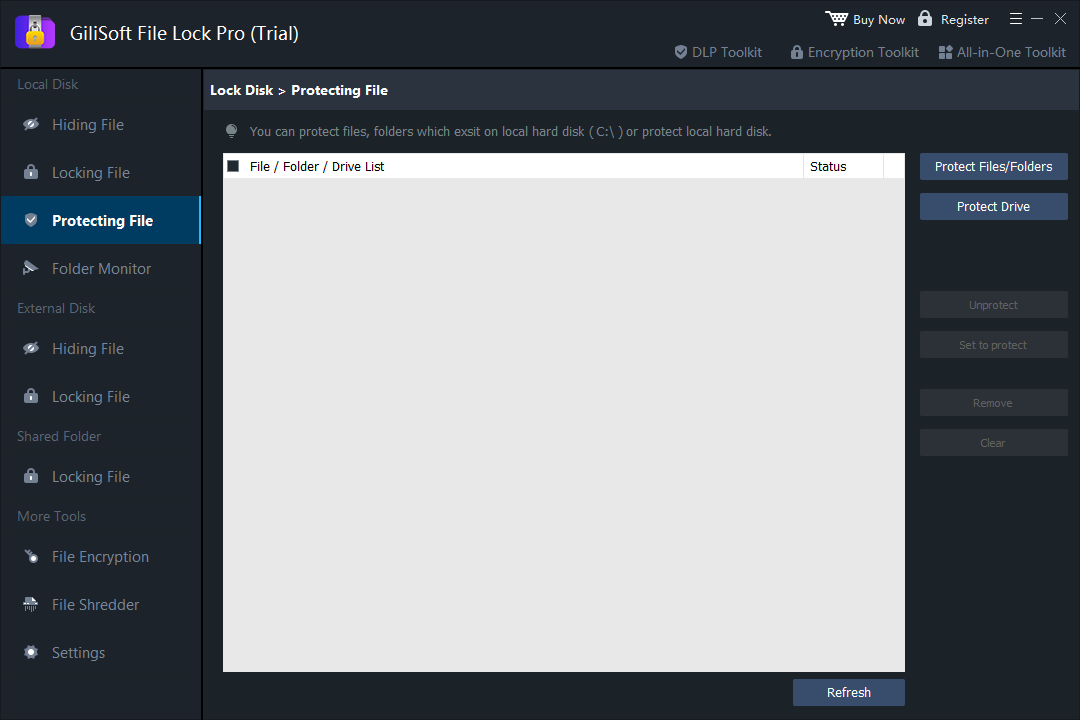 Select the backup folder and apply the mode that preserves the required read or restore workflow.
Protect Selected Folders with GiliSoft File Lock Pro
File Lock Pro can lock, hide, or write-protect selected files, folders, and drives on Windows. It suits local archives, shared workstations, attached backup disks, and folders that should stay readable without becoming editable.
Backup Protection Checks
- Test reading and restoring files before relying on the protected folder.
- Confirm that unauthorized users cannot rename, overwrite, move, or delete protected content.
- Keep the File Lock Pro password and recovery details outside the protected folder.
- Reconnect external drives and verify that the expected rule still applies.
- Review protection after changing drive letters, backup software, or Windows accounts.
Frequently Asked Questions
Can users read a backup without deleting it?
Use write protection when the folder should remain readable but not editable, renameable, overwriteable, or deletable.
Should I lock or write-protect the folder?
Choose write protection for routine reading and restores. Choose locking when only authorized users should open the folder.
Can an external backup drive be protected?
Yes, selected folders on attached storage can be protected. Test the exact drive and PC, especially after drive-letter changes.
Does this protect against drive failure?
No. Keep independent backup copies because access protection cannot prevent hardware loss or physical damage.