

Why client video delivery needs its own access plan
A client video may contain unreleased campaign material, internal product information, licensed media, customer data, a paid production, or work that has not yet been approved. The risk is not limited to someone guessing the download URL. It continues after the file reaches the recipient.
Ordinary cloud links and portal logins are useful for controlling the initial handoff. If the client downloads an ordinary MP4, however, the local file can usually be copied, forwarded, renamed, or played outside the original account. A protected playback package keeps password, device, watermark, expiration, and revocation rules connected to the delivered video.
Use different rules for review and final delivery
| Client stage | Recommended controls | Why they matter |
|---|---|---|
| Early concept or rough cut | Short expiration, client-name watermark, password, limited play window | Keeps incomplete or unapproved material from circulating indefinitely |
| Approval cut | Individual credential, PC binding where practical, visible identity, review deadline | Connects the review copy to the intended decision maker |
| Confidential demonstration | Password, device binding, available anti-capture controls, blacklist response | Reduces uncontrolled reuse of product or internal information |
| Final viewing copy | Longer validity, client-specific password, optional USB binding, documented replacement process | Balances usability with continued playback control |
| Source or editable project delivery | Contract terms, secure transfer, archive encryption, recipient approval | A DRM viewing package is not a replacement for transferring editable masters when those are part of the agreement |
Choose the delivery method that matches the client
Private streaming review
Useful for browser-first feedback and frequent revisions. Use authenticated accounts, expiring links, and restricted sharing through the selected review platform.
Protected downloadable review
Useful when the client needs local or offline playback but should not receive an ordinary reusable MP4.
USB handoff
Useful for events, executive review, field locations, or clients with limited connectivity. Bind playback to the approved USB drive when appropriate.
Final source delivery
Use secure transfer and contractual controls when editable masters are part of the paid deliverables. Keep review protection separate from source ownership.
How to protect a client video with GiliSoft
- Separate review media from project mastersExport the client-facing review or delivery copy and keep the original footage, editable timeline, and source assets outside the package.
- Add the client video and supporting filesImport the preview, final viewing copy, instructions, or supporting documents that should be delivered together.
- Create recipient-specific accessUse a password for the named client, reviewer, or organization. Avoid sharing one permanent credential across unrelated customers.
- Choose device and time rulesBind playback to an approved PC or USB drive when the project requires it, then set expiry, play count, or a permitted viewing window.
- Add a useful watermarkDisplay the client name, project identifier, email, order number, or other identity that helps trace an unintended redistribution.
- Test the exact handoffOpen the protected package on an approved device, try an unapproved device, confirm recovery instructions, and verify that the watermark does not cover important content.
- Deliver and retain a response pathRecord which package and credential went to each client. If access is leaked, refunded, or retired, add the relevant password to the blacklist.
Client delivery controls in the product
These screens show the controls that turn a normal review file into a managed client-delivery package.
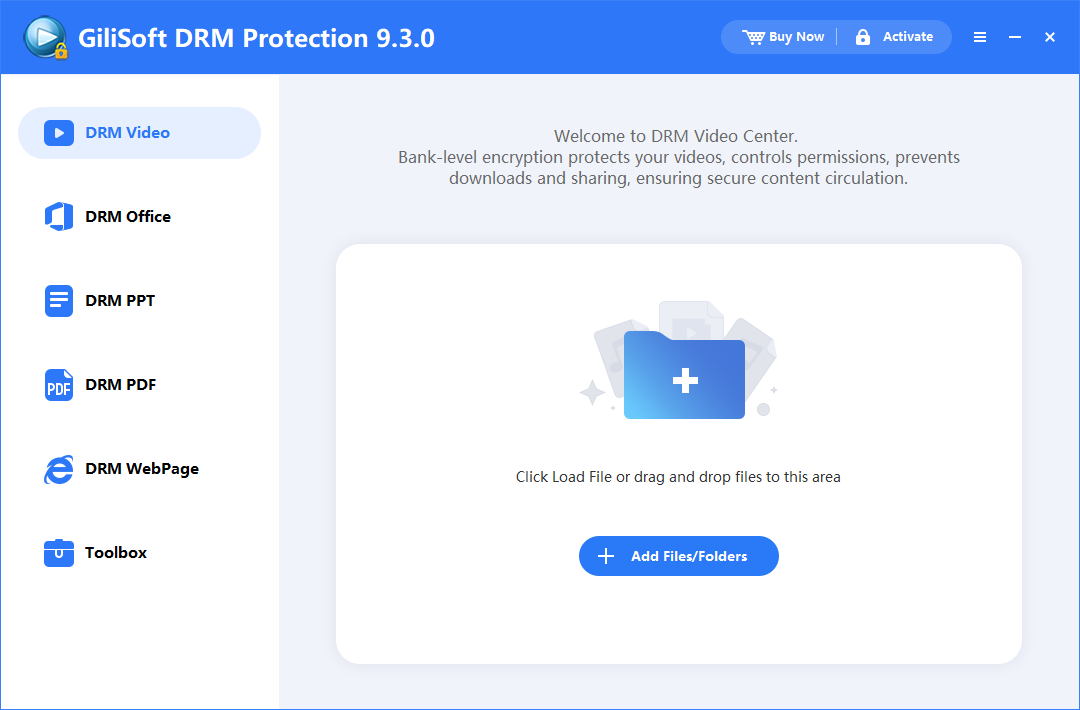 Add the client review or delivery copyPackage the intended viewing file, not the editable project master.
 Configure playback rulesSet the access behavior that matches the review or delivery stage.
 Add identity and capture deterrenceMake the client copy identifiable and apply relevant playback restrictions.
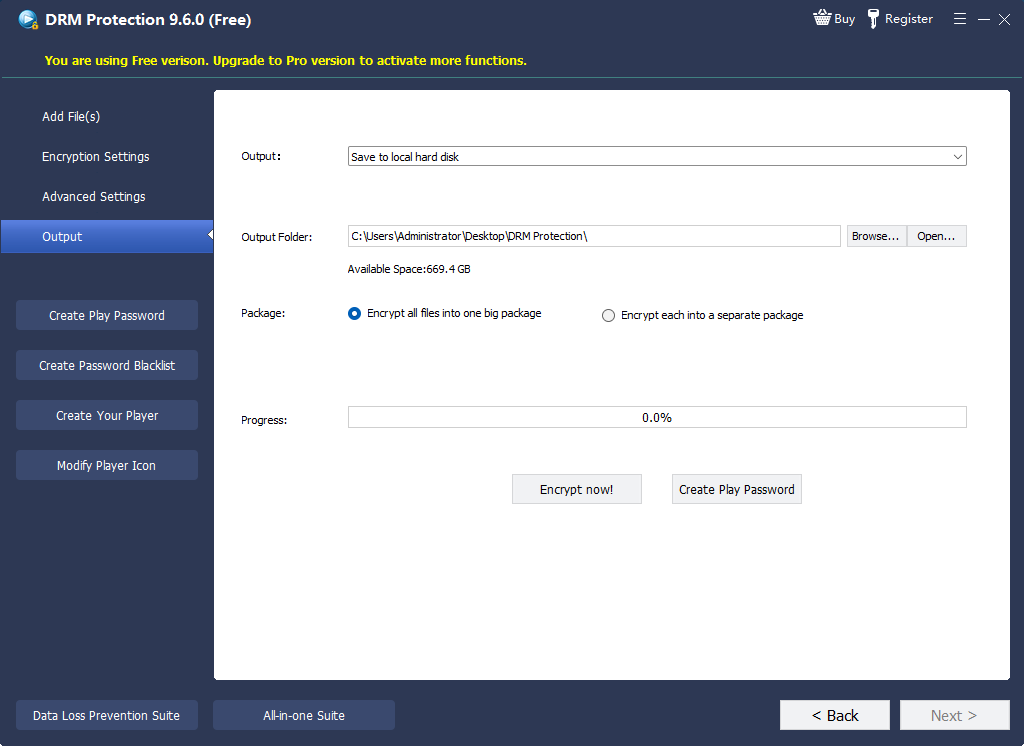 Create the protected handoffSend the controlled package rather than the source MP4.
 Issue client accessCreate a credential for the specific reviewer, client, or organization.
 Withdraw compromised accessBlacklist credentials that should no longer open the project video.
Give the client a viewing copy, not an uncontrolled master
Create the protected package on Windows, then deliver it for supported desktop or mobile playback with client credentials, device rules, visible watermarks, and revocation controls attached.
Client projects that benefit from controlled playback
Creative agency approvals
Protect campaign drafts, commercials, social cuts, and presentation videos before public release.
Consulting and training deliverables
Give customers controlled access to paid workshops, demonstrations, and implementation recordings.
Product and investor previews
Share confidential demonstrations with named recipients and a defined review period.
Production and post-production review
Send rough cuts, color reviews, subtitled versions, or VFX approvals without exposing the original media library.
Legal and compliance review
Deliver recorded evidence, internal briefings, or regulated training with clearer recipient accountability.
Event and offline presentations
Use PC- or USB-bound playback for venues, executive meetings, and locations where online review is impractical.
Client video delivery checklist
Protect client videos FAQ
Should every client receive a different playback password?
Use a client- or project-specific credential whenever possible. It makes support, replacement, and revocation more precise than one permanent password shared across all customers.
Can I add the client's name to the video?
Yes. A dynamic or client-specific visible watermark can display identifying information during playback, improving accountability if a review copy is redistributed.
Can a client watch the protected video offline?
Yes, depending on the selected output and rules. The publishing project is created on Windows, while protected videos can play through supported GiliSoft playback environments on compatible desktop or mobile platforms.
Can I revoke a client video after the project ends?
You can blacklist a playback credential as part of the access-response process. The viewer must reach the relevant verification service for the updated blacklist decision to take effect.
Is this a replacement for a client review portal?
No. A review portal is useful for browser playback, comments, and version feedback. A protected package is useful when the client needs a controlled downloadable or offline viewing copy. Many teams use both at different project stages.
Does the client receive the original video file?
The client receives the protected output you create. Source footage, editable projects, and unrestricted masters should be delivered separately only when they are included in the agreement.
Protect the client copy before delivery
Use GiliSoft Video DRM Protection when client review or final viewing files need passwords, device rules, identifying watermarks, expiration, and revocation after handoff.