
Edit & convert
Video Editor Pro
Cut and join clips, add subtitles, music, and effects, and create videos on a multi-track timeline.

VIDEO CREATION, RECORDING & DVD TOOLS
Bring your video projects together.
Edit clips, convert formats, record your screen, turn photos into movies, and create or back up DVDs with seven Windows tools.
Lifetime license / 1 PC7 Windows products · Free updates
INCLUDED VIDEO SOFTWARE
From a first clip or screen recording to a finished video, photo story, or DVD.
Edit & convert
Cut and join clips, add subtitles, music, and effects, and create videos on a multi-track timeline.
Edit & convert
Batch convert and compress videos, extract audio, and prepare MP4 and other formats for your devices.
Recording
Capture your screen, webcam, PC sound, and microphone with schedules and automatic recording controls.
Slideshows
Turn photos and clips into videos with music, narration, titles, transitions, and effects.
DVD tools
Burn videos to DVD with customized menus and subtitles, or save your project as an ISO or DVD folder.
DVD tools
Convert DVD discs, ISO images, and VIDEO_TS folders to video or audio with selected tracks and subtitles.
DVD tools
Copy existing DVDs to discs, ISO images, or VIDEO_TS folders, and burn saved backups to DVD.
Try a different product name or task.
INSIDE THE SUITE

Arrange clips, add titles and sound, and preview your project in Video Editor Pro.
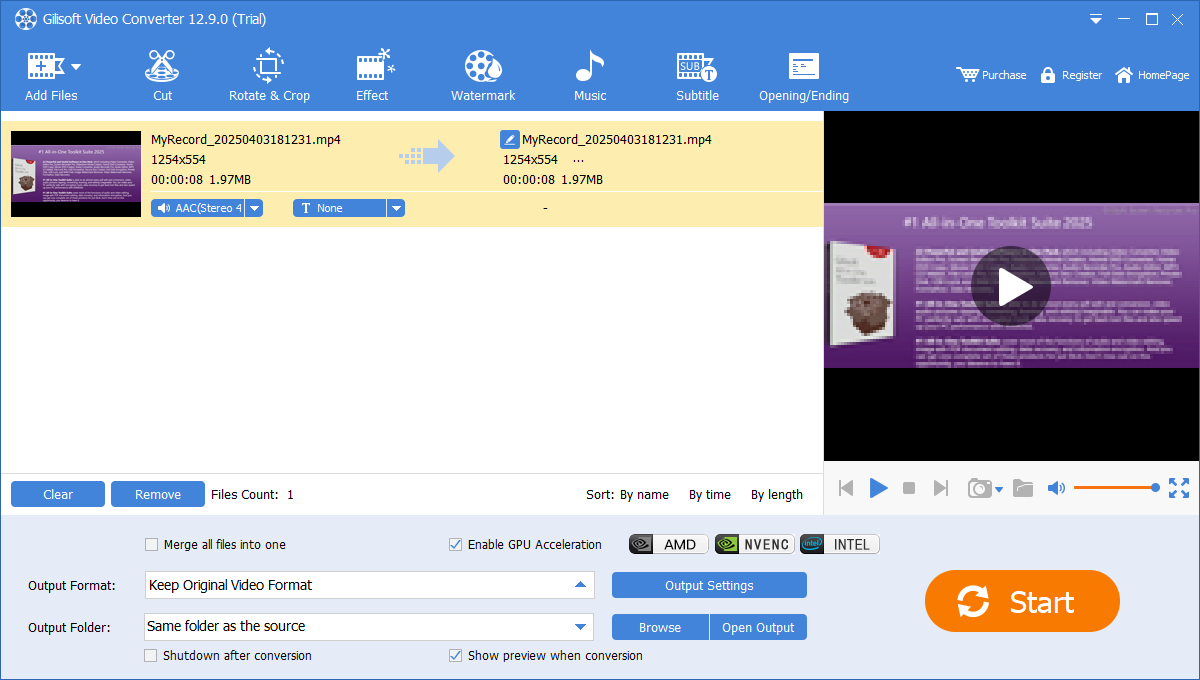
Choose your output format, review audio and subtitle tracks, and convert one file or a batch.
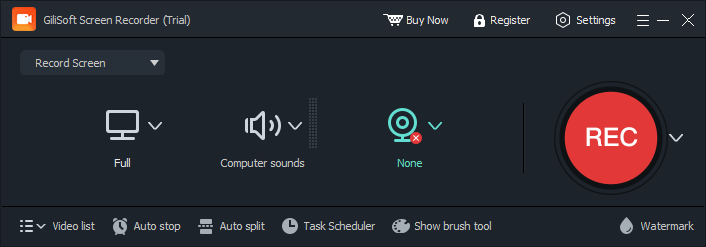
Choose the recording area, PC sound, microphone, and webcam settings before recording a tutorial or demo.
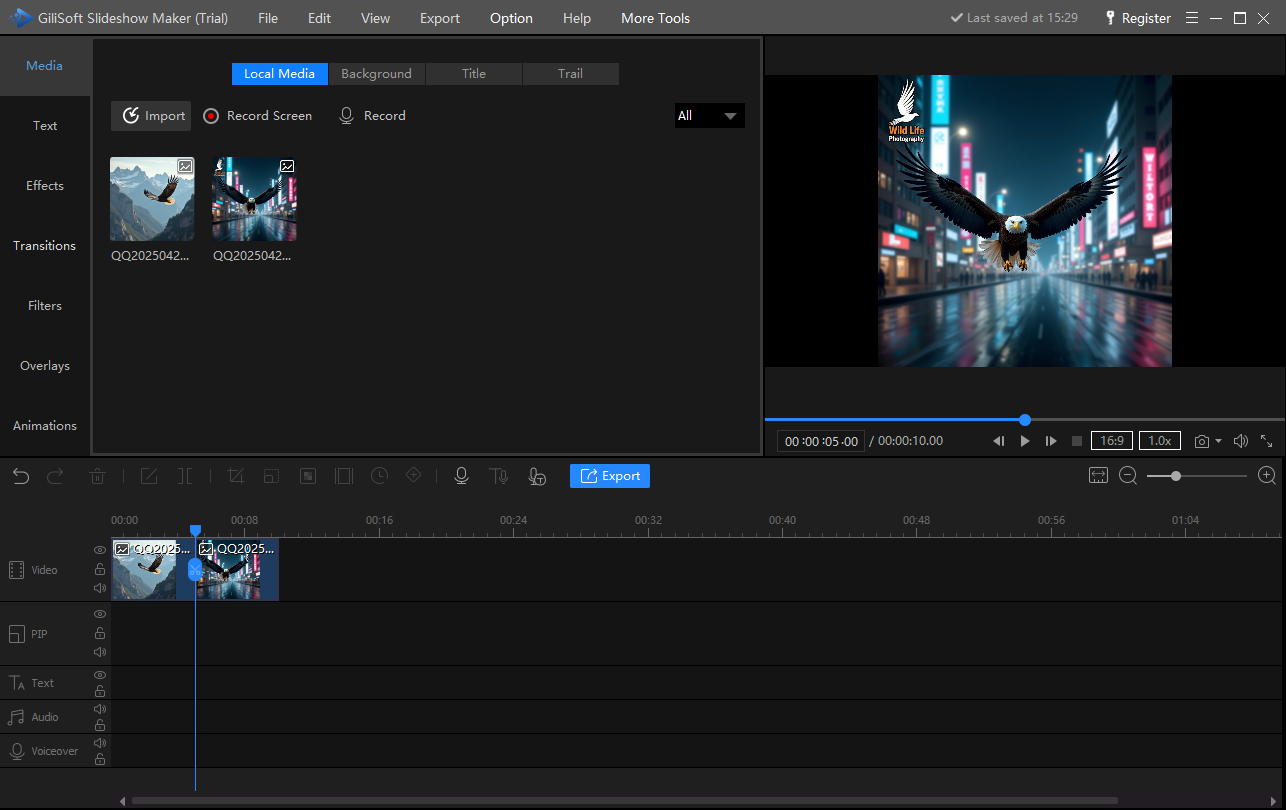
Arrange photos and clips, add music and titles, and preview the slideshow before export.

Choose a menu style, arrange the DVD project, and prepare your videos for disc, ISO, or DVD folder output.
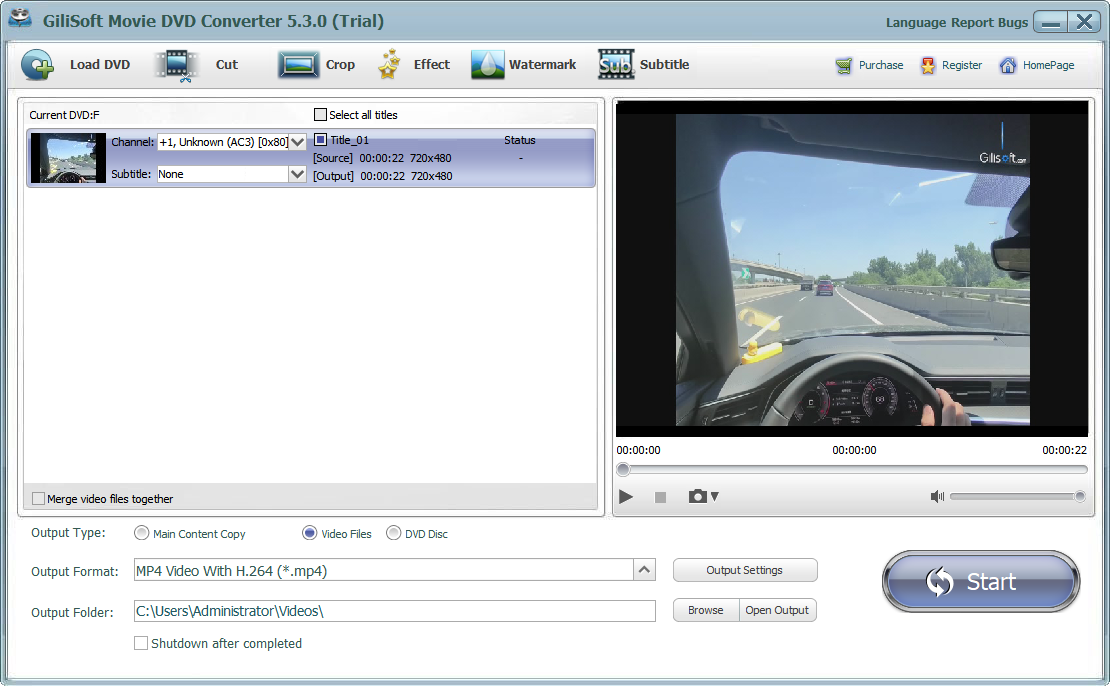
Load a DVD source, select the titles and tracks, and choose a video or audio output format.

Choose a DVD source and an ISO destination, set the save path, and start the backup.
MAKE SOMETHING WORTH SHARING
Record a clear explanation, edit the useful parts, and convert the finished lesson for your audience.
Bring photos, short clips, music, and titles together as a movie or a menu-based DVD.
Prepare older discs and mixed-format files for playback, or keep a DVD backup in an image or folder.
VIDEO TOOLKIT SUITE FAQ
Seven focused Windows products, one lifetime license, and a GiliSoft tool for each stage of the project.
The suite includes seven Windows products: Video Editor Pro, Video Converter, Screen Recorder, Slideshow Maker, Movie DVD Creator, Home DVD Converter, and Home DVD Copy. Each product focuses on a different part of making, preparing, recording, or backing up video.
The current offer is a lifetime license for 1 PC, covering the seven listed Windows tools with lifetime free updates. Review the license and purchase terms on the official checkout page.
It is a bundle of seven GiliSoft products, each with its own installer and user guide. You can install the tools you need for editing, conversion, recording, slideshows, and DVD projects.
The listed product is GiliSoft Screen Recorder for Windows, with screen and webcam capture, PC sound, microphone audio, schedules, and automatic recording controls. Screen Recorder Pro is a separate product and is not listed as an additional tool in this bundle.
Yes. Movie DVD Creator turns videos into DVD projects with menus. Home DVD Converter turns DVD content into video or audio files. Home DVD Copy backs up existing DVDs to discs, ISO images, or DVD folders.
This offer covers the seven Windows products. Mac editions are sold separately and are not included in this Windows suite license.
Team, multi-user, OEM, and deployment licensing are available by quotation. Contact GiliSoft sales with your PC count, intended use, and deployment requirements.
Yes. Individual Windows trial downloads and user guides are available for all seven listed products. Trial limitations vary by product; check the relevant product page before choosing a license.
CREATE WITH GILISOFT
Edit, record, convert, create slideshows, and work with DVDs.