
YouTube to MP4 Downloader for Windows
MP4 describes a container, not guaranteed compatibility. Video codec, audio codec, resolution, subtitles, and the destination player still matter. The important first decision is whether you need official in-platform offline viewing, a copy of your own upload, or a normal local file that the owner and platform permit you to save.
Quick answer
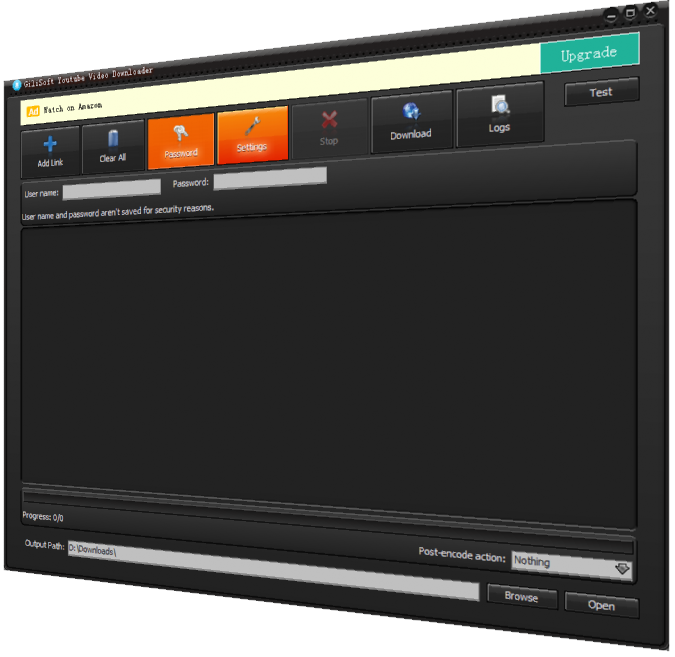
Save only an authorized source. If the permitted download is not suitable for the target device, preserve it and create a separate MP4 delivery copy with GiliSoft Video Converter. GiliSoft Free YouTube Downloader is a Windows option for compatible videos you own or are allowed to save. It does not grant reuse rights or bypass protected, private, paid, or restricted access.
Check Permission Before Downloading
- Prefer the platform's official offline or creator-download feature when it meets the need.
- Save only your own uploads, public-domain or licensed media, or content explicitly permitted by the owner and platform.
- Do not bypass paywalls, encryption, access controls, private settings, or regional restrictions.
Choose the Correct Offline Method
| Goal | Recommended route | Check |
|---|---|---|
| Viewing without editing | Use the platform's official offline feature | Check account, device, expiry, and reconnection rules |
| Your own uploaded video | Use the creator download or original master | Compare duration and quality with the source |
| Authorized standalone file | Use a compatible downloader and chosen folder | Retain the source URL and permission record |
Step-by-Step Workflow
- Define the offline purpose
Decide whether the file is for viewing, an archive of your own work, an authorized reference, or permitted editing.
- Confirm ownership and platform permission
Use your own upload, licensed or public-domain material, or explicit owner and platform permission. Do not bypass access controls.
- Prepare a stable destination
Check free space and use a folder and filename that preserve the title, creator, date, and intended use.
- Save one permitted test
Use the official route or add one supported URL to GiliSoft Free YouTube Downloader and select a practical quality.
- Verify and document the result
Play the beginning, middle, and ending; check sound, duration, resolution, and subtitles; retain the source and permission record.
Verify the Saved Video
- Play the beginning, a representative middle section, and the ending.
- Check duration, audio sync, resolution, subtitles, and available storage.
- Keep the source URL, creator, license or permission, and access date with the file.
Understand the Limits
Websites change their players and download rules. A failed URL does not justify bypassing protection. Official offline downloads may remain encrypted inside the service, require the same account, and expire or need periodic reconnection. A third-party utility does not grant copyright or reuse rights.
Frequently Asked Questions
Can I download any video I can watch online?
No. Availability in a player does not automatically grant download or reuse rights. Follow the platform terms and the owner's permission.
Is official offline viewing the same as a normal video file?
Not always. Platform offline features may keep an encrypted copy inside the service rather than create an editable local file.
Why does a download fail?
The page may be unsupported, protected, private, removed, region-limited, or changed by the platform. Do not try to bypass access controls.
What should I check after saving a permitted video?
Play the beginning, middle, and ending; check audio sync, duration, resolution, subtitles, and the destination folder.