
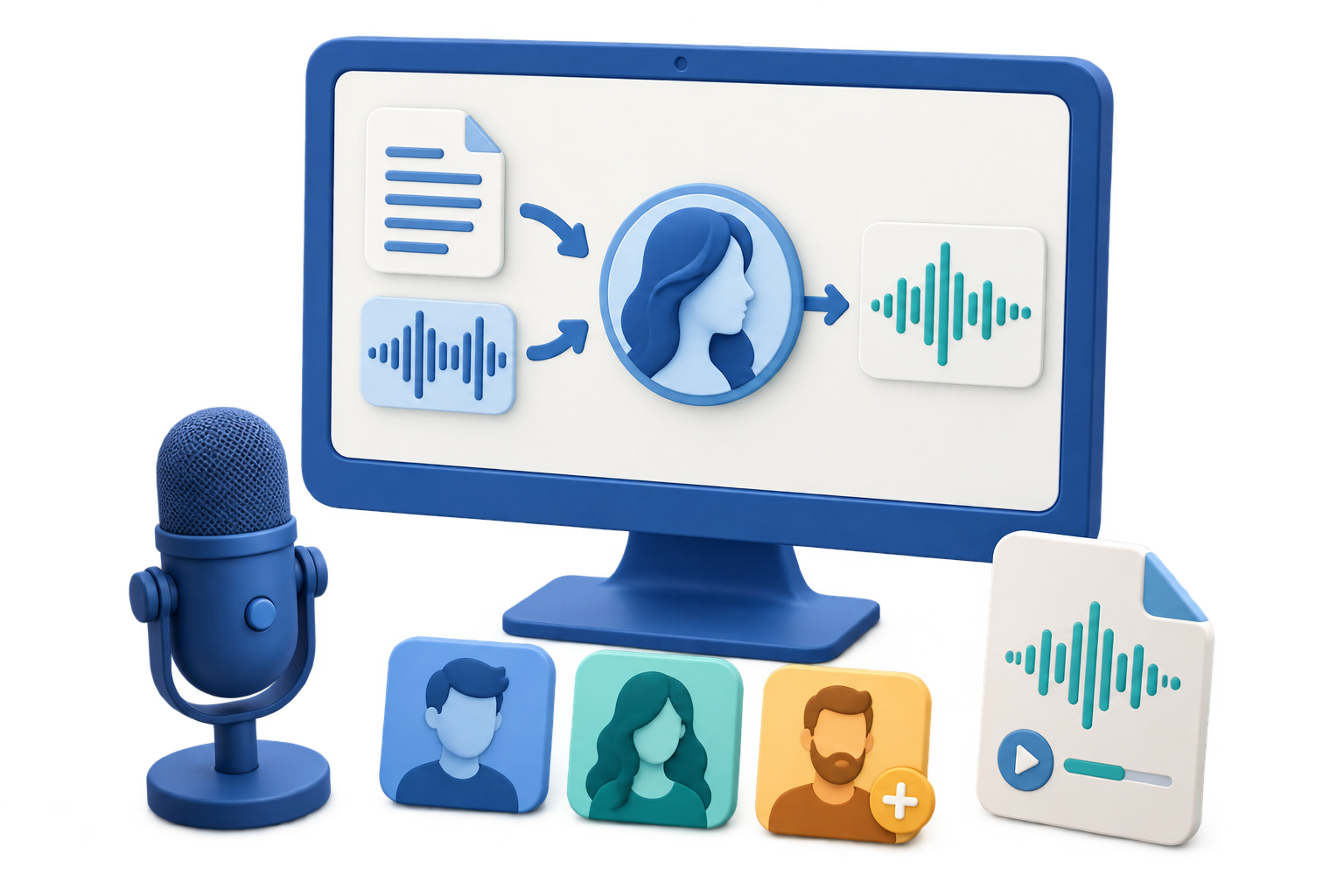
Start with the Source You Already Have
Quick answer: Choose Text to Speech for a written script, Voice Conversion for existing recorded speech, and Create Voice Clone only when you have clear permission to use the reference voice. These workflows solve different problems and should not be treated as interchangeable.
| Starting material | VoiceLab workspace | Expected workflow |
|---|---|---|
| Written script | Text to Speech | Select a voice, adjust speed, and generate spoken audio |
| Audio or video with one speaker | Voice Conversion | Select a target voice and convert the recorded performance |
| Authorized reference voice | Create Voice Clone | Create a reusable custom voice and organize it in My Voices |
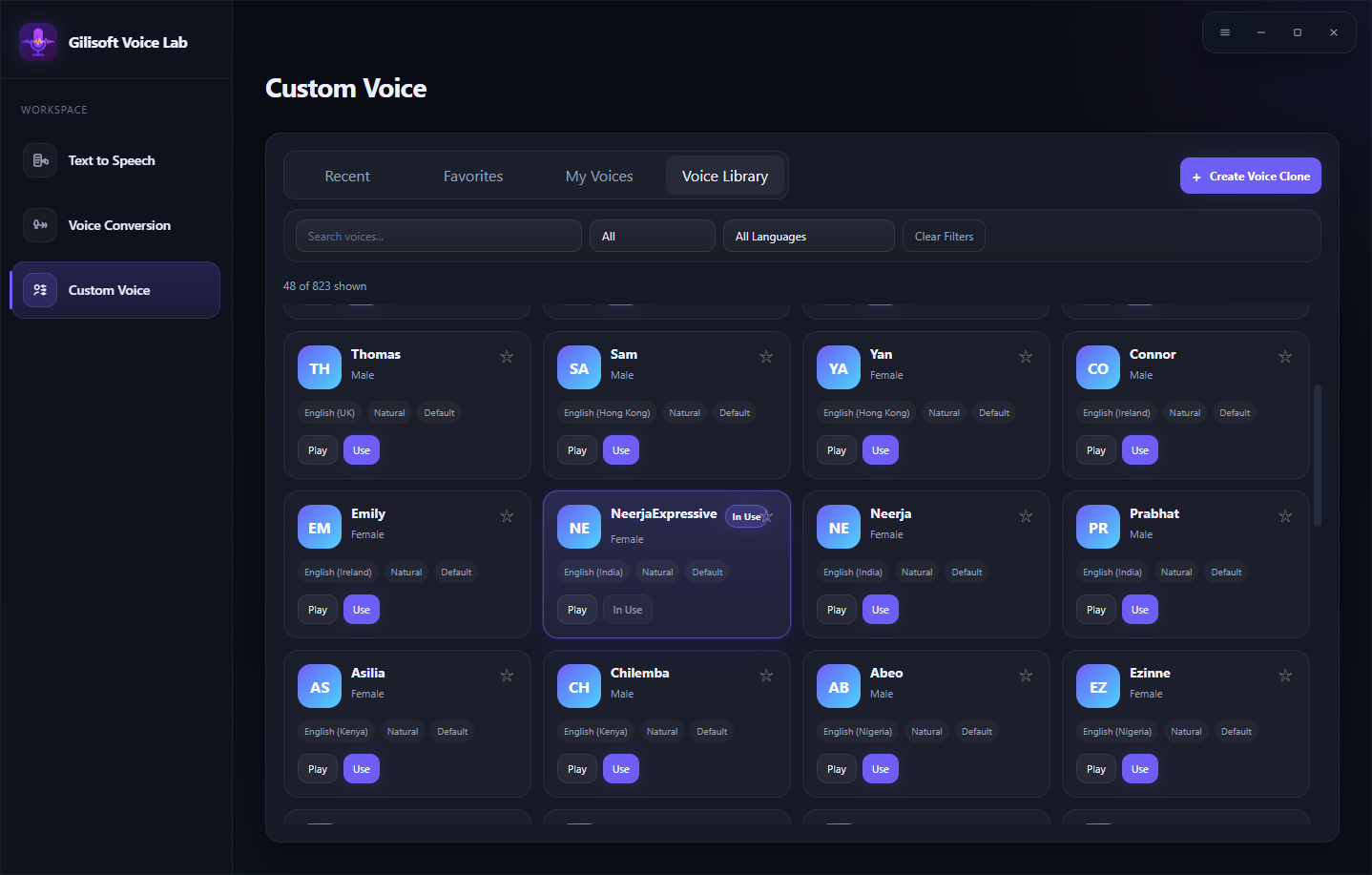
| Need to compare available voices | Voice Library | Search, filter, preview, favorite, and use a suitable voice |
Plan the Voice Result Before Generating
A useful AI voice result begins with the right source and a clear production goal. Decide whether the project needs new speech from text, a converted performance, or a reusable authorized voice identity.
Define the audience
Choose language, tone, pace, and level of formality for the people who will listen.
Prepare a clean source
Use edited text or a clear single-speaker recording without music and overlapping voices.
Test a representative sample
Include names, numbers, emotional lines, and technical terms in the trial section.
Plan disclosure and rights
Confirm permission for source material and follow the publication platform’s synthetic-content rules.
Generate an AI Voice Result in 6 Steps
Choose the correct workspace
Use Text to Speech, Voice Conversion, or Create Voice Clone based on the source you have.
Prepare the source
Edit the script or select a clean audio or video sample with one clear speaker.
Browse and preview voices
Use the Voice Library or My Voices to compare suitable target voices before processing.
Set the available controls
Confirm language, speed, output folder, labels, and other options displayed for the selected workflow.
Generate a short test
Review point information and process a representative sample before committing to the full project.
Review Tasks and the output
Check status, details, result quality, and any retry option, then disclose synthetic voice use when required.
Evaluate More Than Voice Realism
Intelligibility
Every word, number, and proper name should be easy to understand.
Consistency
Tone, loudness, language, and speaking rate should remain stable across sections.
Fit for purpose
A training module, product demo, audiobook draft, and character line may need different voices.
Transparency
Do not present synthetic speech as an authentic statement by a real person.
Important: AI voice generation can be useful for drafts, localization, accessibility, and creative production. It must not be used to impersonate a person, mislead listeners, or bypass consent.
Why Use GiliSoft VoiceLab for AI Voice Work
VoiceLab brings three related voice workflows into one focused product: Text to Speech, Voice Conversion, and authorized Custom Voice creation. Its searchable voice library, previews, favorites, My Voices area, point information, and task list make repeated production easier to manage.
- Match the workspace to the source instead of forcing every job through text-to-speech.
- Preview several voices with the same representative line before choosing.
- Keep source, settings, consent records, and output names organized for each project.
Troubleshoot Common Voice Workflow Problems
- The result sounds generic: Compare other voices and test a more representative script section before processing the full project.
- A converted voice is unclear: Use a cleaner source with one speaker and remove background music, noise, and overlapping dialogue.
- Pronunciation changes between sections: Use the same wording, language, target voice, and speed settings across every batch.
- The custom voice is hard to identify: Give it a descriptive name, correct language, and useful tags when creating it.
- The wrong source workflow was chosen: Return to Text to Speech for text, Voice Conversion for recordings, or Create Voice Clone for an authorized reusable voice.
- A public platform requests disclosure: Use the platform’s current altered or synthetic content setting and do not imply a real person said something they did not say.
Use AI Voices Transparently
Obtain explicit permission before using another person’s voice or recording, keep a record of the permitted purpose, and disclose realistic synthetic content when the destination platform or context requires it. Consent and disclosure are especially important when a voice could be mistaken for a real statement or endorsement.
Frequently Asked Questions
What can an AI voice generator do?
Depending on the selected workflow, VoiceLab can generate speech from text, convert recorded speech to a selected voice, or create an authorized reusable custom voice.
Is AI voice generation the same as voice cloning?
No. Voice cloning creates a reusable identity from a reference voice, while general AI voice generation may use an existing library voice with a written script.
Can VoiceLab start from audio or video?
Yes. Voice Conversion accepts recorded audio or video, and the interface also supports microphone input.
Can I organize voices for repeated projects?
Yes. Use favorites in the Voice Library and manage authorized custom voices in My Voices.
Why should I generate a short test first?
A test reveals pronunciation, pacing, source-noise, and voice-fit problems before more points and review time are spent.
Do AI-generated voices need disclosure?
Requirements depend on the platform and context. Realistic content that could mislead listeners should be clearly disclosed, and platform rules should be checked before publication.