
Audio Recording Features That Affect Real Work
| Capability | Why it matters | Test before deciding |
|---|---|---|
| Computer sound capture | Records browsers, applications, lessons, and playback directly | Capture a normal app and inspect the saved file |
| Microphone recording | Supports voice notes, narration, interviews, and lectures | Select the intended input and test normal speech |
| Mixed or separated sources | Combines voice with playback or preserves editing flexibility | Confirm output arrangement and source balance |
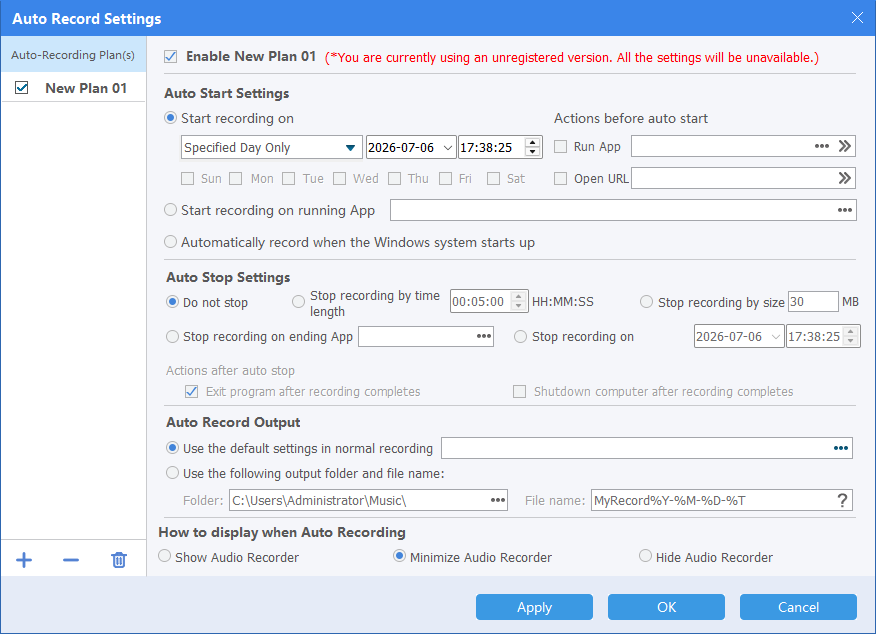
| Scheduled recording | Starts or stops time-based sessions | Check system clock, sleep behavior, and selected source |
| Voice activation | Reduces empty silence in speech-led recording | Test threshold with real room noise |
| Hotkeys | Controls recording without foreground switching | Verify shortcut conflicts |
| Output and file management | Makes recordings easier to share, edit, and archive | Check format, folder, naming, and playback |
Match the Recorder to the Task
Computer playback
Use direct computer-sound capture for browser and application audio without room noise.
Voice and narration
Choose the intended microphone, check Windows permission, and control the recording environment.
Playback plus voice
Use headphones and select mixed, channel-based, or separate output before recording.
Timed or unattended sessions
Use scheduling only after testing source selection, sleep behavior, storage, and automatic stopping.
Evaluate PC Audio Recording Software in Five Steps
Define the source
Write down whether the job requires computer sound, microphone, or both.
Test the actual hardware
Use the PC, microphone, headset, output device, and application intended for real work.
Record a representative sample
Include the loudest passage, normal speech, silence, and a source change if relevant.
Inspect the saved file
Check clarity, clipping, noise, echo, synchronization, format, filename, and output folder.
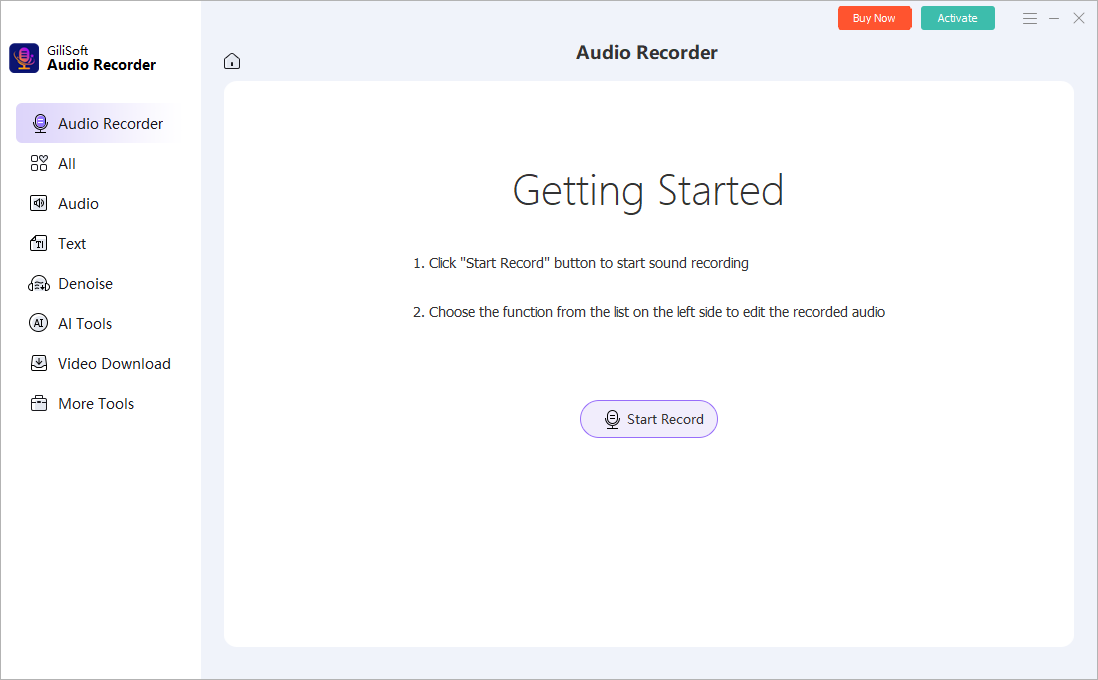
Test automation separately
Verify schedules, voice activation, hotkeys, and sleep behavior before depending on them.
Do Not Judge a Recorder by Feature Count Alone
- Confirm that both source selection and device routing remain understandable.
- Check that input meters and tests reveal silence or clipping before a long session.
- Use output formats that fit playback, editing, and archive requirements.
- Verify that scheduled recordings survive the intended PC power and sleep conditions.
- Keep original recordings before denoise, effects, conversion, or destructive editing.
Frequently Asked Questions
What should PC audio recording software record?
It should support the sources required by your work: computer sound, microphone, or both.
Do I need scheduling?
Only for sessions that must start or stop automatically. Test the schedule, source, system clock, sleep behavior, and storage first.
What is voice activation useful for?
It can reduce silent sections in speech-led recording, but the threshold must be tested against real room noise.
Which output format should I choose?
MP3 is practical for sharing, WAV is useful for uncompressed editing, and WMA may fit existing Windows workflows.
Is a screen recorder better?
Choose a screen recorder when the visual desktop is part of the deliverable. Use an audio recorder for audio-only capture.
How do I compare recording quality?
Use the same source, device, level, room, and output settings, then compare the saved files rather than marketing specifications alone.
More Windows Audio Recording Guides
Continue with the source, device, or workflow guide that matches the next recording task.