

What USB Controls Does a Small Business Actually Need?
USB ports carry power and several different device functions. Storage access, phone data, input devices, printers, security keys, and network adapters should not automatically receive the same policy. Define the risky channel first, then protect the policy and test every required exception.
Step-by-Step USB Access Workflow
Map business data and USB use
Identify PCs with customer records, finance files, designs, source material, or other data that should not leave casually.
Inventory legitimate devices
List company drives, backup media, printers, security keys, phones, and support hardware by owner and purpose.
Build a pilot policy
Install USB Lock on one representative PC, protect administration, add trusted devices, and restrict the required channels.
Test real staff workflows
Confirm approved read/write tasks, blocked personal media, phone behavior, peripherals, and recovery access.
Roll out and review
Repeat the tested policy, retain a device register, review logs and exceptions, and remove retired approvals.
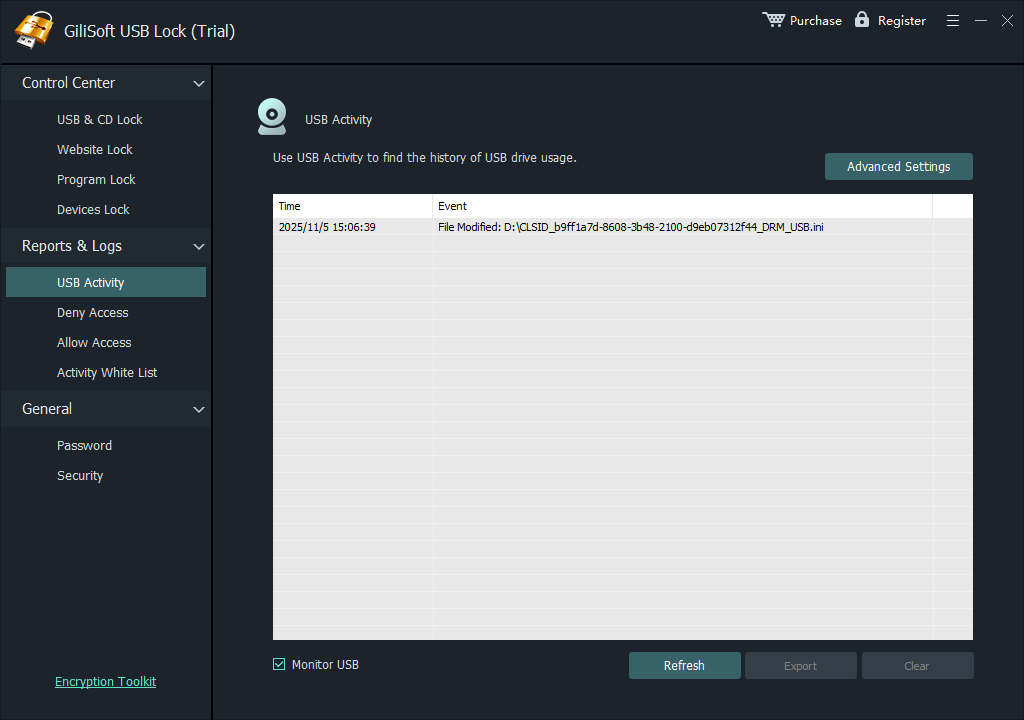 Configure the relevant USB Lock control, protect administration, and verify both approved and blocked behavior.
Build a Policy People Can Maintain
Simple ownership
Give every approved device and temporary exception a named owner.
Least access
Allow only the read or write capability required by the business task.
Repeatable rollout
Export a tested whitelist where appropriate, then verify each protected PC and actual device.
Use GiliSoft USB Lock for Selective Device Control
GiliSoft USB Lock controls removable storage, phone transfer, SD cards, optical media, USB tethering, and selected USB network adapters from a Windows application protected by administrator credentials. Trusted-device rules keep reviewed company hardware available while unknown devices follow the restricted policy.
Deployment Checks
- Keep an administrator recovery route that ordinary users cannot change.
- Test every required keyboard, mouse, printer, security key, docking station, phone, and approved drive.
- Verify blocked behavior with unknown media instead of assuming the policy is active.
- Document approved devices, owners, permissions, exceptions, and replacement dates.
- Repeat testing after major Windows, driver, phone, or hardware changes.
Frequently Asked Questions
Is USB Lock suitable for a small office?
It provides focused Windows device controls without requiring every USB drive to be encrypted or every port to be physically disabled.
Can different company drives have different access?
Use the trusted-device workflow and assign the permission appropriate to each approved task.
Should every USB device be blocked?
Not necessarily. Preserve required peripherals and approved workflows while closing unapproved transfer channels.
What should be reviewed after deployment?
Review blocked events, temporary exceptions, retired devices, replacement hardware, password recovery, and staff workflow changes.