
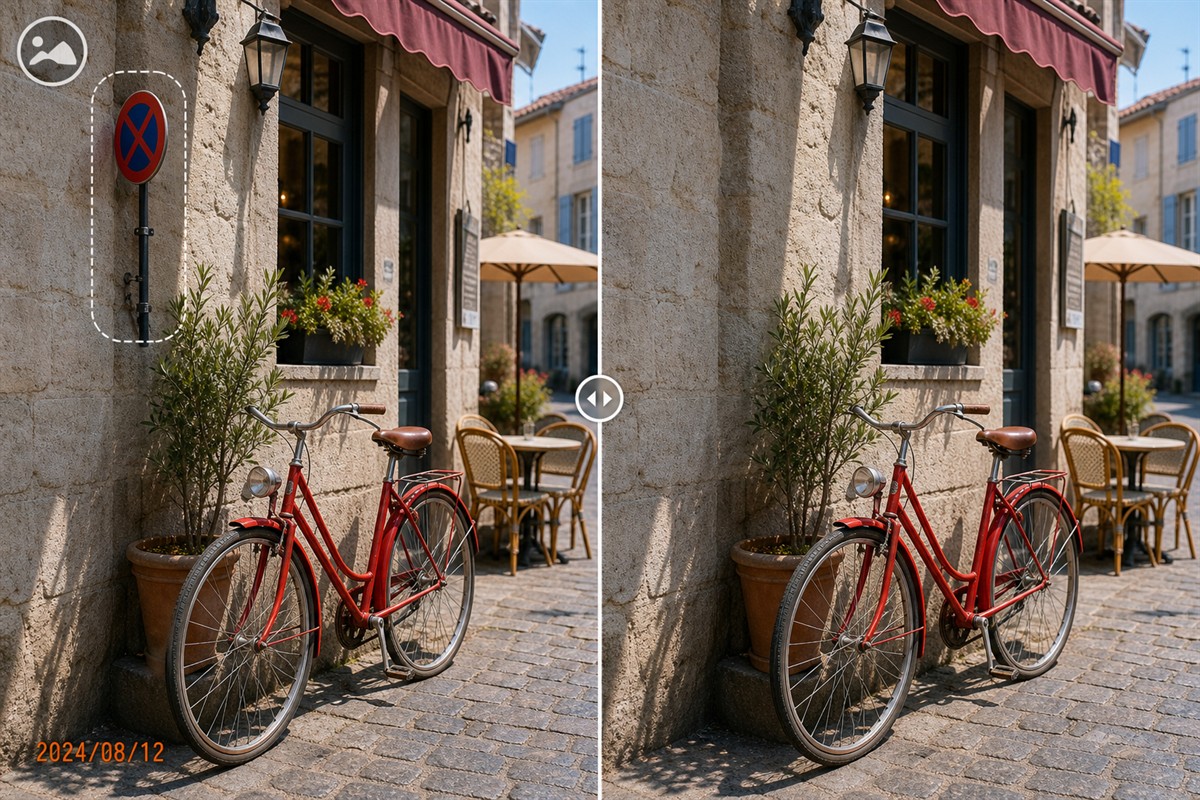
Clean Images for a Catalog Update
Old campaign labels, date stamps, or inherited marks can make an otherwise usable catalog photo look out of date. Clean the mark without removing the product detail or inventing a different item.
Quick answer
Sort images by mark type, keep a source archive, test MarkEase cleanup on representative photos, then inspect color, product edges, filenames, and dimensions before replacing catalog entries.
Before You Start
- Confirm rights to edit every photo and identify obsolete labels separately from legally required product information.
- Record target size, background, aspect ratio, and naming rules for the catalog.
- Group similar image sets and keep the current live catalog images available for rollback.
Choose the Right Approach
| Situation | Approach | Check |
|---|---|---|
| Old corner logo or date | Use a tight MarkEase selection | No remnants or repeated texture |
| Label touching the product | Edit individually and compare source detail | Item shape and markings remain true |
| Inconsistent size or file names | Use a separate batch-formatting pass | Every exported file meets catalog specs |
Clean Images for a Catalog Update: Step by Step
- Audit the existing assets
Identify outdated overlays, duplicates, low-resolution files, and files that should be reshot instead.
- Test focused cleanup
Remove one mark in MarkEase and inspect the repaired region at 100% zoom.
- Process compatible groups
Reuse settings only where mark placement and background are similar; handle exceptions one by one.
- Prepare delivery
Export with approved names, dimensions, and format; compare the new image against the product and live listing.
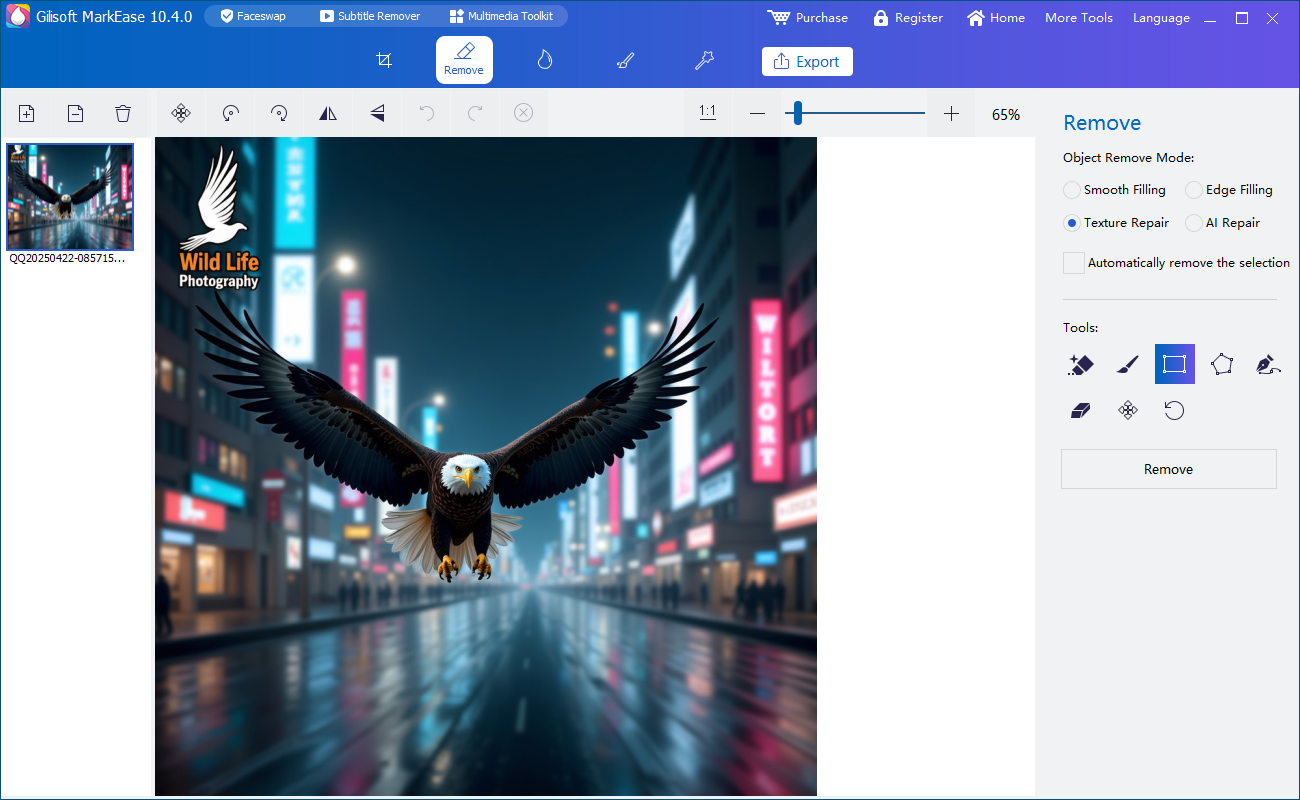
Review the Result
- Does the cleaned image still depict the actual product accurately?
- Are required warnings, model numbers, and labels still visible?
- Can every new file be mapped to its catalog SKU?
Limits and Common Mistakes
Cleanup is not a substitute for reshooting misleading or low-quality source images. Use a separate image-conversion tool when the main need is batch resize, crop, and rename.
Frequently Asked Questions
Can I remove an old logo from all photos at once?
Group files by position and test; a single mask may overlap important content on another image.
What should stay visible?
Preserve required product labels, safety information, and distinguishing features.
Should I overwrite live catalog files?
No. Deliver reviewed copies with a rollback path.