

What Does Marketplace Product Photo Preparation Include?
Marketplace photo preparation means turning accurate source photography into channel-ready images with the required framing, background, dimensions, file format, visual quality, and permitted overlays.
A product image must do two jobs at once: show the item clearly enough for a buyer to evaluate it and satisfy the rules of the marketplace where it will appear. Those rules are not identical. A branded secondary image that works on an independent store may be unsuitable as an Amazon main image, while eBay prohibits watermarks and added marketing graphics across listing photos.
Amazon, eBay, Etsy, and Shopify Image Requirements Compared
Use platform rules as export specifications, not as editing suggestions. The safest cross-channel starting point is an accurate, sharply focused master with no text, border, badge, logo, or watermark.
| Channel | Useful current guidance | Main preparation decision |
|---|---|---|
| Amazon | Amazon's seller guidance accepts images from 500 to 10,000 pixels on the longest side and recommends multiple clear images. Main-image requirements commonly call for the actual product on pure white, without text, graphics, or watermarks; category-specific rules can be stricter. | Prepare a clean front-facing main image first. Keep lifestyle scenes, detail callouts, and permitted explanatory graphics for additional images. |
| eBay | At least one image is required and photos must be at least 500 pixels on the longest side. eBay prohibits added borders, text, artwork, marketing material, and watermarks, and requires photos to represent the item accurately. | Export an uncluttered, truthful photo set without branding overlays. Show the actual condition, especially for used or damaged products. |
| Etsy | Etsy recommends listing photos with width and height of at least 2000 pixels. The first image should be landscape or square, the subject should tolerate thumbnail cropping, and transparent areas in PNG files can appear black. | Leave useful space around the product and keep the focal subject near the center so square, portrait, and landscape thumbnail crops remain readable. |
| Shopify | Shopify supports many image formats, permits product images up to 5000 x 5000 pixels or 25 megapixels and under 20 MB, and says 2048 x 2048 pixels usually displays well for square product images. | Use a consistent aspect ratio across the catalog and export enough resolution for theme zoom without delivering unnecessarily heavy files. |
Official references: Amazon product photo guidance, eBay picture policy, eBay listing picture guidance, Etsy image requirements, and Shopify product media types.
Prepare a Clean Product Photo Master Before Channel Exports
A master is the best corrected version of the photograph before marketplace-specific dimensions, overlays, or aggressive compression are applied. It reduces repeated editing and gives every channel version the same color, framing logic, and product detail.
Preserve the original
Keep the camera file or supplier-approved source unchanged. Save edits under a new name so crop, cleanup, and color decisions can be reversed.
Keep the master neutral
Do not bake in a marketplace badge, promotional text, border, or watermark. Add permitted channel-specific elements only to derived copies.
Record a simple specification
Document aspect ratio, minimum dimensions, background, file type, naming, and overlay rules for each sales destination.
Correct the photograph without changing the product
Rotate and crop for a consistent frame, then adjust exposure, white balance, contrast, and color so the product remains realistic. Remove dust, temporary set materials, or irrelevant background distractions only when the cleanup does not conceal condition, damage, included parts, warnings, scale, or other information a buyer needs.
Plan a complete image set
One polished hero image rarely answers every buying question. Capture front, back, side, close-up, scale, packaging, included accessories, important labels, and honest condition details as appropriate. Amazon recommends at least six images, while eBay allows up to 24 listing pictures and encourages multiple views.
How to Prepare Marketplace Photos with GiliSoft Image Editor
Start with one representative product and one intended marketplace. Once the exported result passes the channel checklist, repeat the approved workflow for the rest of the catalog.
- Create a working copyPlace the untouched originals in a separate folder. Open a high-resolution working copy in GiliSoft Image Editor rather than editing a downloaded thumbnail or screenshot.
- Correct orientation and compositionOpen Transform to rotate, flip, resize, or crop. Keep the product fully visible and leave enough breathing room for marketplace thumbnail crops.
- Adjust light and colorUse the adjustment workspace to correct brightness, contrast, saturation, and color balance. Compare the result with the physical product or an approved color reference.
- Clean only legitimate distractionsUse the eraser or cleanup tools for dust, a temporary tag, backdrop blemish, or unrelated set object. Do not erase defects or product characteristics that affect the buyer's decision.
- Prepare the backgroundUse a clean shooting background whenever possible. For an authorized source that needs separation, use the available matting or background tools carefully and inspect product edges, transparent materials, hair, and shadows.
- Add overlays only where permittedUse Text, Sticker, Frame, Overlay, or Watermark tools for your own store or permitted secondary images. Keep Amazon main images and all eBay listing images free from prohibited additions.
- Export a channel-specific copySave the required dimensions and file format under a clear marketplace or SKU name. Open the exported file outside the editor and inspect both the full image and a small thumbnail.
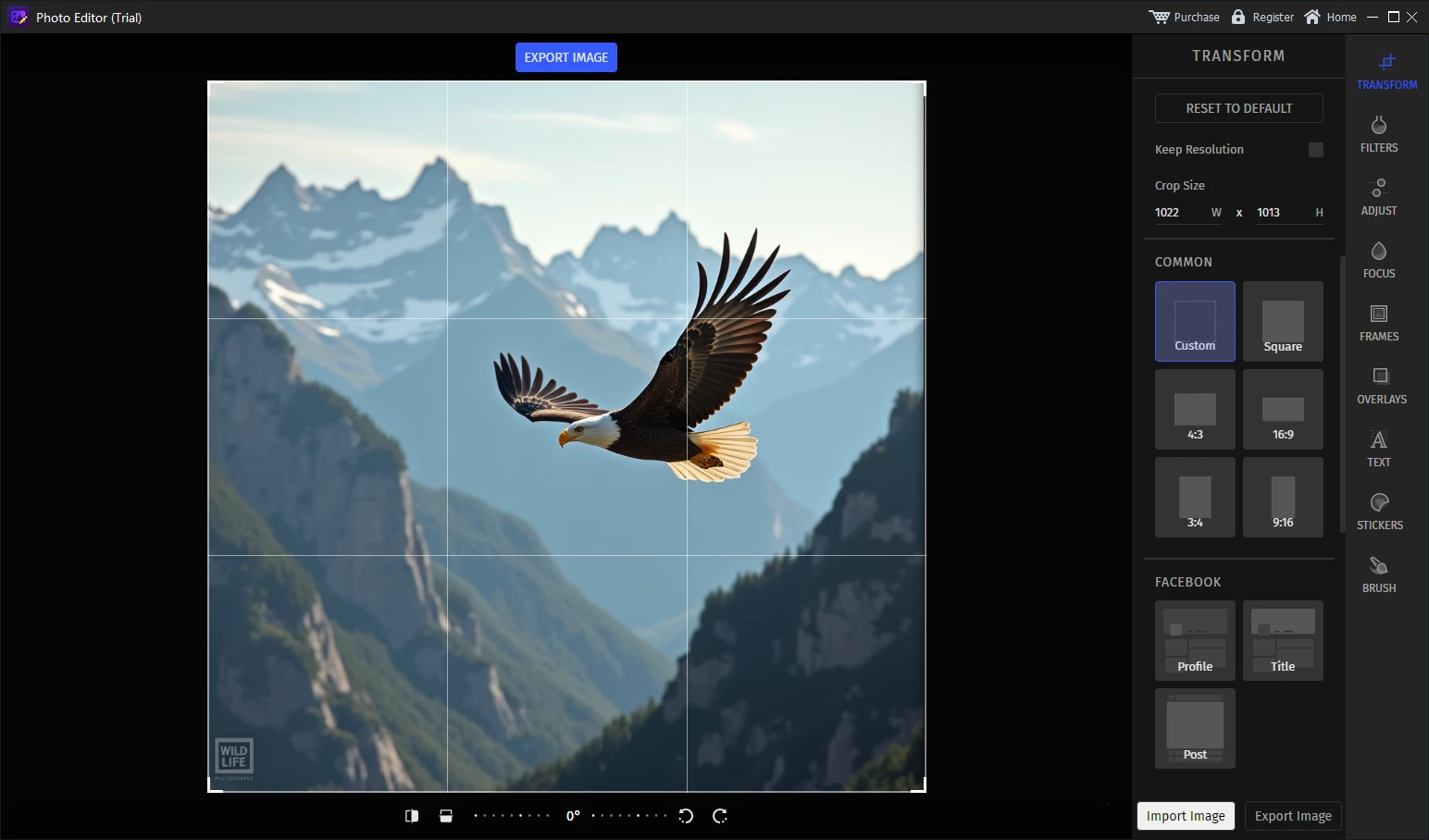
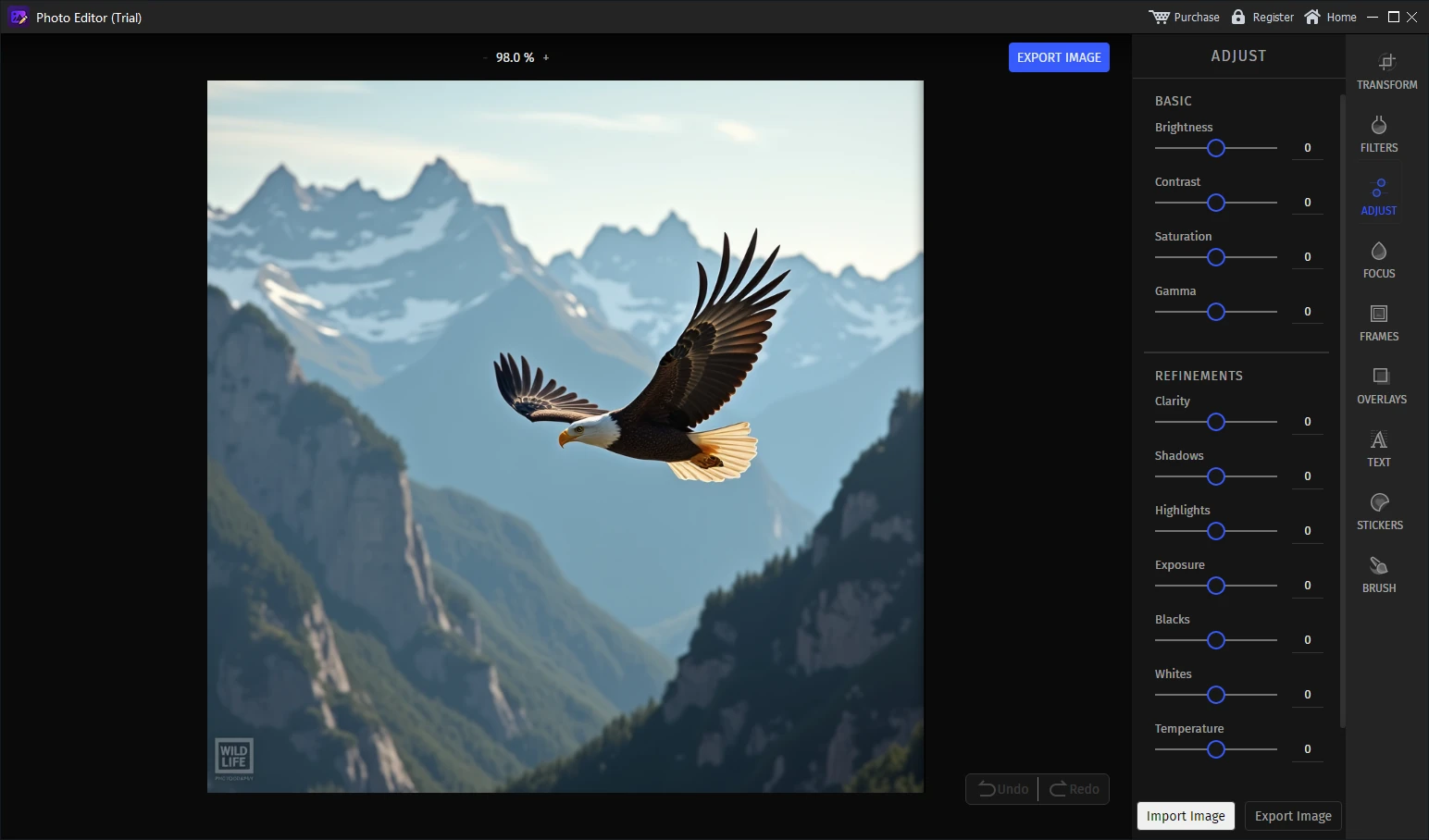

Prepare your first listing image in GiliSoft Image Editor
Test the Windows workflow with one real product photo. Crop and adjust it, inspect the exported thumbnail, then apply the approved process to the rest of the listing set.
Main Images and Secondary Images Need Different Editing
Main marketplace image
Prioritize compliance, accurate color, clear product boundaries, simple framing, and immediate recognition in search results. Remove all additions that the destination prohibits.
Detail image
Show texture, controls, ports, materials, labels, stitching, surface condition, packaging, or another feature that cannot be judged from the main view.
Scale or use image
Show realistic size or context without implying that props are included. Keep the product recognizable and disclose included components accurately.
Brand or explanation image
Use permitted secondary placements or your own store for text callouts, diagrams, comparisons, logos, and branded visual treatment.
Choose Edits by Their Effect on the Listing
| Edit | Use it when | Risk to check |
|---|---|---|
| Crop and resize | The product needs consistent framing, orientation, or output dimensions. | Do not crop off included parts, product edges, or labels buyers need to see. |
| Brightness and color adjustment | The source is too dark, flat, or affected by the shooting environment. | Avoid changing the real color, finish, texture, or apparent condition. |
| Background cleanup | Dust, backdrop marks, or unrelated set objects distract from the product. | Inspect edges, shadows, reflections, transparent parts, and reconstructed texture. |
| Text, frame, logo, or watermark | The destination and image position explicitly permit the addition. | Amazon main images and eBay photos can reject or penalize prohibited overlays. |
| Filters and creative effects | A lifestyle or branded secondary image needs a controlled visual style. | Do not use effects that make product color, material, or condition misleading. |
| Batch watermark | A permitted channel needs the same ownership mark on many images. | Test placement on different aspect ratios and retain clean unwatermarked masters. |
Marketplace Product Photo Upload Checklist
Common Product Photo Preparation Mistakes
Using one export for every marketplace
A single file can fail because channels crop thumbnails differently and apply different rules to white backgrounds, text, borders, or watermarks. Reuse the clean master, not necessarily the same final export.
Upscaling a small image and expecting new detail
Increasing pixel dimensions does not recreate genuine product texture or label detail. Start with the highest-quality source and retake the photo when essential information is not captured clearly.
Cleaning the image until it misrepresents the item
Removing a background cable is different from removing a scratch on a used product. Preserve condition, warnings, included parts, and any detail relevant to the purchase.
Checking only the full-size preview
A photo can look strong at full size but fail as a small thumbnail because the item is too small, too close to an edge, or surrounded by distracting empty space. Inspect both views.
Adding branding before checking policy
Keep logos, promotional text, badges, frames, and watermarks out of the clean master. Add them only to a permitted destination copy.
Research Sources
The workflow above combines current official marketplace requirements and product-photography guidance. Always verify the latest version before a catalog-wide export.
- Amazon: How to take product photos - image dimensions, image count, white backgrounds, lighting, angles, and common mistakes.
- eBay Picture Policy - minimum dimensions, accurate representation, and prohibited borders, text, artwork, and watermarks.
- eBay: Adding pictures to listings - photo count, file size, aspect ratio, neutral backgrounds, and multiple views.
- Etsy image requirements and best practices - dimensions, supported formats, orientation, transparency, and thumbnail cropping.
- Shopify product media types - supported formats, dimensions, file limits, and square-image guidance.
- Shopify product photography - consistent shooting, white backgrounds, retouching, resizing, and web optimization.
Marketplace Product Photo FAQ
Should all marketplaces receive the same product image?
Use one clean high-resolution master, then export channel-specific versions because background, crop, overlays, dimensions, and file-size rules differ.
Can product photos contain text or watermarks?
It depends on the marketplace and image position. eBay prohibits added text, artwork, borders, and watermarks, while Amazon main images generally exclude text, graphics, and watermarks. Check current rules before export.
Can GiliSoft Image Editor batch-apply a watermark?
Yes. It includes a batch watermark workspace, but use it only for sales channels and image positions that permit visible branding.
Should product defects be removed from listing photos?
No. Cleanup should not hide damage, condition, included parts, warnings, or characteristics that buyers need to evaluate.
Should the original product photos be overwritten?
No. Preserve the originals and export separate master and marketplace versions so edits can be reviewed or revised.


