

How to Clean Screenshots for Documentation
Documentation images should help readers find the same control on their own screen. The best cleanup removes irrelevant marks while leaving menu names, warning text, focus states, and step order intact.
Quick answer
Use a clean test account and recapture whenever possible. For a screenshot with a stray annotation or old publisher watermark, use GiliSoft Watermark Remover on a copy, then verify the documented UI remains recognizable.
Decide What Must Stay Visible
| What you have | Best next step | What to verify |
|---|---|---|
| Private account or customer data | Replace test data and recapture | Avoid relying on reconstruction for privacy |
| Outdated arrow or editorial label | Remove your own added mark | Keep the underlying UI readable |
| Product UI changed | Retake the screenshot | Update nearby instructions too |
Clean the Authorized Source Step by Step
- Identify the documented action
List the menu item, dialog, or result the reader must recognize and flag any data that should never appear in the image.
- Prefer a fresh capture
Reproduce the step in a current app build using fictional sample data and a consistent window size.
- Clean only an incidental mark
If the UI is still current, open a duplicate in GiliSoft Watermark Remover and make a tight image selection around the unwanted editorial mark.
- Review in context
Compare the exported image with the written step, keyboard focus, error wording, and adjacent screenshots at the final help-page size.
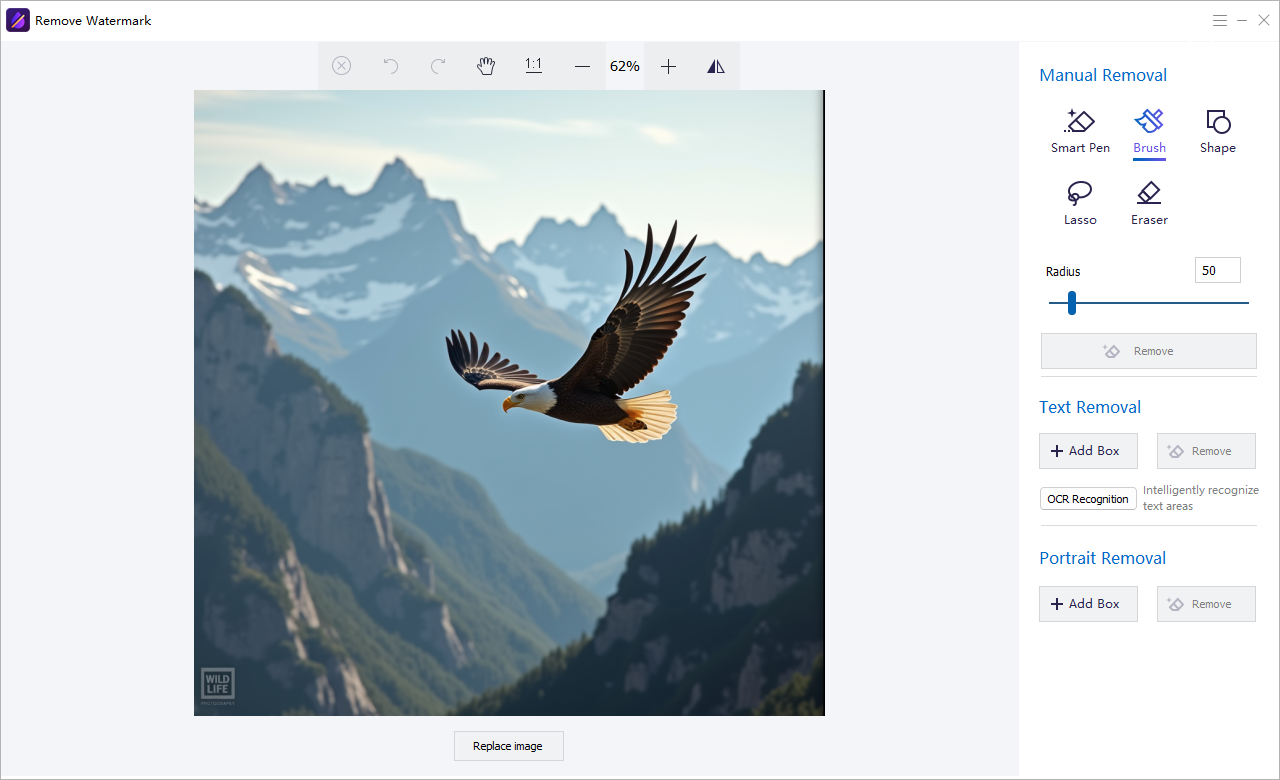
The Watermark Remover user guide shows the matching image, text, subtitle, quick video, and freehand controls.
GiliSoft Watermark Remover Interface
Use the actual task screenshots to locate the selection and preview controls for this workflow.
Review the Export Before Reuse
- Compare the edited result with the untouched source and the current approved version.
- Check edges, shadows, text remnants, and detailed or moving backgrounds.
- For video, inspect the beginning, middle, end, and any scene transition.
- Export a separate copy and keep proof of authorization to edit the source.
Frequently Asked Questions
Should I remove an error message from a how-to screenshot?
Only if the documented workflow does not involve that error. Prefer a fresh capture of the correct state.
Can a cleaned screenshot replace updated instructions?
No. If the interface changed, revise both the image and the corresponding directions.