

How to Remove a Logo from an Authorized Screenshot
A logo may be an added marketing layer, part of the app itself, or another organization’s brand. Only the first case is a straightforward cleanup task; for the others, use a current approved capture or obtain permission.
Quick answer
If you own the screenshot and the logo is an obsolete overlay, open a copy in GiliSoft Watermark Remover, select only the logo and its shadow, preview the reconstruction, and export a separate result.
Check What the Logo Represents
| What you have | Best next step | What to verify |
|---|---|---|
| Your old promotional logo overlay | Clean a duplicate with an image selection | Avoid touching UI text underneath |
| Logo is part of current product UI | Recapture the actual UI | Do not misrepresent the interface |
| Third-party mark or attribution | Check rights and usage permission | Do not strip provenance without authorization |
Clean the Authorized Source Step by Step
- Check rights and the source
Confirm the screenshot belongs to your project and the logo is a removable added element, not required attribution or active UI.
- Make a tight selection
Use the image cleanup task in GiliSoft Watermark Remover. Cover the complete logo edge and shadow without selecting nearby buttons or labels.
- Review reconstruction
Zoom to full size and inspect straight lines, repeated patterns, text, and gradients around the removed mark. Refine the selection if necessary.
- Export and compare
Save a new file and compare it with an approved current screenshot before documentation or marketing use.
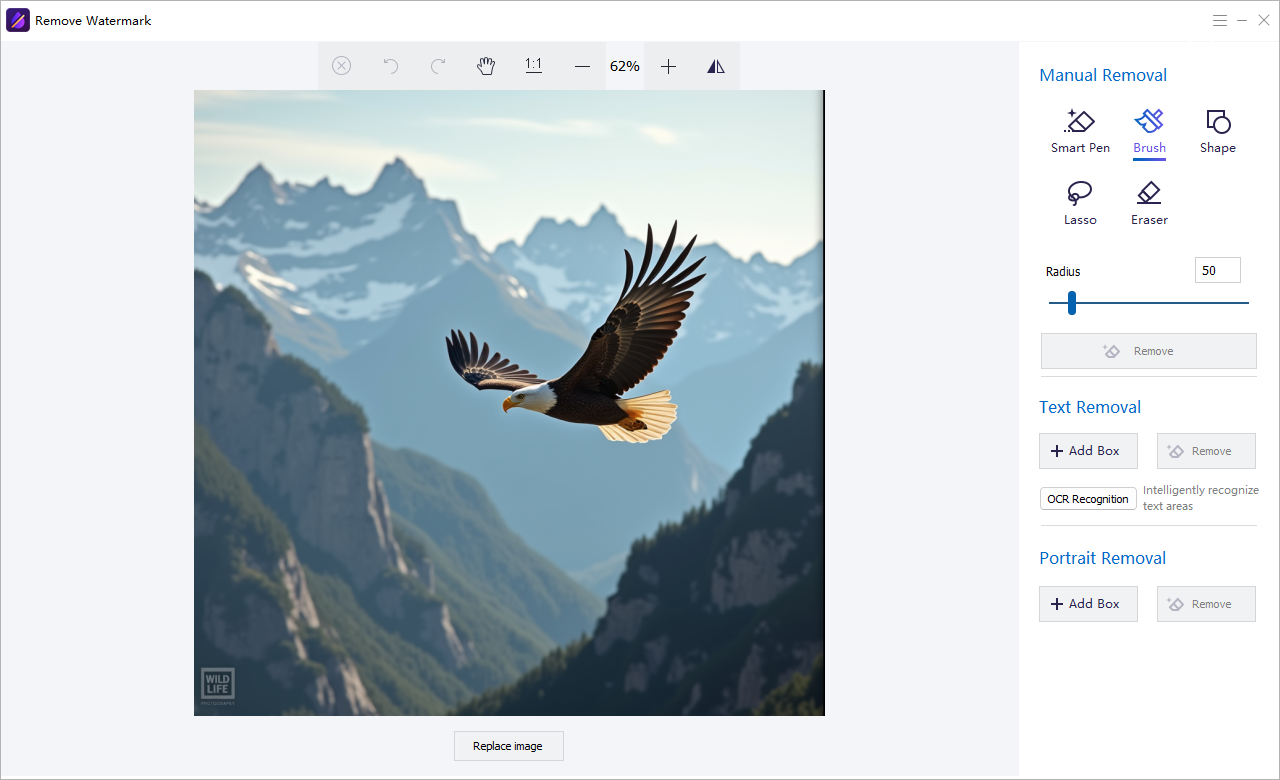
The Watermark Remover user guide shows the matching image, text, subtitle, quick video, and freehand controls.
GiliSoft Watermark Remover Interface
Use the actual task screenshots to locate the selection and preview controls for this workflow.
Review the Export Before Reuse
- Compare the edited result with the untouched source and the current approved version.
- Check edges, shadows, text remnants, and detailed or moving backgrounds.
- For video, inspect the beginning, middle, end, and any scene transition.
- Export a separate copy and keep proof of authorization to edit the source.
Frequently Asked Questions
Can I remove a logo from someone else’s screenshot?
Only when you have the rights or authorization required for that use.
What if the logo covers a button label?
Reconstruction may invent that area. A fresh capture is more reliable when important UI was obscured.