Control USB File Sharing After Delivery
Bind protected files to authorized devices so content is harder to pass from one PC, phone, or tablet to another after the USB drive is delivered.

Package documents, videos, images, audio, and mixed training files for controlled USB delivery with anti-copy rules, device binding, expiry control, watermarking, print limits, and screen-capture deterrence.
USB Copy Protection is designed for people who distribute files on USB drives and need control after the drive leaves their hands. Instead of only encrypting the storage device, it protects delivered files with anti-copy behavior, device binding, expiry control, watermarking, print restrictions, and controlled viewing.
Use it for training content, paid media, client deliverables, confidential proposals, product manuals, review copies, document libraries, and mixed-format packages that must be viewed by authorized recipients without becoming ordinary files that can be copied and redistributed.
Recipients can view protected content on Windows, macOS, iOS, and Android with the GCP Reader. In practice, this product is best understood as USB-delivered file protection, not simple USB port blocking and not basic encrypted USB storage.

Bind protected files to authorized devices so content is harder to pass from one PC, phone, or tablet to another after the USB drive is delivered.
Limit text selection, clipboard copy, export, and right-click behavior so protected documents and media are harder to duplicate or leak.
Restrict document printing when USB-delivered files should remain view-only and should not become unauthorized hard-copy output.
Use screen-capture controls to reduce casual screenshots and screen-grabbing behavior across Windows, macOS, iOS, and Android viewing workflows.
Editing is not allowed, and export restrictions help keep protected files inside the controlled GCP or EXE viewing workflow instead of being modified or reused elsewhere.
Set expiry dates so protected files stop opening after a chosen time window. This is useful for review copies, campaigns, training materials, and limited-access delivery.
USB Copy Protection uses AES-based protection to secure delivered files while anti-copy rules, binding, and viewer restrictions control how recipients can access them.
Recipients can view protected content on Windows, macOS, iOS, and Android. The product supports documents, video, audio, pictures, and mixed-format delivery packages.
Protect videos, PDFs, documents, and other files with account-based delivery workflows and binding options for CD, USB disk, or authorized devices across major platforms.
Add floating or fixed watermarks to supported content so different recipients can receive individually marked copies and accountability stays higher after distribution.
Create protected copies quickly without unnecessary format conversion or quality loss, whether you save to hard disk, USB media, or optical discs.
Bundle documents, media, and mixed-format files into one protected package with a built-in viewer experience for controlled playback and viewing.
Export protected content as GCP or EXE packages. GCP files can be viewed with the GCP Reader, while EXE packages support portable viewing without installing the full program at the other end.
Reduce unauthorized duplication of documents, pictures, audio, and video files distributed on USB drives by keeping access inside a controlled viewer and policy workflow.
Protected packages can request an authorized playback or viewing password without exposing ordinary source files through a separate unzip-and-open workflow.
Deliver protected media through GCP or EXE workflows so recipients can view authorized content without freely redistributing the original files.

USB Copy Protection helped us reduce unauthorized redistribution of training content distributed on removable media.
Device binding gave us tighter control over who can open protected files after delivery.
Clipboard and copy restrictions made policy enforcement practical even for non-technical publishing teams.
After enabling print control, we had fewer leakage incidents from printed handouts and screenshots.
Screen capture protection and dynamic watermarking improved accountability for sensitive review copies.
Expiry controls are useful for time-limited campaigns because access automatically ends after the release window.
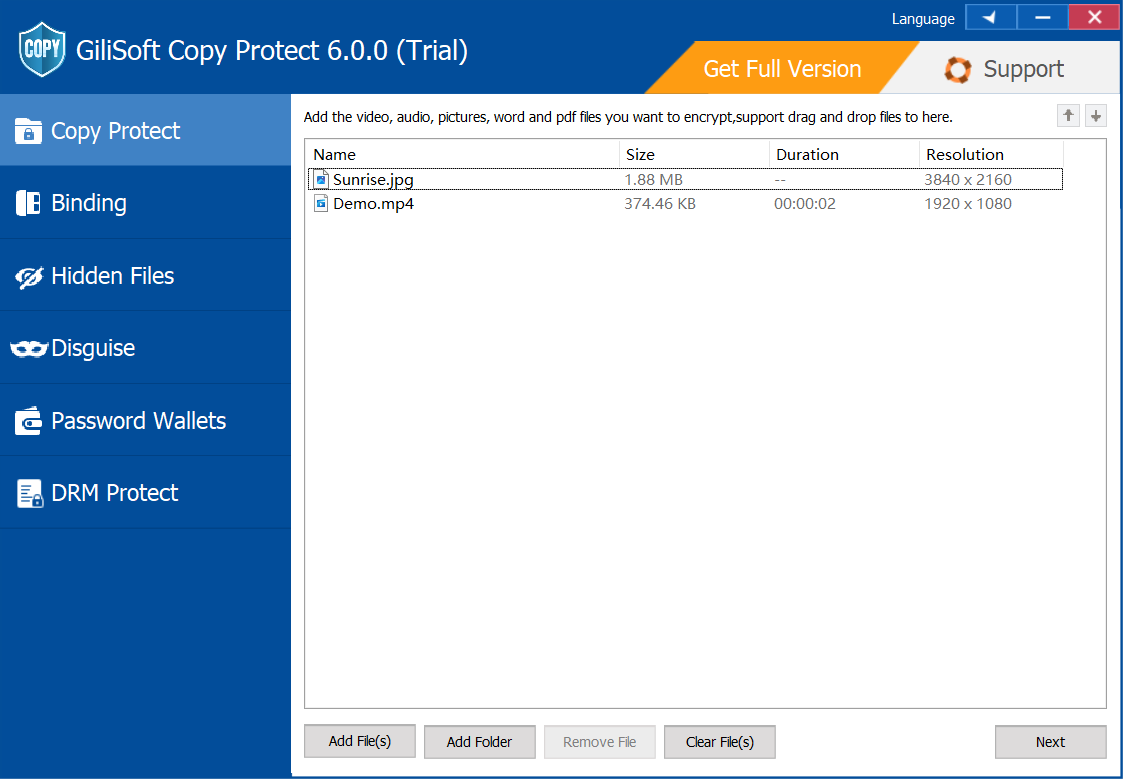
Package documents, videos, images, audio, and mixed files into a controlled USB delivery workflow.
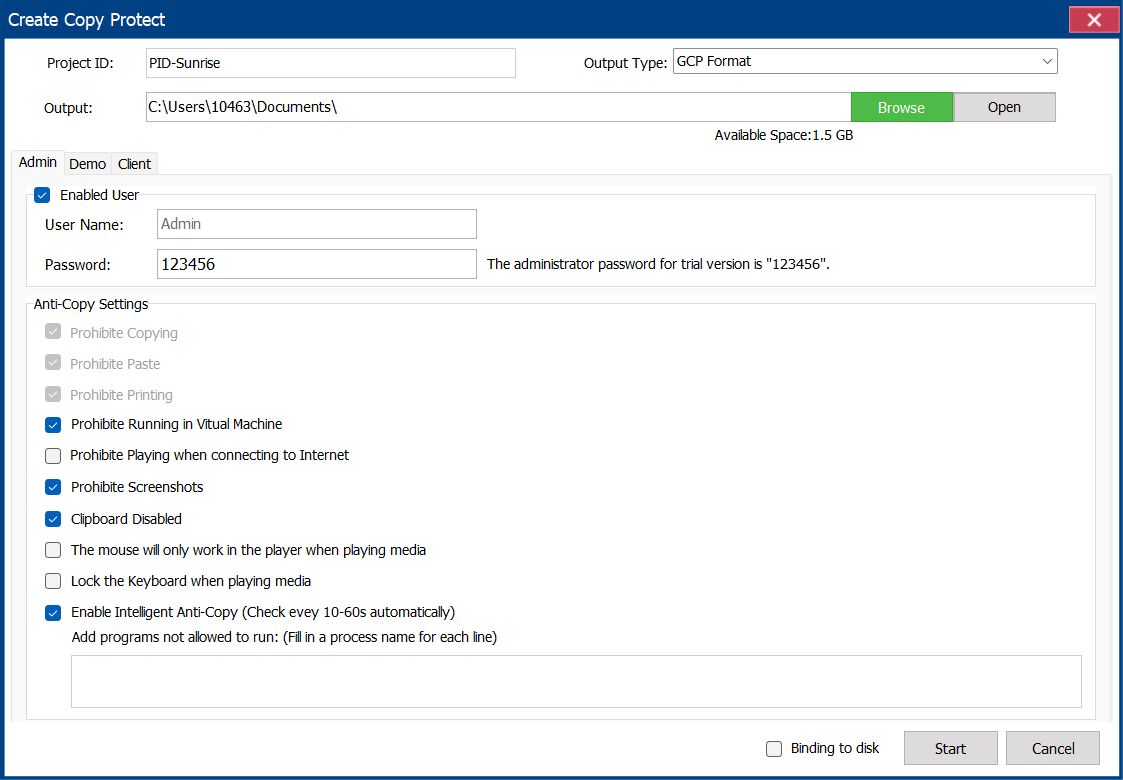
Create viewing credentials for authorized recipients and delivery batches.
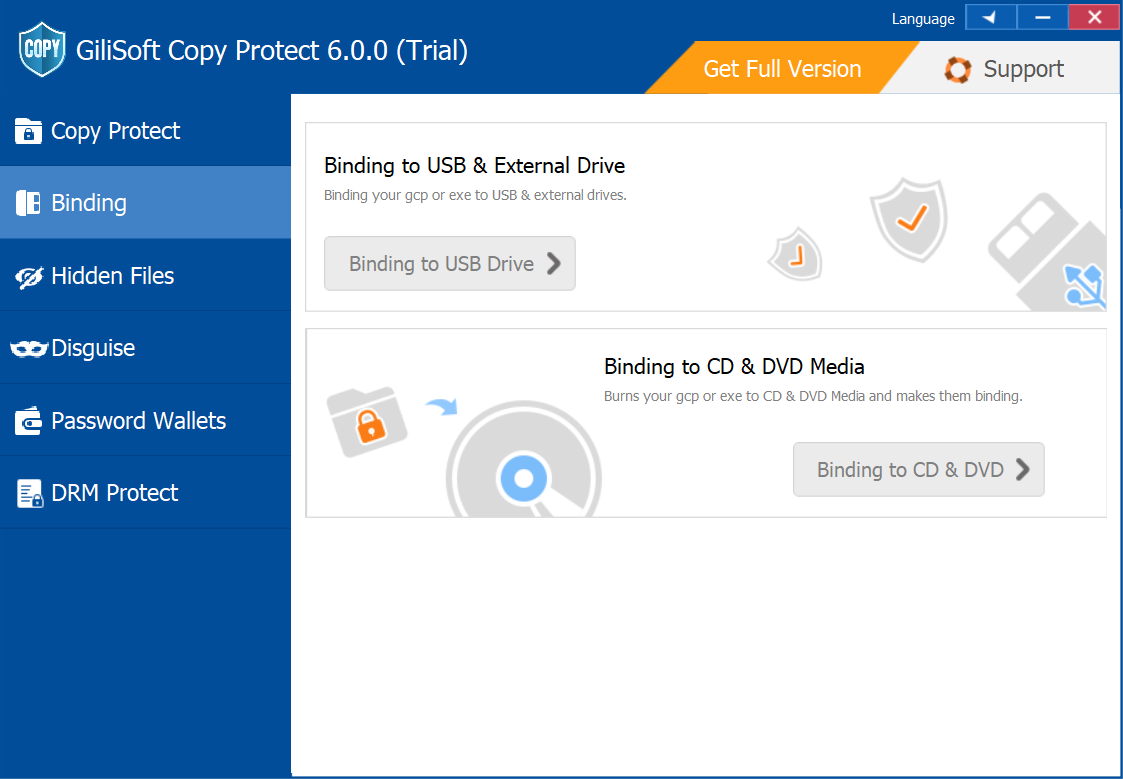
Bind protected files to approved computers, mobile devices, USB drives, or disc workflows.
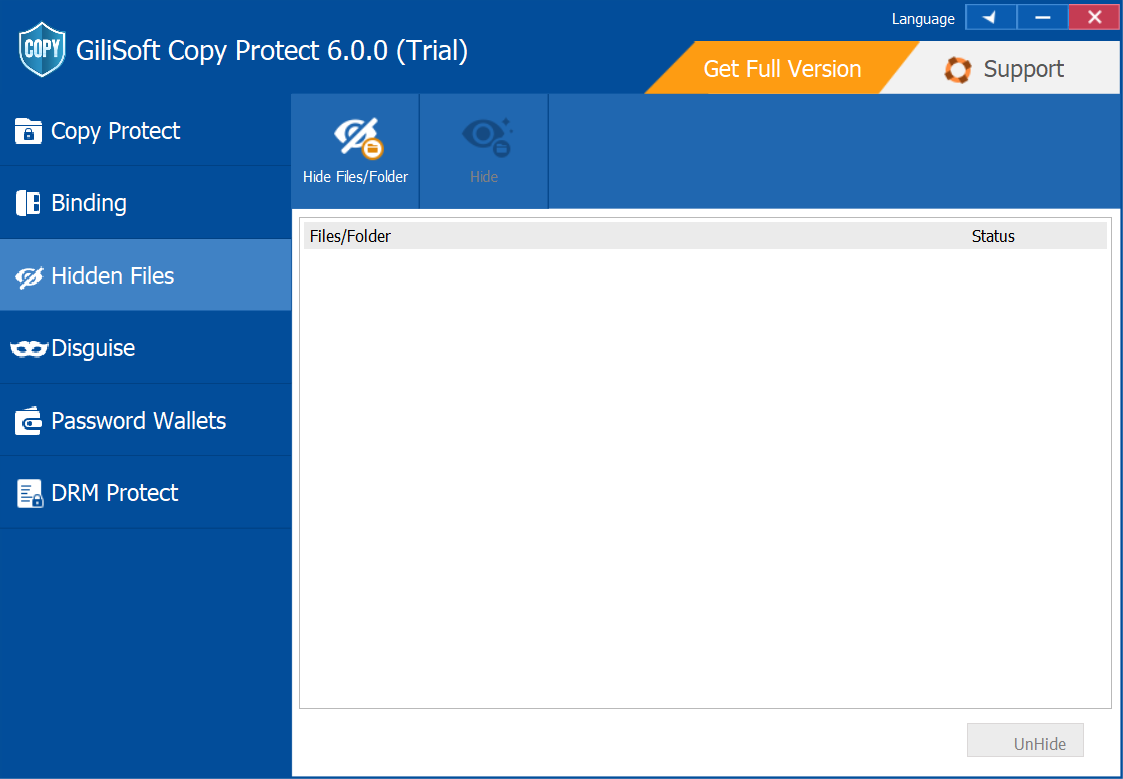
Add visible watermarking to improve traceability after USB content is shared with recipients.
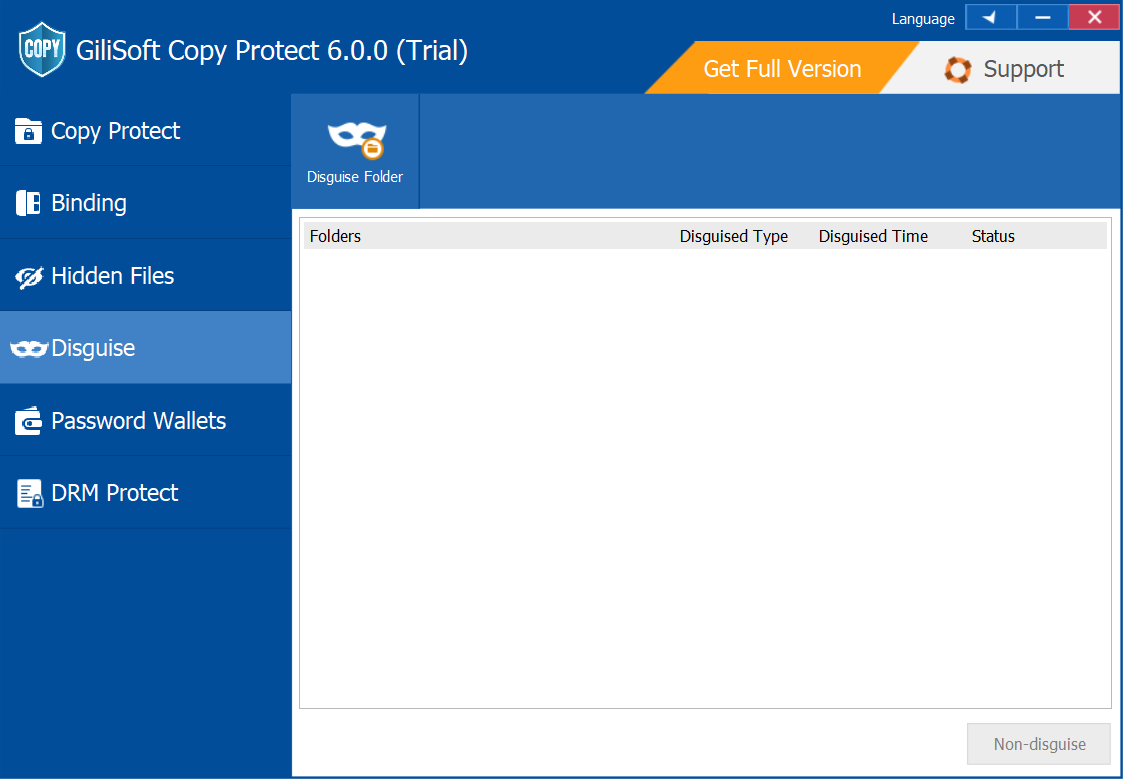
Use the GCP Reader workflow for controlled viewing across supported desktop and mobile platforms.
Protect videos, documents, and mixed-format packages when USB delivery still matters but unrestricted copying is unacceptable.
Deliver course files, exam material, or review content on removable media with stronger control over copying, printing, and sharing.
Use USB Copy Protection when proposals, manuals, presentations, or customer files need tighter delivery control outside cloud-based systems.
Apply device binding, access expiry, watermarking, and viewing restrictions after the USB drive has already been handed to the recipient.
Share proposals, design files, manuals, or review copies on USB media while reducing casual copying, printing, and forwarding.
Protect mixed PDF, Office, image, audio, and video libraries when cloud delivery is not the preferred workflow.
Use USB Copy Protection when your main goal is to protect the files on the USB drive after delivery with anti-copy, anti-print, anti-screenshot, and binding rules.
Use USB Lock when you need to block USB ports, restrict removable-device access, or manage trusted-device rules on Windows PCs.
Use USB Encryption when the removable drive itself needs password-protected encrypted storage rather than delivered-file restrictions and viewer controls.
This product is strongest when you need to distribute files on USB media but still want expiry, watermarking, binding, and anti-copy behavior after handoff.
Use USB Copy Protection for delivered content, USB Lock for endpoint access policy, and USB Encryption when the removable drive itself needs encrypted storage.
The controlled viewer workflow helps recipients open authorized files while keeping copy, print, export, and sharing behavior restricted.
Protect videos, PDFs, and mixed training packages with anti-copy controls, binding, and expiry settings.
How to protect training content on a USB drive | How to protect course materials on a USB drive | USB copy protection for training videos | How to protect training PDF files on a USB drive
Use dynamic watermarking and time-based access limits for previews, evaluation copies, and limited-duration campaigns.
USB copy protection for client deliverables | How to protect proposal files on a USB drive | USB copy protection for paid content
Deliver proposals, manuals, internal documents, and customer material with printing and screenshot restrictions.
Document copy protection software | USB document protection software | How to protect PowerPoint files on a USB drive | Software to block people from making copies
Keep USB-delivered files tied to one authorized machine or mobile device so content is harder to forward to others.
Export GCP or EXE packages when recipients need controlled access without relying on cloud delivery or browser-based DRM.
Offline secure delivery | USB copy protection for client deliverables
Package documents, images, videos, and audio into one controlled viewer workflow when content is shipped on USB media.
How to protect PDF files on a USB drive | How to protect video files on a USB drive | How to protect images on a USB drive | How to protect course videos on a USB drive | USB copy protection for PDF and video
It helps protect files on USB drives with anti-copy controls, device binding, print and screenshot restrictions, watermarking, and controlled viewing workflows.
How to protect files on a USB drive | How to protect images on a USB drive
No. USB Lock controls USB ports and device access. USB Copy Protection controls what happens to the delivered files on the USB drive.
No. USB Encryption protects the drive itself with encrypted storage. USB Copy Protection is for anti-copy delivery and viewing control after the USB drive is distributed.
Yes. Device binding can tie protected files to an authorized machine or mobile device so the content cannot be freely opened elsewhere.
Yes. The product includes printing restrictions, screen-capture controls, and related viewing protections to reduce casual leakage after delivery.
How to prevent copying from a USB drive | How to protect PowerPoint files on a USB drive
Yes. Protected files can be given expiry settings so access ends after the intended viewing period.
How to protect course materials on a USB drive | USB copy protection for training videos | USB copy protection for paid content
Use USB Copy Protection when you need anti-copy behavior, device binding, expiry control, and viewer restrictions after handing off the drive.
Use USB Lock when the goal is endpoint control, trusted-device policy, and removable-device restrictions rather than file-delivery protection.
Use USB Encryption when the USB device needs password-protected encrypted storage instead of post-delivery file restrictions.
Use Video DRM Protection when the content is primarily video and the workflow needs a stronger DRM-style access-control model.

 Editors emphasized practical anti-copy controls for USB-delivered documents, media, and mixed-format packages.
Coverage noted clear policy settings for binding, printing control, and playback restrictions.
USB Copy Protection was highlighted for teams that distribute sensitive files on removable media and need stronger redistribution control.

Reviewers praised reliable anti-copy behavior and broad file-format coverage across office and media scenarios.
Lab tests highlighted stable enforcement on mixed desktop and mobile viewing workflows.
Powerful USB Copy Protection to help you copy protect PDF, DOC, XLS, Video,
Pictures files on USB drive

Independent write-ups described the tool as effective for insider-risk mitigation and controlled content delivery.
Commentary cited strong day-to-day operability with minimal user disruption.
USB Copy Protection is a one-stop-solution program to prevent all your files in a USB flash drive or other types of mobile storage devices from unauthorized copy and distribution.


Enter your email address to get our latest newsletter
Copy Protection
USB Copy Protection
Protect Files on USB Drive
Prevent Copying from USB Drive
Offline Secure Delivery
Document Copy Protection Software
USB Document Protection Software
Device-Bound USB File Protection
Protect PDF Files on USB Drive
Protect Video Files on USB Drive
Protect Training Content on USB Drive
USB Copy Protection vs USB Encryption
USB Encryption
Video DRM Protection