Silence Removal Depends on Level and Duration
| Audio section | Recommended treatment | Why |
|---|---|---|
| Long empty lead-in or tail | Trim manually after confirming no speech is present | The boundary is easy to verify |
| Long pause inside narration | Shorten rather than delete completely | Preserves sentence rhythm and edit points |
| Quiet breath or soft word | Keep unless clearly unnecessary | It may fall below an aggressive threshold |
| Room tone between sentences | Retain a short amount | Hard digital silence can sound abrupt |
| Audio synchronized to video | Remove time only with care | Changing duration can break synchronization |
Remove Silence Without Cutting Words
Duplicate or preserve the original
Work on a copy so timing and speech can be restored if the settings are too aggressive.
Inspect the waveform and listen
Find true empty sections, quiet speech, breaths, fades, and room tone before choosing a threshold.
Set a conservative detection threshold
Keep the threshold below quiet words and use a minimum duration long enough to ignore brief natural pauses.
Preview detected sections
Check the start and end of every region, especially consonants and soft sentence endings.
Shorten rather than erase all pauses
Leave enough room tone for natural pacing and avoid abrupt joins.
Export and review the whole file
Listen at normal speed and confirm duration, rhythm, synchronization, and file format.
Protect Speech, Music, and Timing
- Do not classify every low-level sound as silence.
- Keep brief pauses between phrases so speech does not feel rushed.
- Watch for quiet consonants, breaths, fade-ins, fade-outs, and distant speakers.
- Process linked audio and video together when synchronization must remain intact.
- Compare the final duration and listen across every edit boundary.
Recommended Windows Tool: GiliSoft Audio Recorder Pro
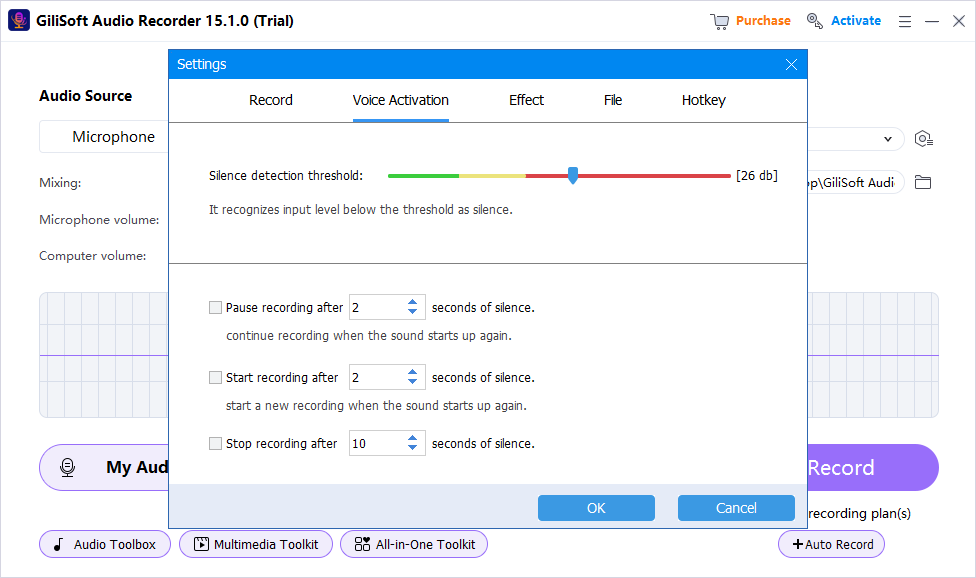
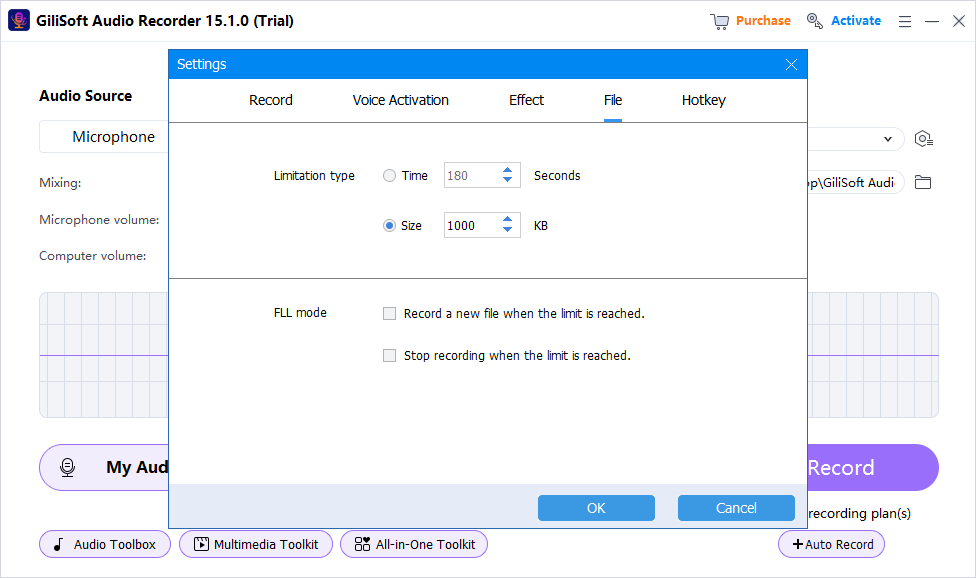
For new recordings, GiliSoft Audio Recorder Pro can use voice activation and silence handling to reduce long blank sections during capture. For an existing file, review and shorten silent regions conservatively rather than assuming noise reduction will remove them.
Choose the source first
Record computer sound, microphone input, or both instead of repairing the wrong source later.
Test before the full session
A short saved sample catches silence, clipping, echo, and device mistakes early.
Use practical cleanup tools
Voice activation, silence handling, noise reduction, and recorded-file management support a cleaner workflow.
Keep the original recording
Preserve an untouched source before cleanup, effects, conversion, or destructive trimming.
Why Silence Removal Can Sound Wrong
| Problem | Likely cause | Correction |
|---|---|---|
| Words begin or end abruptly | Threshold is too high or padding is too short | Lower the threshold and leave more boundary time |
| Speech feels rushed | Every pause was deleted | Shorten long pauses and keep natural spacing |
| Silence still contains hiss | Silence removal was confused with denoise | Use a separate noise-reduction step |
| Video drifts out of sync | Audio duration changed independently | Edit linked media or retain timing |
| Clicks appear at joins | Cuts cross waveform transitions | Use safer boundaries and short fades when appropriate |
Frequently Asked Questions
Is silence the same as background noise?
No. Silence removal shortens low-level regions; noise reduction lowers unwanted sound that may continue underneath speech and pauses.
Should every pause be deleted?
No. Natural pauses make speech understandable. Shorten only excessive gaps and keep enough room tone for smooth pacing.
Why are quiet words being cut?
The threshold may be too high or the minimum duration and boundary padding may be too aggressive.
Can removing silence break video synchronization?
Yes. Shortening audio changes duration, so linked video and other tracks must be handled together.
Can Audio Recorder Pro prevent silence while recording?
Its voice activation and silence-handling controls can reduce long blank sections when configured and tested for the room and voice level.
Should I keep the original file?
Yes. Preserve an untouched recording before any destructive silence removal or cleanup.
More Windows Audio Guides
Continue with the recording, cleanup, or troubleshooting guide that matches the next task.