

How to Recover Deleted Excel Files on Windows
A missing workbook can be deleted, moved, overwritten, or closed without saving. Check Excel and backup copies first; a disk scan is appropriate only when the workbook file itself was removed from local storage.
Quick answer
Check Recycle Bin, OneDrive or SharePoint Version History, and Excel's Recover Unsaved Workbooks first. If an existing local .xlsx or .xls file was deleted and no copy remains, stop using its source drive, scan the original location with GiliSoft Data Recovery, and recover candidates to another physical drive.
Identify What Happened to the Workbook
| Situation | Try first |
|---|---|
| Workbook closed before it was saved | Recover Unsaved Workbooks or Document Recovery |
| Changes overwritten in a cloud workbook | OneDrive or SharePoint Version History |
| Workbook deleted but still in a recycle bin | Restore the retained item |
| Local file permanently deleted | Existing backup, then a scan of its original storage |
| Workbook exists but is damaged | Preserve it and use Excel's supported open-and-repair options on a copy |
Check Excel and Existing Backups First
Recover an unsaved workbook
In supported desktop versions, open Excel and go to File > Info > Manage Workbook > Recover Unsaved Workbooks. Open likely candidates, compare their timestamps and contents, then immediately save the needed copy under a new name.
Use Version History
For a workbook stored in OneDrive or SharePoint, open Version History and inspect an earlier version before restoring it. Save a copy when you need to compare versions without replacing the current workbook.
Check File History and recycle bins
File History helps only if it protected the folder before deletion. Also check both the Windows Recycle Bin and the relevant cloud recycle bin. Enabling these features afterward cannot create an earlier copy.
Recover Deleted Excel Workbooks with GiliSoft Data Recovery
Use a disk scan only when the file itself was deleted and no usable retained copy remains. Install the application away from the affected source.
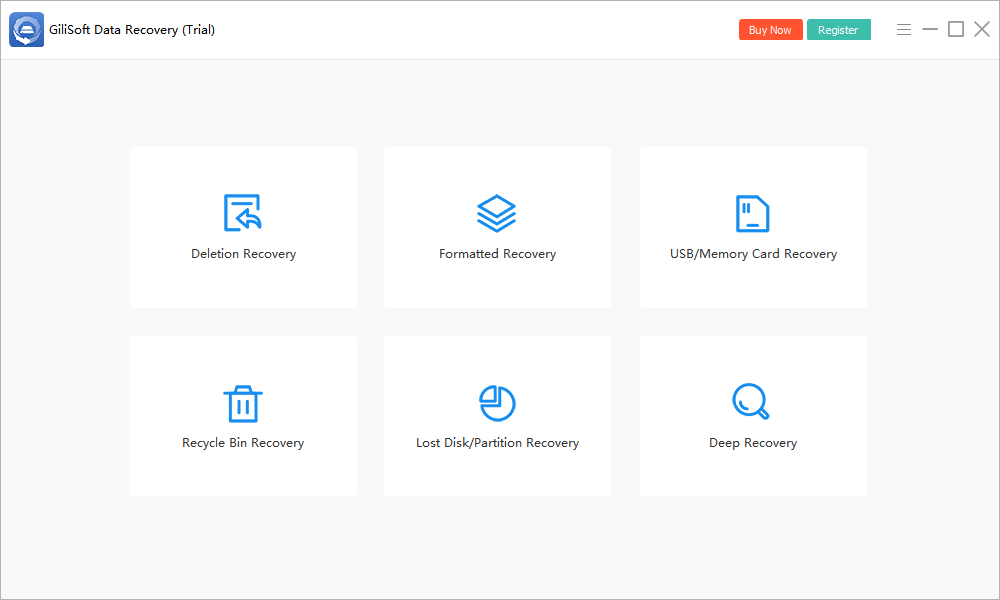
- Open Deletion Recovery.
Launch GiliSoft Data Recovery from healthy storage and select the deleted-file mode.
- Select the workbook's original location.
Choose the original folder or underlying drive. Check whether Desktop or Documents was redirected to OneDrive before deciding what local source to scan.
- Start the scan.
Keep the source available and avoid new writes while results are collected.
- Review supported previews and file details.
Use names, paths, dates, sizes, and file types where available, but verify content after export.
- Recover to another physical drive.
Save priority results away from the source, then open them in their normal application and back up verified files.

Check the installed trial's current recovery limits. A deeper scan may find additional candidates on healthy storage, but it cannot reconstruct overwritten data. See the Data Recovery User Guide for other modes.
Verify a Recovered Excel Workbook
- Open a duplicate first and retain the raw recovered file unchanged.
- Review every worksheet, including hidden sheets and expected row counts.
- Check formulas, totals, dates, decimals, leading zeros, named ranges, and cell references.
- Inspect macros, external links, queries, and data connections before enabling active content.
- Compare critical values with a PDF export, report, email, or other known-good source.
A workbook that opens is not necessarily complete. Excel may repair or remove unreadable content, so read any repair notice and save the repaired version separately.
When Workbook Recovery May Fail
AutoRecover is not a permanent backup and may be absent after choosing Don't Save. Version History requires cloud storage and retained versions. A disk scan cannot recreate overwritten workbook data or a cloud-only file that was never stored locally.
For SSD storage, TRIM may make deleted content unavailable. Stop source activity early, but do not promise success based on timing alone.
Deleted Excel File Recovery FAQ
Is an unsaved workbook the same as a deleted workbook?
No. An unsaved workbook may have an AutoRecover copy inside Excel. A deleted workbook existed as a file and was later removed from storage. Use the route matching what happened.
Where is Recover Unsaved Workbooks in Excel?
In supported desktop versions, open Excel and use File, Info, Manage Workbook, then Recover Unsaved Workbooks. Availability depends on AutoRecover settings and whether a retained copy exists.
Can I recover an earlier Excel version?
For workbooks stored in OneDrive or SharePoint, use Version History. A local File History backup may also contain an earlier copy if it protected the folder before the loss.
Why does a recovered workbook open with a repair warning?
The file may be incomplete or damaged. Work on a copy, review every worksheet, formula, link, named range, macro, and external data connection, and compare totals with another source.
Does data recovery restore Excel formulas?
Only if the recovered workbook content is intact. Recovery software retrieves file data; it does not reconstruct formulas that are missing or overwritten.